

Feeling overwhelmed with the numerous tabs you opened during last night’s Reddit browsing session? You’re not alone. In a world overflowing with information, the challenge is no longer finding new ideas but how to connect old and new ones. In this blog, you’ll learn:
Digital thinking is the intentional use of digital tools to capture information, organize knowledge, connect related ideas, and generate useful insights. Instead of storing notes in isolated folders, you build a connected system that helps you retrieve what you know and apply it to new problems.
Why is Digital Thinking an Essential Skill for Professionals?
The digital transformation of our information ecosystem fundamentally changed how we process, organize, and connect information. So digital thinking is not just note-taking on your phone; it’s using technology as an extension of your brain to build living networks of ideas.
You may have come across mind maps summarizing the key themes or concepts in a work which has become significantly more efficient now with the help of Large Language Models (LLMs) processing the information and generating it:
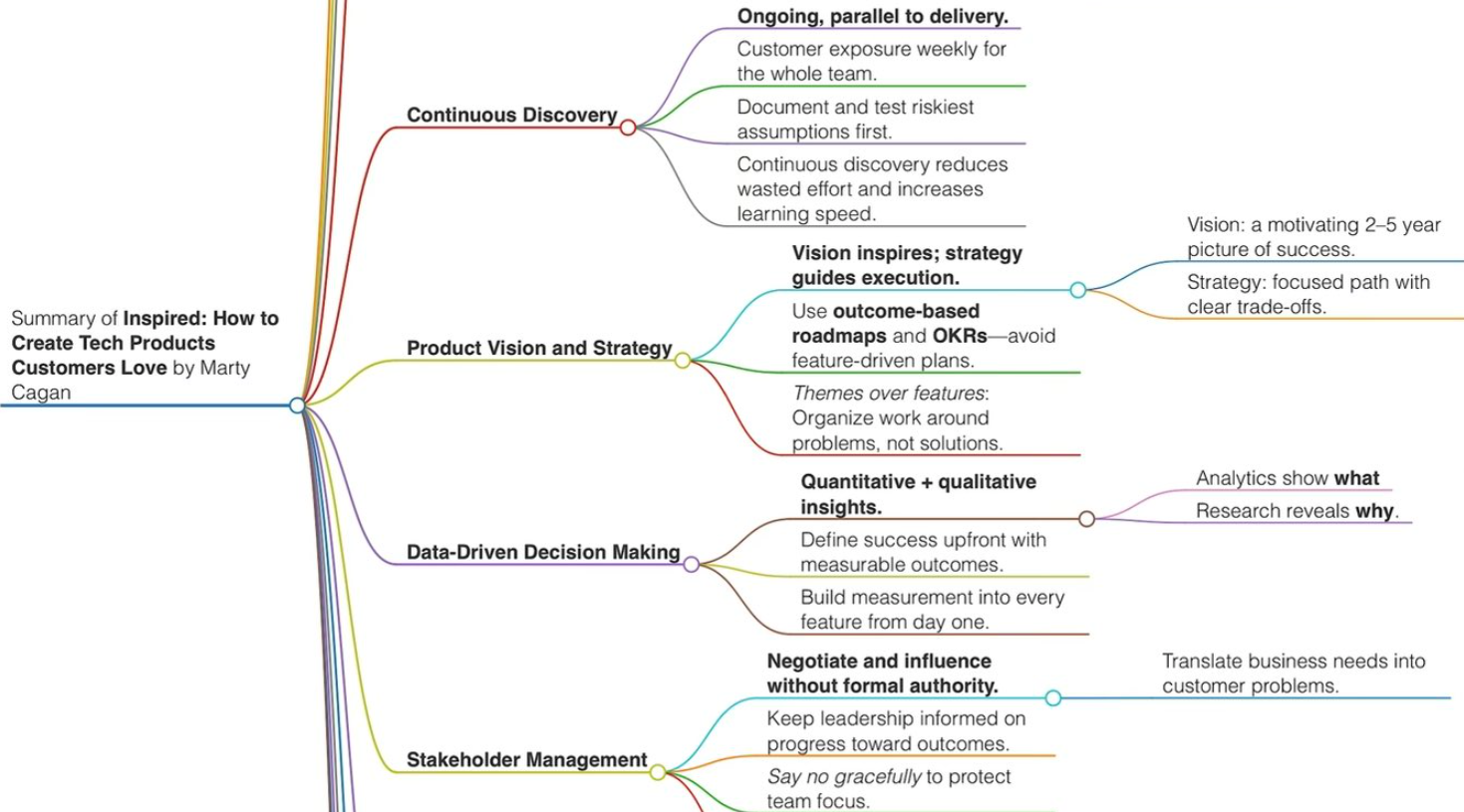
Unlike linear thinking, digital thinking embraces the interconnected nature of modern information systems and actively utilizes digital note-taking tools. By leveraging technology not just for storage, but as an extension of your cognitive abilities, digital thinking links ideas and creates dynamic webs of knowledge that mirror how our brains naturally form associations.
You’ve probably heard this tip before that it’s best to summarize something you’ve recently absorbed in your own words to make sure you’ve retained and internalized it. Digital thinking adds another layer to this by:
“Digital thinking links ideas and creates dynamic webs of knowledge that mirror how our brains naturally form associations”
This way, you transform passive information consumption into active knowledge creation, making it a valuable approach for most knowledge workers. But digital thinking differs from traditional note-taking or information management due its emphasis on relationships and connections rather than hierarchical storage.
Rather than filing information away in isolated folders, digital thinkers create interconnected networks where each piece of knowledge can relate to multiple others, fostering unexpected discoveries and innovative solutions.
The Science Behind Note-taking and Creativity
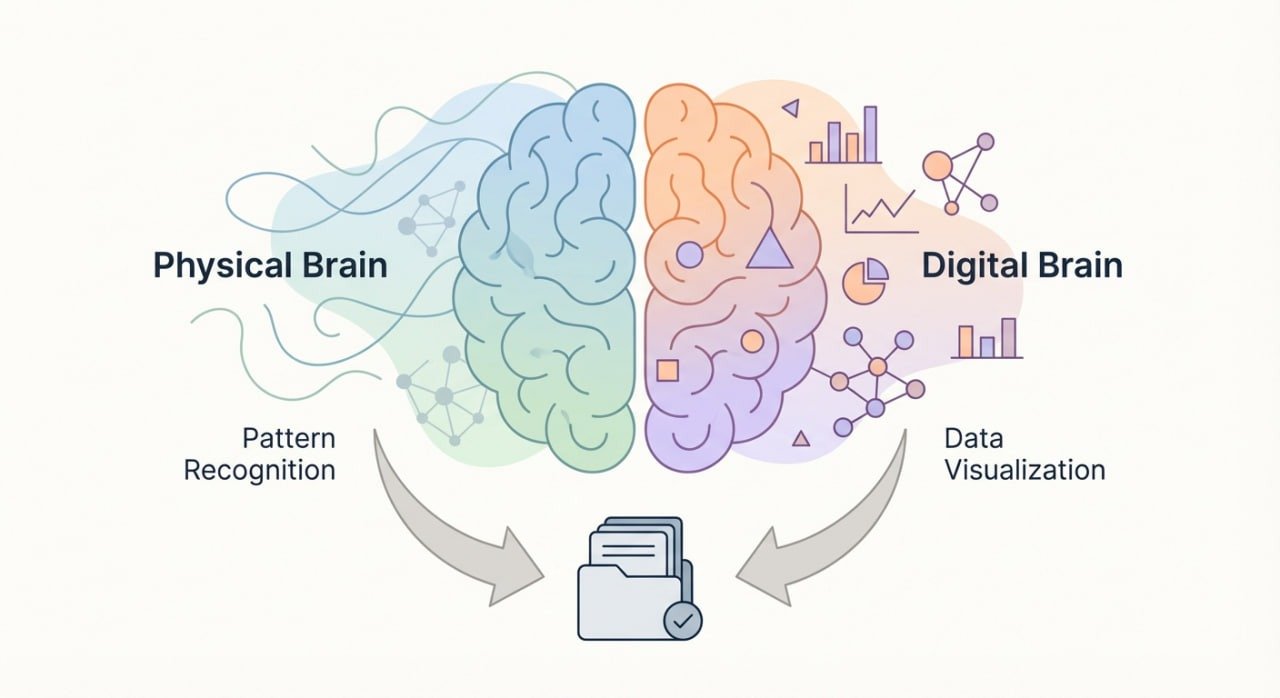
When we learn new information, our brains instinctively search for existing connections to strengthen existing neural pathways and build more robust knowledge structures.
Thanks to cognitive science, we know that our minds naturally create semantic networks, interconnected webs of concepts, that facilitate learning and creativity. Recent studies demonstrate that cognitive maps in the brain organize memories and retrieve context through sophisticated pattern matching.
This further validates approaches that emphasize visual and spatial organization of information. It’s why digital note-taking helps you visualize connections and think more creatively. Writing, in itself, organizes and clarifies thoughts and digital systems extend this through their unique organization and linking features.
92% of people report that mind mapping helps them “distill information and reach clarity faster”
What Are the Benefits of Digital Thinking?
Digital thinking helps people manage information more deliberately instead of simply collecting notes, files, and links. Its main benefits include easier information retrieval, stronger connections between related ideas, improved knowledge organization, and better use of previous research.
Digital tools can also reduce dependence on memory by creating a searchable external system for important information. Features such as backlinks, tags, visual maps, and semantic search make it easier to revisit ideas and recognize relationships that may otherwise remain hidden.
For students, this can mean connecting lecture notes with research sources. For professionals, it can mean linking decisions, project documents, and lessons learned. For creators and entrepreneurs, it can help transform separate observations into new ideas, content, or business opportunities.
Mind Mapping to Get an Overview
Mind mapping leverages the brain’s natural preference for visual and associative thinking. The visual nature of mind maps engages multiple cognitive systems simultaneously—spatial, visual, and linguistic—leading to enhanced retention and comprehension.
Research shows that 92% of people report that mind mapping helps them “distill information and reach clarity faster,” while 81% say it helps them “manage projects more efficiently”.
A pioneer of short indexing is the Zettelkasten method which we’ve covered in a separate blog. Pioneered by sociologist Niklas Luhmann, it provides a systematic approach to networked thinking.
Why Digital Note-Taking Outperforms Paper
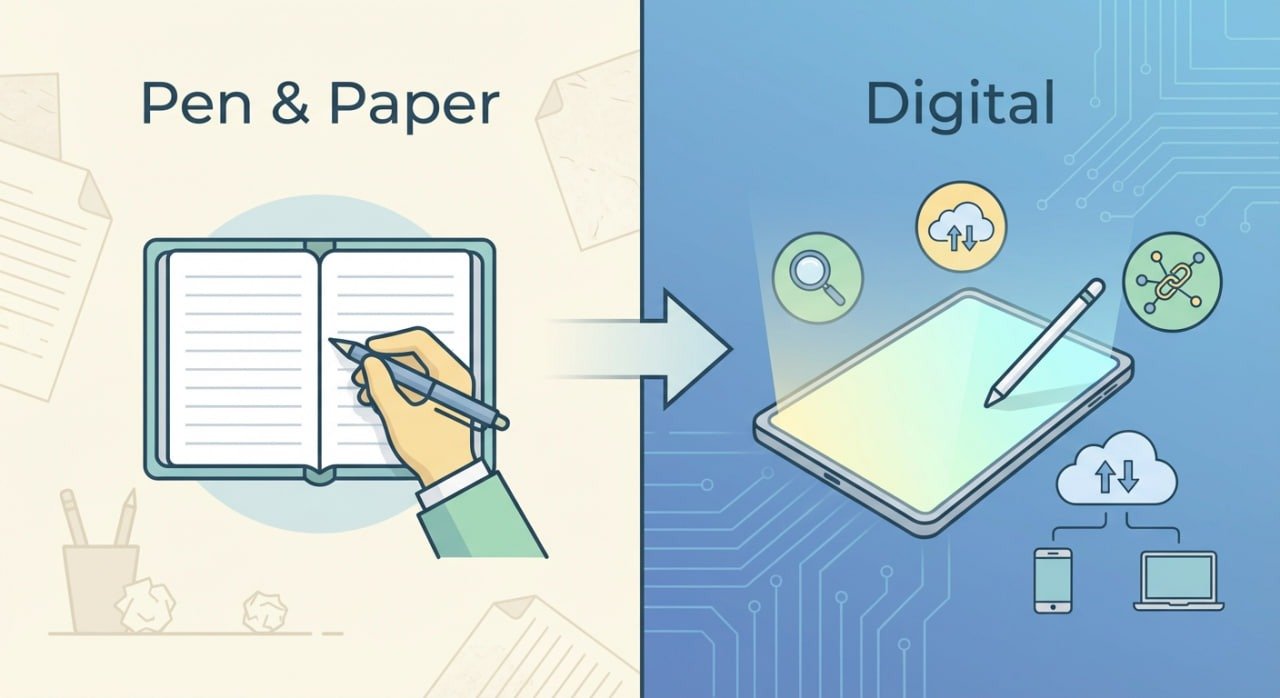
Similar to Luhmann, fans of journaling and productivity gurus like Ryan Holiday swear by writing on notecards. But digital tools have an advantage in that they amplify these natural cognitive processes by:
Automated backlinking reveals hidden connections that might be missed in manual systems, while advanced search capabilities can surface relevant information based on semantic similarity rather than just keyword matching.
Through AI assistants often included in note-taking tools can identify patterns across vast knowledge bases, suggesting connections that span different texts or time periods.
Modern knowledge management systems also address information overload by managing the complexity of information processing. Plus the process of engaging with the information helps you focus and lock-in.
These tools automate organization and retrieval tasks, which free up mental resources for higher-order thinking activities like analysis, synthesis, and creative problem-solving.
What are the Four Pillars of Digital Thinking
These four pillars have a stacking effect that build on each other, creating a comprehensive system for digital thinking:
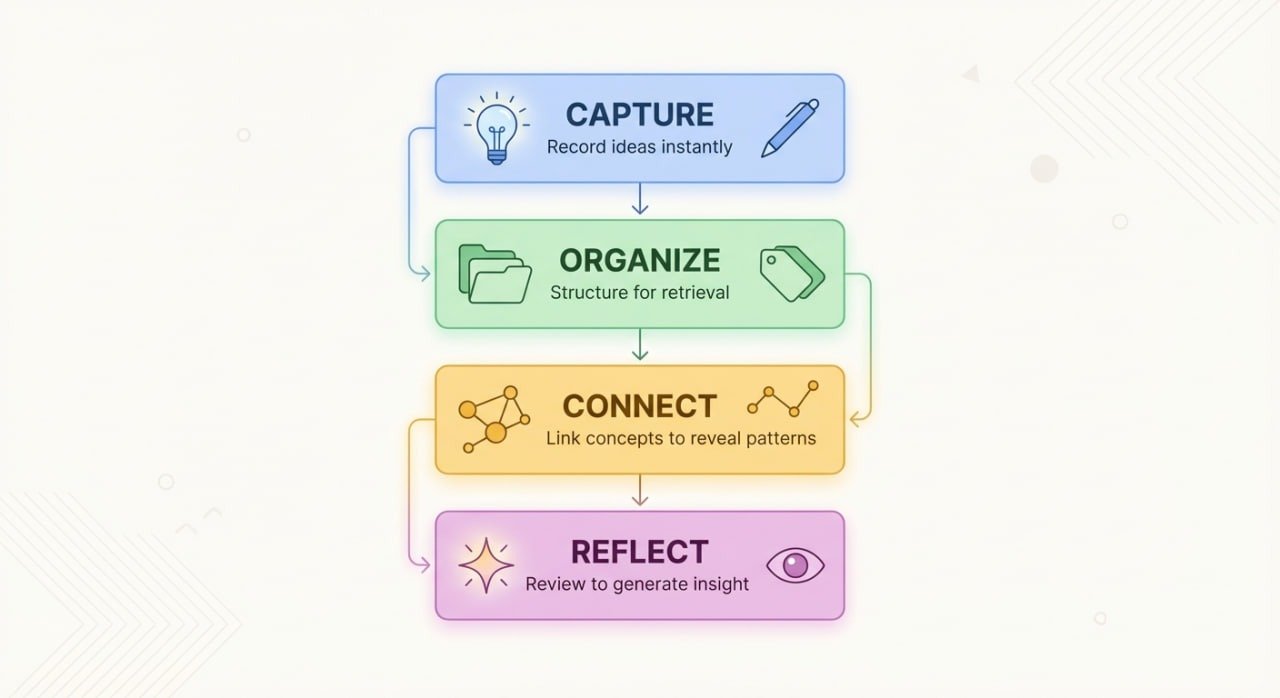
Still, utilizing this framework in action can be confusing if you are not familiar how they can be employed in praxis.
Practical Strategies to Connect Ideas and Create Faster
Capturing and connecting ideas effectively is key to innovation and productivity. Even though technology has fostered this information overload environment, the solution can also be found in technology.
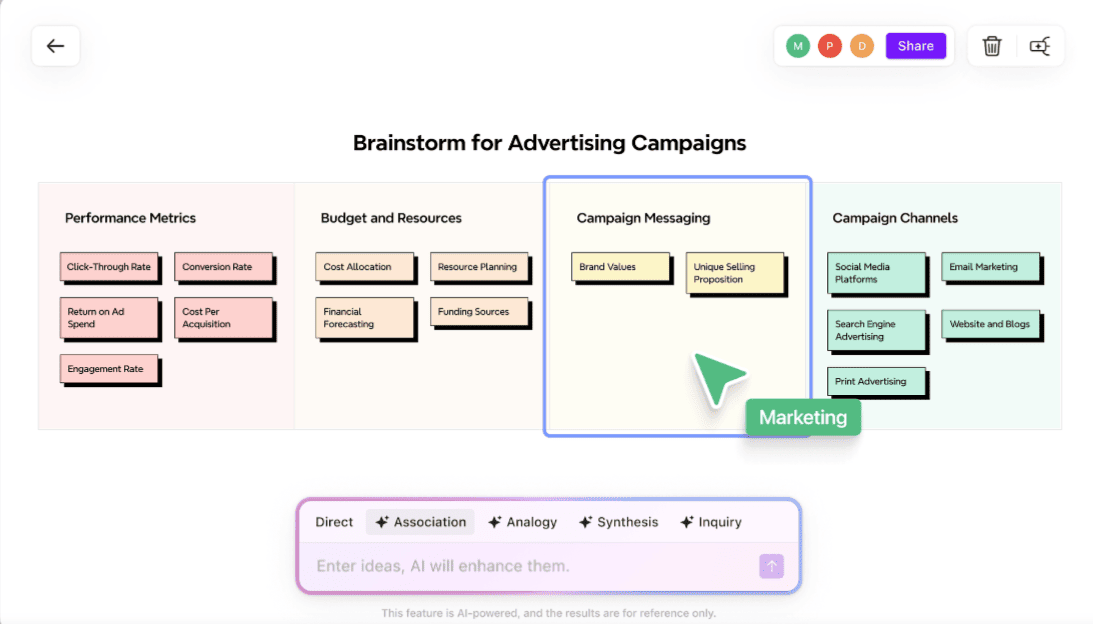
Mind mapping tools are revolutionizing how we think, plan, and collaborate by offering dynamic, versatile platforms for organizing thoughts.
These tools go beyond traditional note-taking, enabling seamless brainstorming, structured planning, and real-time collaboration.
Using tools like MindMeister and XMind you can visualize ideas, collaborate in real-time, and build clear project maps. Each tool helps you move from brainstorming to action—without losing your creative flow.
Note-Taking Systems: The Networked Approach
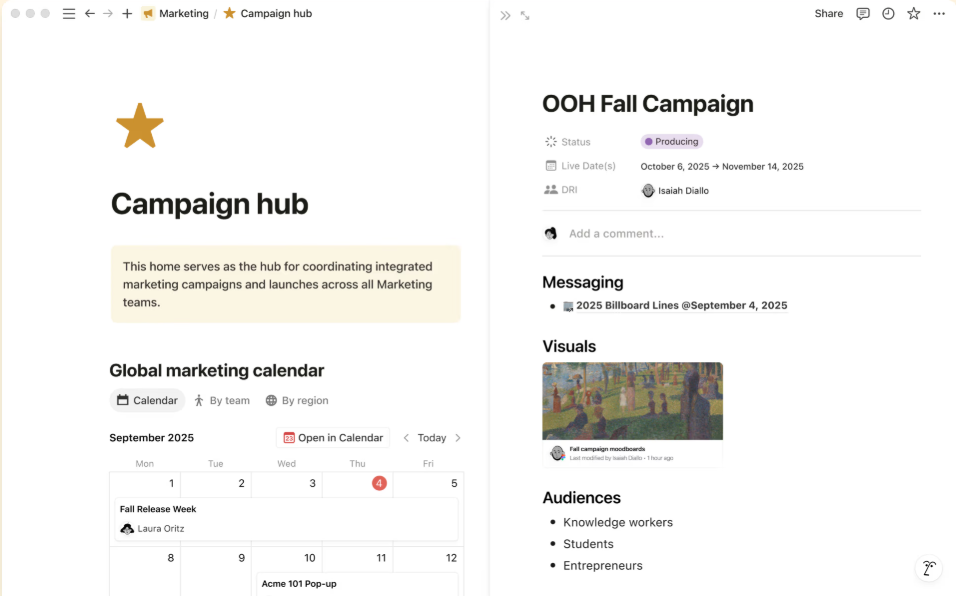
Some of the tools introduced below, including our very own Brainfo platform, offer their own interpretation on how a productivity suite should work. As Ali Abdaal says, there is no real platform that can definitely get all the medals in a ranking so it’s mostly a matter of you getting used to one.
- Notion is a comprehensive workspace that combines note-taking with database functionality, project management, and team collaboration. Its block-based structure allows for flexible organization, while relational databases enable complex information relationships. The recent addition of AI capabilities helps with content generation and synthesis tasks.
- Obsidian has revolutionized personal knowledge management through its powerful backlinking system and local-first approach. It also automatically identifies all mentions of a concept across your entire knowledge base, creating dynamic connection maps that reveal unexpected relationships. The graph view provides visual representations of your knowledge network, helping identify central concepts and knowledge clusters.
- Capacities, Craft, and Kortex are innovative digital note-taking tools that enhance creative thinking by offering unique approaches to capturing, organizing, and connecting ideas.
From Capacities’ object-based, non-folder system to Craft’s visually appealing document creation and Kortex’s AI-powered second brain for creators, these platforms empower users to streamline workflows and transform ideas into impactful projects
- Roam Research pioneered the unique approach of bi-directional linking which treats every note as part of an interconnected web, automatically creating connections between related concepts.
Advanced Linking and Backlinking Strategies
The power of bi-directional links lies in their ability to surface unexpected connections. Unlike hyperlinks that create one-way relationships, backlinks reveal all contexts where an idea appears, fostering unexpected discoveries. When you link to a concept, you simultaneously create pathways for future ideas to connect back to current thoughts.
Tagging and Search Optimization
Effective tagging systems balance specificity with flexibility. Hierarchical tags (like #project/research/literature-review) provide detailed categorization, while contextual tags (#insight, #question, #action-item) indicate how information should be used.
The key is consistency—establishing clear tagging conventions and adhering to them over time.
Semantic search capabilities in these tools can understand intent behind queries, not just keyword matches. This means you can search for concepts using different terminology and still find relevant information.
How to Use Digital Thinking in the Real-World
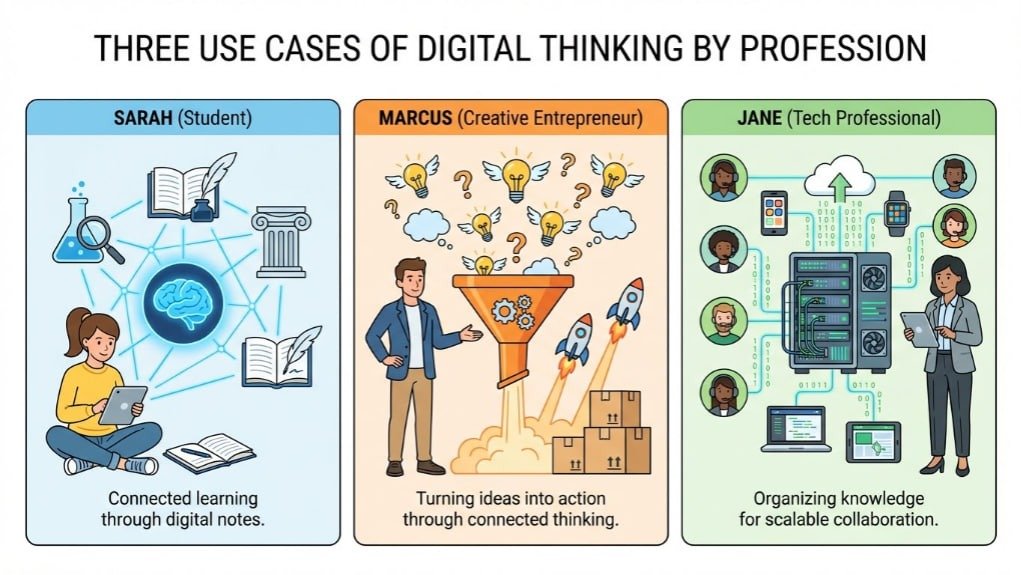
From students trying to keep up with their coursework to entrepreneurs shaping ideas into real businesses and professionals juggling complex projects, digital thinking tools help make sense of the chaos. They simplify how people organize their thoughts, collaborate with others, and move from ideas to action with confidence and clarity.
Students: Academic Excellence Through Connected Learning
University life can feel overwhelming when lectures, textbooks, and research all compete for attention. Take Sarah, a graduate student in cognitive psychology, for example. Instead of drowning in scattered notes and endless PDFs, she uses digital note-taking tools to build a connected network of ideas, linking theories, studies, and insights.
This makes everything feel more manageable, meaningful, and easy to revisit when she needs it most. Her literature review process involves creating synthesis notes that combine insights from multiple sources, revealing research gaps and potential thesis directions. gaps and potential thesis directions.
The Cornell Note-taking method enhanced with digital tools proves particularly effective. Students capture lecture notes in a quick-entry format, then later create processed notes with proper links and tags.
This two-stage approach balances the need for rapid capture during lectures with the deeper processing required for long-term retention.
Entrepreneurs: From Ideas to Innovation
For entrepreneurs like Marcus, juggling ideas, research, and strategy can quickly become overwhelming. He uses mind mapping tools to turn scattered thoughts into clear direction, starting with big-picture market insights and gradually breaking them down into specific opportunities worth pursuing.
From there, he builds practical business models by connecting market data, competitor insights, and real customer feedback into one cohesive plan. This connected way of thinking helps him see the bigger story behind the numbers, rather than treating each piece of information in isolation.
Today’s startup founders and venture capitalists are also embracing networked note-taking and AI-powered tools to stay ahead. By spotting patterns and linking signals others might overlook, they’re able to uncover promising opportunities early and make smarter, more confident decisions.
Tech Professionals: Knowledge Management at Scale
For tech professionals like Jane, keeping track of endless documentation, lessons learned, and evolving systems is no small task. As a senior developer, she maintains a personal digital knowledge base that connects coding patterns, debugging notes, and key project insights — all in one place she can easily return to.
When a new problem arises, Jane doesn’t start from scratch. She taps into her linked notes to revisit similar challenges and proven solutions, saving time and reducing friction.
Beyond individual use, teams in software, technical writing, and marketing rely on these systems to stay aligned. By connecting user stories, feature updates, change logs, and support feedback, they gain a clear, shared view of how a product is evolving — helping them make better decisions today while planning smarter for tomorrow.
What Does the Future Hold For Digital Thinking?
Digital thinking is poised to redefine how we manage and interact with knowledge, driven by advancements in AI, automation, and human-AI collaboration. By integrating intelligent tools and adaptive systems, individuals across domains can unlock new levels of creativity, efficiency, and insight to navigate an increasingly complex information landscape.
AI-Powered Knowledge Management
Artificial intelligence is transforming knowledge management from a manual practice into an intelligent, adaptive system. AI-powered tools can now automatically identify connections between ideas, suggest relevant content based on context, and even generate synthesis summaries from multiple sources.
Predictive analytics in knowledge management systems will soon anticipate information needs based on project contexts, calendar events, and work patterns. Imagine a system that automatically surfaces relevant research when you’re preparing for meetings or suggests complementary ideas when you’re brainstorming solutions.
Future systems will understand complex queries, generate insights from multiple information sources, and even engage in dialogue about your ideas to help refine thinking.
Automation Paired with Human Oversight
Automated knowledge curation will reduce the burden of information organization while maintaining human oversight for critical decisions. This will identify duplicate information, suggest consolidation opportunities, and flag outdated content for review.
The Evolution of Human-AI Collaboration
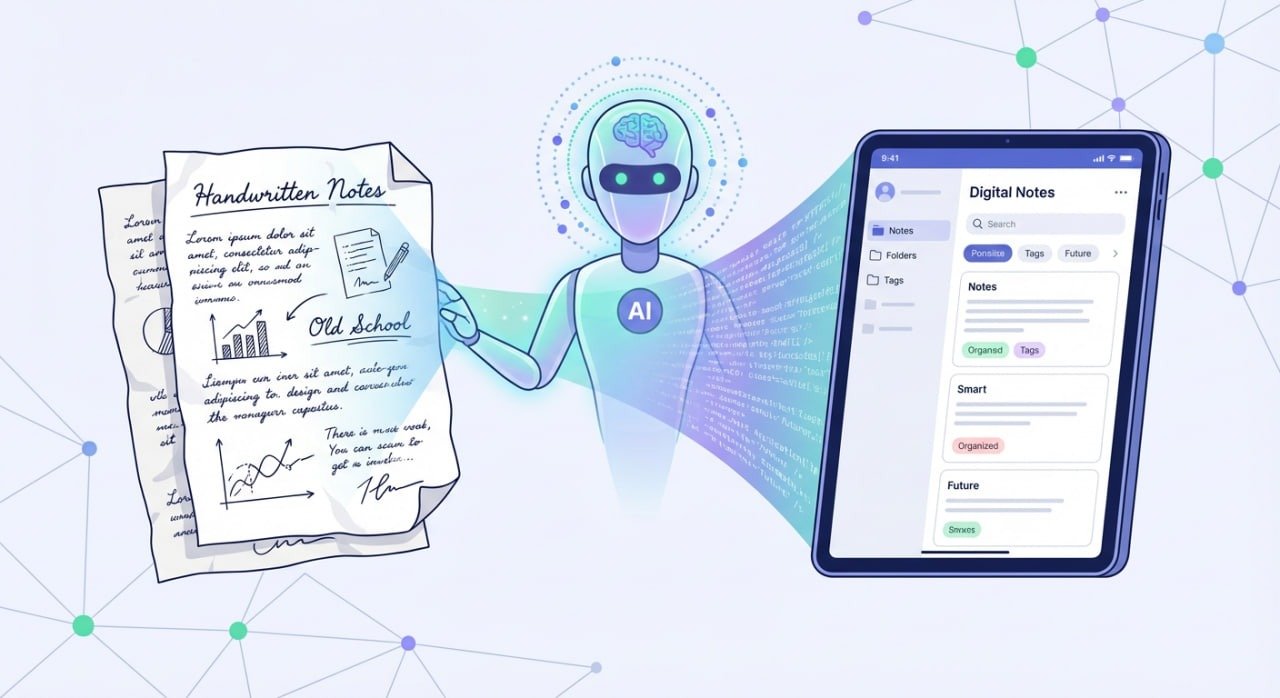
The future belongs to human-AI collaborative intelligence where artificial systems amplify human cognitive capabilities rather than replacing them.
Digital thinking skills will become increasingly valuable as AI handles routine information processing, freeing humans to focus on creative synthesis, strategic thinking, and ethical decision-making.
Continuous learning systems will adapt to individual thinking patterns, suggesting personalized strategies for knowledge connection and insight generation. These systems will learn from previous successful ideations to suggest potentially valuable connections proactively.
Mastering digital thinking isn’t just about adopting new tools—it’s about developing a systematic approach to knowledge that leverages both human creativity and technological capabilities.
As information continues to multiply exponentially, those who can effectively connect ideas across domains, synthesize insights from multiple sources, and adapt their thinking to new contexts will have significant advantages in education, business, and innovation.
Conclusion: Turning Information Chaos into Creative Power
Mastering digital thinking isn’t about using every tool–it’s about building a system that works for you. It is the intentional use of technology to capture, connect, and reflect on information in a way that transforms scattered data into interconnected knowledge.
To that end, you need to implement the four pillars (Capture, Organize, Connect, Reflect) systematically while experimenting with productivity tools to find your optimal workflow, and build consistent habits that support continuous learning and knowledge connection.
Whether you’re a student organizing research, an entrepreneur identifying opportunities, or a professional managing complex projects, these approaches will help you transform information abundance into competitive advantage.
By leveraging its AI-driven features, easy link capture, and collaborator working, Brainfo empowers students, entrepreneurs, and tech professionals to connect ideas, streamline workflows, and unlock creativity—try it today to transform your digital life into a powerhouse of productivity and insight.
Ready to learn more about digital thinking?
Leave a comment about your favorite note-taking tool or subscribe to our newsletter for future productivity strategiesowerhouse of productivity and insight.