

1. Introduction: The Invisible Tax of Digital Chaos
Does this sound familiar?
You finish a productive meeting, jotting down crucial action items… somewhere.
Later, a brilliant idea strikes for next quarter’s project – you text it to yourself, promising to deal with it “later.”
An insightful article pops up; you bookmark it in one of seven open browser windows, vowing to read it “when you have time.”
Client feedback lands in an email chain, project files live on a hard drive, personal tasks are scribbled on a sticky note, and that vital statistic?
It’s buried in a half-finished note on your phone… or was it your tablet?
This isn’t just disorganization.
It’s a constant, draining tax on your mind.
You feel it – that low-grade hum of anxiety.
The nagging fear that you’ve forgotten something critical.
The frustration of spending precious minutes (or hours!) hunting for that one piece of information you know you saved.
The mental clutter that makes focused work feel impossible, leaving you perpetually reactive and feeling behind.
Your brilliant ideas get lost.
Deadlines feel like ambushes.
Your potential feels trapped under the weight of scattered information.
This chaos isn’t your fault.
Your biological brain is an incredible processor and creator, but it’s a terrible librarian and filing clerk for the digital deluge we face daily.
Trying to remember everything, track everything, and connect everything across dozens of disparate apps and locations is a recipe for overwhelm.
It saps your energy, kills your focus, and steals the clarity you need to do your best work.
But what if there was a way off this exhausting hamster wheel?
What if you could transform this digital chaos into calm, actionable clarity?
What if you had a reliable, external system designed specifically to handle the overload – a trusted partner to capture, organize, recall, and connect your valuable knowledge and tasks?
Not just another app to add to the pile, but a fundamental shift in how you manage your digital life.
That system is your Second Brain.
And building one isn’t about adopting rigid, complex rules or becoming a productivity robot.
It’s about understanding a few powerful, timeless principles of digital organization.
Principles that free your biological brain to do what it does best: think, create, and lead.
This guide will show you how to move from chaos to clarity, step by manageable step, starting right where you are.
2. Your Brain Wasn’t Built for This: Why We’re Drowning
The Myth of Multitasking and Memory
Let’s be brutally honest: your biological brain is magnificent, but it’s spectacularly unsuited for the modern information tsunami.
Evolution designed it for survival on the savanna, not for juggling 47 browser tabs, cross-referencing project notes from 3 different apps, and remembering where you saved that critical client email from last Tuesday.
Your working memory – the mental “desk” where conscious thinking happens – can only hold about 4-7 pieces of information at once.
Try to cram more onto that tiny desk, and things start falling off. This isn’t a lack of willpower; it’s neurobiology.
We try to compensate by “multitasking” – frantically switching between email, Slack, documents, and notes.
But science is clear: task-switching isn’t multitasking; it’s rapid attention-shifting that comes with a massive cognitive cost.
Each switch burns energy, creates mental friction (“Now, where was I?”), and leaves behind “attention residue” that fragments your focus.
The result? You feel mentally exhausted, yet achieve less deep work.
Trying to remember everything important – deadlines, ideas, tasks, references – isn’t just inefficient; it actively drains the cognitive resources you need for your actual job: thinking, creating, and solving problems.
The High Cost of Scattered Information
The consequences of relying solely on your biological brain and fragmented digital tools aren’t just frustrating; they’re costly.
Think about the real price you’re paying right now:
This constant state of reactive scrambling isn’t sustainable.
It’s not just about being “busy“; it’s about your valuable mental bandwidth being hijacked by the very systems meant to support you.
You need a fundamentally different approach – one designed for the complexity of modern knowledge work, not the simplicity of the savanna.

3. What is a Second Brain? (Your Digital Lifeline)
So, what exactly is this “Second Brain”?
At its core, your Second Brain is an external, organized system designed to capture, store, organize, distill, and retrieve your knowledge and insights.
Think of it as a digital twin for your best thinking – a reliable, always-accessible extension of your biological mind, purpose-built to handle the information overload of modern work and life.
It’s not just another app or a fancy filing cabinet.
It’s a dynamic system based on proven knowledge management principles.
Its primary functions are to:
The real magic of a Second Brain isn’t in the technology itself, but in the principles it embodies.
This isn’t about forcing you into a rigid, one-size-fits-all methodology that adds more complexity to your life.
It’s about adopting fundamental, timeless principles of organization that work with your brain, not against it.
These principles free you to choose any tool that fits your style (be it Notion, BrainFo, Evernote, or others) and build a system uniquely suited to your workflow and your mind.
The payoff? Imagine the opposite of that draining chaos:
A Second Brain transforms digital chaos into a foundation of calm confidence.
It’s the system that finally allows you to harness the full value of your knowledge and energy. Now, let’s explore the core principles that make this transformation possible..
4. Core Principles: Build Your System, Your Way
Forget rigid rules.
True digital clarity comes from mastering these five foundational principles.
Adapt them to your workflow using any tool you choose.
Principle 1: Centralize Everything (Your Trusted Home Base)
Targets: digital chaos, organize digital files, how to overcome digital chaos?
The Problem: Scattering notes across 7 apps and files across 3 drives isn’t just messy—it’s mentally corrosive. Every location is a potential pit of lost ideas.
The Principle: Commit to one central repository for all knowledge: meeting notes, PDFs, tasks, bookmarks, voice memos. No exceptions.
How to Start:
Principle 2: Capture Relentlessly, Then Clarify (Stop Forgetting)
Targets: organize your mind, stop forgetting important information
The Problem: Ideas vanish in 20 minutes. “I’ll save this later” means “I’ll lose this forever.”
The Principle: Capture first, organize second. Save ideas in 5 seconds flat—then process in batches.
How to Start:
Schedule 15-minute “Clarify Blocks” 2x/week to:
Long-Tail Answer: “Batch-processing captures silences the anxiety of ‘Where did I put that?'”
Principle 3: Organize for Action, Not Perfection (The PARA Method)
Targets: organize work life, manage multiple projects, what is the best way to organize notes?
The Problem: Folders like “Misc” or “Admin” become digital graveyards. You organize for tidiness, not results.
The Principle: Use the PARA framework:
How to Start:
Create 4 folders: Projects, Areas, Resources, Archive.
Sort every captured item into one:
Keyword Integration: “PARA mirrors how your brain works—prioritizing what’s alive, shelving what’s not.”
Principle 4: Connect Ideas, Don’t Cage Them (Networked Thinking)
Targets: knowledge management principles, how to manage multiple projects?
The Problem: Folders force single-filing. That brilliant marketing insight stays trapped in “Project X” instead of fueling “Project Y.”
The Principle: Link related concepts across projects/areas. Use tags (#growth-hack), backlinks ([[ ]]), or searchable keywords.
How to Start:
Principle 5: Review to Renew (The Weekly Reset)
Targets: overcome digital chaos, organize work life
The Problem: Systems rot without maintenance. That “perfect setup” from January is now a time capsule.
The Principle: Schedule ruthless weekly reviews (20 mins max). Your system must evolve as priorities shift.
How to Start:
Every Friday:
Long-Tail Answer: *”A 20-minute weekly reset prevents 3-hour emergency reorganizations.”*
5. From Overwhelmed to Operational: Your First Steps
Stop planning. Start doing. Clarity is built through action, not theory.
Start Small, Win Fast
Forget overhauling your entire digital life overnight.
Your goal isn’t perfection—it’s momentum.
🚀 The 15-Minute Launch:
Immediately move 3 stranded items into them:
Why it works: You’ve just operationalized Principle 1 (Centralize) and Principle 3 (PARA). The system is live.
Conquer the Capture Habit
Reduce friction until saving feels automatic:
⚡️ Enable 1-Click Capture:
🔄 Schedule Your First “Clarify Block”:
15 minutes, 2 days from now.
Tasks:
Choosing Your Tool (Without the Paralysis)
Tools don’t create clarity—your habits do. But the right tool removes friction.
Crucial: Don’t overthink it. Your system evolves with you. Choose any tool supporting the 5 principles. You can always migrate later.
🚫 Avoid “Tool Hopping“: Switching tools every month wastes 10x more time than an imperfect setup. Stick with one for 90 days.
Your First Win: Taste the Clarity
Within 48 hours, you’ll experience:
“This isn’t about overnight perfection. It’s about proving to yourself that small actions compound into calm confidence.”

6. Brainfo: Clarity, Built-In
You’ve just learned the principles of true digital organization.
Now imagine a tool designed from the ground up to make them effortless.
The Problem with Generic Tools:
While apps like Notion or Obsidian can work, they demand heavy lifting.
You spend hours configuring databases, debugging syncing errors, or stitching together plugins—just to replicate the core principles you need.
For the Overwhelmed Professional, this becomes another project.
Another source of friction. Another excuse to quit before clarity takes hold.
Brainfo: The Shortcut from Principle to Practice
Brainfo isn’t another note-taking app. It’s a unified environment where the 5 principles are baked into the design:
🚀 Centralize Effortlessly:
Capture ideas, PDFs, tasks, and emails into one searchable hub—no more juggling tabs or apps.
→ Principle 1 achieved, zero setup.
⏱️ Capture & Clarify in Flow:
Save anything in 2 clicks (browser/mobile). Brainfo automatically tags, links, and suggests homes for new notes.
→ Principle 2 on autopilot.
📂 PARA, Perfected:
Projects, Areas, Resources, and Archive aren’t just folders—they’re dynamic workspaces with built-in task tracking, progress dashboards, and AI-assisted sorting.
→ Principle 3, elevated.
💡 Connect Ideas Intelligently:
Brainfo spots connections you might miss. That client note? Linked to your budget Area and a related Resource—without manual tagging.
→ Principle 4, supercharged.
🔄 Self-Maintaining System:
Weekly review reminders. Auto-archiving of stale projects. Priority highlights based on deadlines.
→ Principle 5, simplified.
Why Busy Professionals Choose Brainfo:
“It’s the difference between building a car from scratch and driving a Tesla. Both get you there—but one lets you focus on the road.”
7. Conclusion: Your Peace of Mind is a System Away
You didn’t choose the chaos.
It chose you—through overflowing inboxes, scattered notes, forgotten ideas, and the gnawing sense that somewhere, something critical is slipping through the cracks.
That anxiety? That mental clutter? That’s your brilliant mind begging for space to breathe.
Today, you’ve discovered the antidote:
A Second Brain isn’t magic.
It’s a decision.
A decision to stop letting fragmented tools and biological limits dictate your potential.
A decision to build a system that works for you—one based on timeless principles, not fleeting trends.
Remember the shift:
This isn’t about becoming “organized.” It’s about becoming unstoppable.
The principles you’ve learned today—Centralize, Capture, Organize (PARA), Connect, Review—are your foundation.
Start small. Win fast. Let momentum build. Your future self will thank you for every captured idea, every reclaimed hour, every moment of the focus you gift to yourself.
Brainfo: Your Shortcut to Clarity
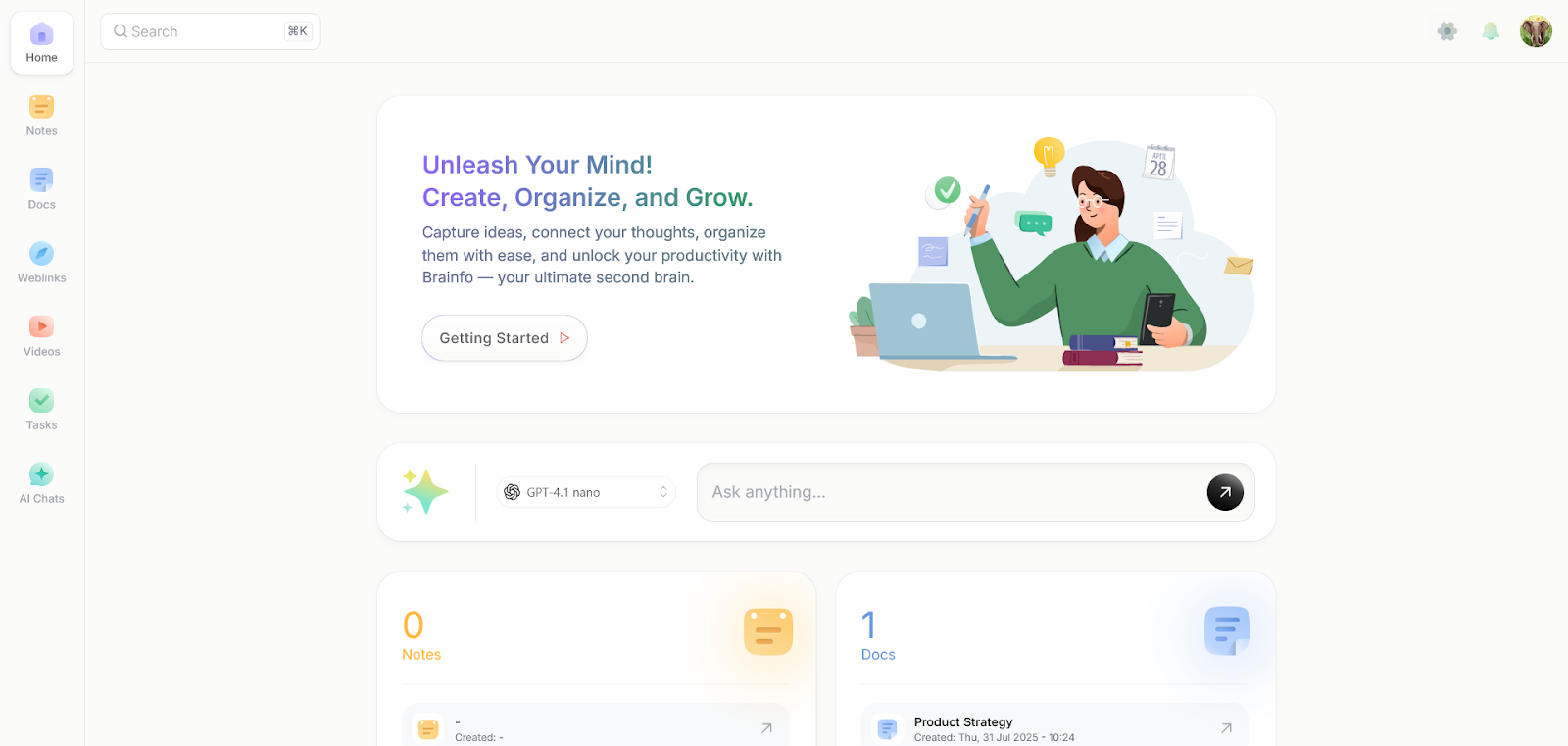
Why wrestle with generic tools?
Brainfo embodies these principles so you don’t have to engineer them yourself.
It’s the unified environment where clarity emerges naturally—not from endless configuration, but from intentional design.
Your peace of mind isn’t a luxury. It’s a system.
Build yours today.