
You think you’re decluttering your mind—but you’re really just moving the mess.
That satisfying rush of a digital brain dump fades fast when your “organized chaos” becomes, well, just chaos. Ideas vanish, insights rot, and your supposed productivity system turns into another source of stress.
If you’ve ever spent ten minutes hunting for something you know you saved, this article is for you. We will show you the difference in Second Brain vs. Brain Dump. You’ll see why digital brain dumps fail, how a structured Second Brain transforms scattered notes into usable digital knowledge organization, and the exact steps to build one—so your ideas finally work for you, not against you.
Let’s explore why structure makes all the difference.
The Problem with Digital Brain Dumps
That initial rush of relief when you dump everything out of your head? It’s real.
“Digital Brain Dumps offer only temporary relief, setting you up for a long-term mess.
Without structure, that captured potential quickly curdles into digital chaos.”
The biggest pain point? Abysmal retrieval value. That brilliant idea you jotted down last Tuesday? Buried. The research snippet vital for your current project? Lost in a sea of unrelated notes.
You waste precious time searching, often duplicating work because you simply can’t find what you know you saved. Instead of offloading mental burden, the sheer volume and disorganization create mental overload.
You know the info exists somewhere in the pile, but the uncertainty and clutter nag at you, defeating the whole purpose of capturing it in the first place.
This passive storage fails at the core promise of offloading: freeing your mind to think, not just to forget.
The dump becomes a graveyard for potential, not the engine for productivity and creativity you hoped for.
Second Brain vs Brain Dump: Why Structure Wins
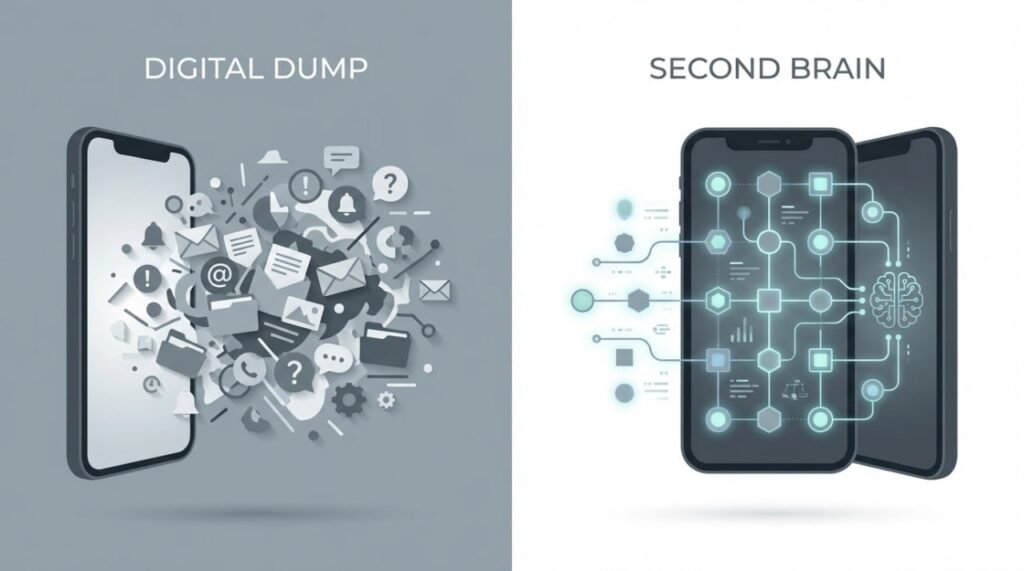
This isn’t just a fancier storage unit; it’s a dynamic thought management system built on smart information workflows. The stark differences tell the story:
Moving from a Brain Dump to a Second Brain
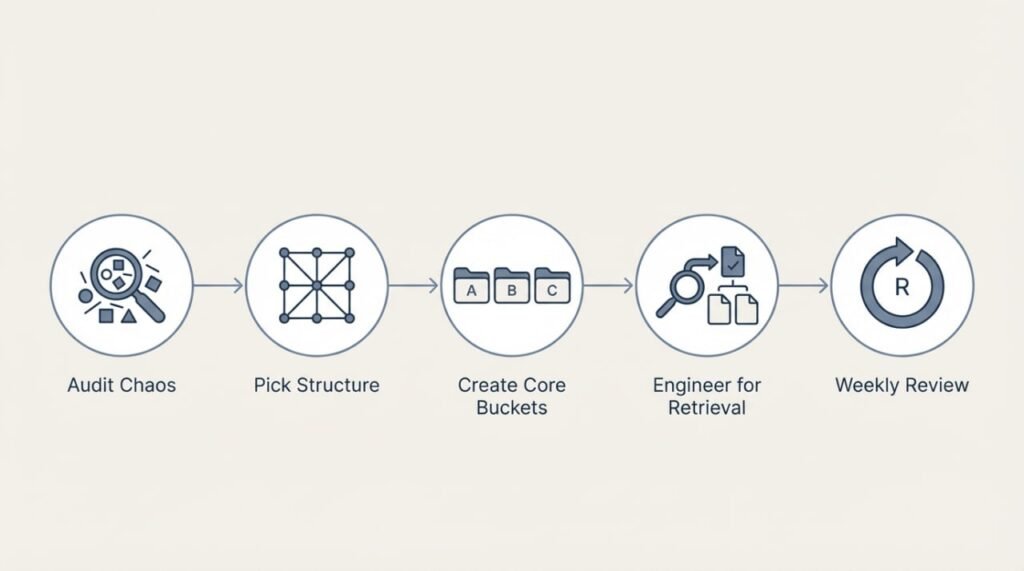
Ready to escape the chaos of your Digital Brain Dump? Building a true Second Brain isn’t about perfection—it’s about intentional progress. Here’s how to start transforming scattered notes into a powerful thought management system:
Step 1: Audit Your Chaos
(Don’t try to boil the ocean!) Open your current notes app or docs. Scan for recurring themes: projects, interests, responsibilities.
Are you constantly saving marketing tips? Jotting product ideas? Tracking health goals?
These themes reveal your natural knowledge buckets.
This audit isn’t about organizing yet—it’s about seeing patterns in the mess.
Step 2: Pick a Simple Structure
Ditch complex taxonomies. Start with proven frameworks:
Choose one. The goal is actionable clarity, not theoretical purity.
Step 3: Create Core Buckets
Based on your audit (Step 1) and chosen framework (Step 2), set up 4-5 main containers:
This creates foundational smart information workflows.
Step 4: Engineer for Retrieval
Structure alone isn’t enough. Make knowledge findable:
(Pro Tip: AI-enhanced productivity tools like Obsidian or Logseq excel here by auto-suggesting links/tags.)
Step 5: The Non-Negotiable Habit: Weekly Review
A Second Brain rots without maintenance. Block 30 mins weekly to:
This habit is the engine of personal knowledge optimization.
Tools to Consider (Focus on Workflow, Not Features):
How AI Is Supercharging the Second Brain
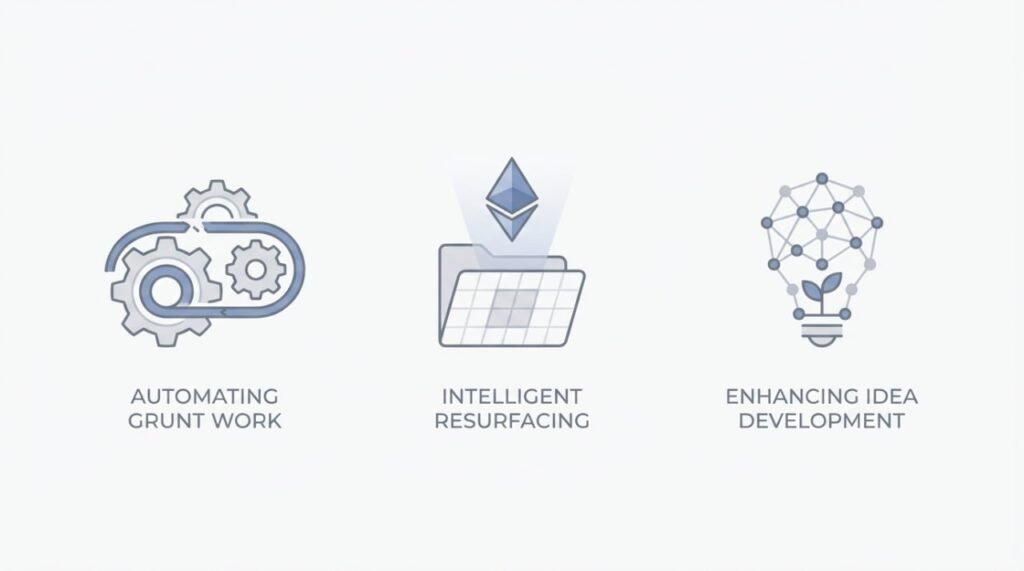
We’ve established that structure is the bedrock of a true Second Brain. But what if your system could actively assist your thinking, not just store it? That’s where AI-enhanced productivity tools are revolutionizing digital knowledge organization.
Here’s how AI is moving Second Brains from passive libraries to active collaborators:
Automating the Grunt Work:
Summarizing Long Notes: AI instantly distills meeting transcripts, articles, or research dumps into key takeaways. This is crucial for personal knowledge optimization – turning captured clutter into actionable essence.
Suggesting Tags & Connections: As you type, AI analyzes context to recommend relevant tags (#client, #urgent, #market-trend) or internal links to related notes you might have forgotten. This turbocharges smart information workflows, making organization almost effortless.
Intelligent Resurfacing:
“You Might Have Forgotten…”: AI proactively surfaces relevant past notes, ideas, or research when you need them – based on your current project, calendar event, or even the note you’re actively working on. No more frantic searching. This turns retrieval from a chore into serendipity.
Enhancing Idea Development:
Pattern Recognition at Scale: AI can scan your entire knowledge base to identify hidden connections, recurring themes, or potential contradictions across thousands of notes – spotting insights impossible for the human brain alone to see quickly.
Prompting Exploration: Tools can ask clarifying questions (“You mentioned X here – how does it relate to Y?”) or suggest opposing viewpoints based on your content, sparking deeper analysis.
Tools Leading the Charge (Examples):
Notion AI: Summarize pages, generate action items, fix spelling/grammar, brainstorm content within your structured Notion databases.
Obsidian Plugins (like Smart Connections or Omnisearch): AI-powered search, semantic note linking, and auto-suggestions enhance retrieval and connection-making.
Mem.ai: Excels at automatic context capture (meetings, emails) and AI-powered search/resurfacing based on what you’re working on.
BrainTool (formerly Brain.fm’s tool): Focuses on connecting ideas and surfacing relevant context intelligently.
Conclusion: From Digital Dump to Thinking Engine
Your brain dump isn’t broken—it’s just incomplete. The relief of offloading thoughts fades when there’s no structure to support retrieval, connection, and growth. A true Second Brain turns that chaos into clarity, helping your ideas evolve instead of disappear.
Start small: audit your chaos, pick a simple structure, and maintain it with consistent reviews. Soon, you’ll find your notes actually think back—fueling creativity, decisions, and progress.
Want to take your digital organization further?
👉 Subscribe to our newsletter for weekly insights on smart knowledge management and AI-powered productivity.
👉 Follow us on LinkedIn & X for real-life Second Brain setups and tool comparisons.
👉 Or read next: [“AI Workflows That Build Your Second Brain for You”] – a step-by-step guide to automation-driven note management.