
Have you ever felt like you’re stuck in a maze?
Choosing between a Second Brain vs Productivity Apps can convey the same feeling. Nowadays, we are faced with swarms of tools that every single one of them promises to make your life easier. In such a hustle and bustle, the real challenge is figuring out which approach actually fits your style of thinking and working.
Some people believe that a Second Brain system is one that uses your ideas, connects pieces of knowledge, and helps you in long-term learning, while others prefer to stick to the old straightforward task management apps in order to stay on top of daily responsibilities.
But how should one really distinguish the system that genuinely inspires your digital organization and overall productivity?
In this article, we have tried to outline the main differences between these two systems. We have tried our best so that by the end of this article, you get to know the strengths and limitations of each.
Understanding What a Second Brain Really Is and Why It Matters
A second brain is for you if you’ve ever felt overwhelmed by scattered ideas or lost notes and information you forgot where you saved. Albeit a Second Brain is more than just a note-taking method—it’s actually a well-designed system for capturing, organizing, and connecting your pieces of information in a way that you never lose any one of them.
“Building a Second Brain” is a method developed by Tiago Forte, and in this method the focus is on knowledge management, long-term learning, and creative thinking. The core concept is that instead of relying on memory alone, you offload information into a digital space where it can grow, evolve, and support your projects.
In his LinkedIn he says:
My basic productivity setup: I use different tools for personal vs. business and for actionable vs. non-actionable information.
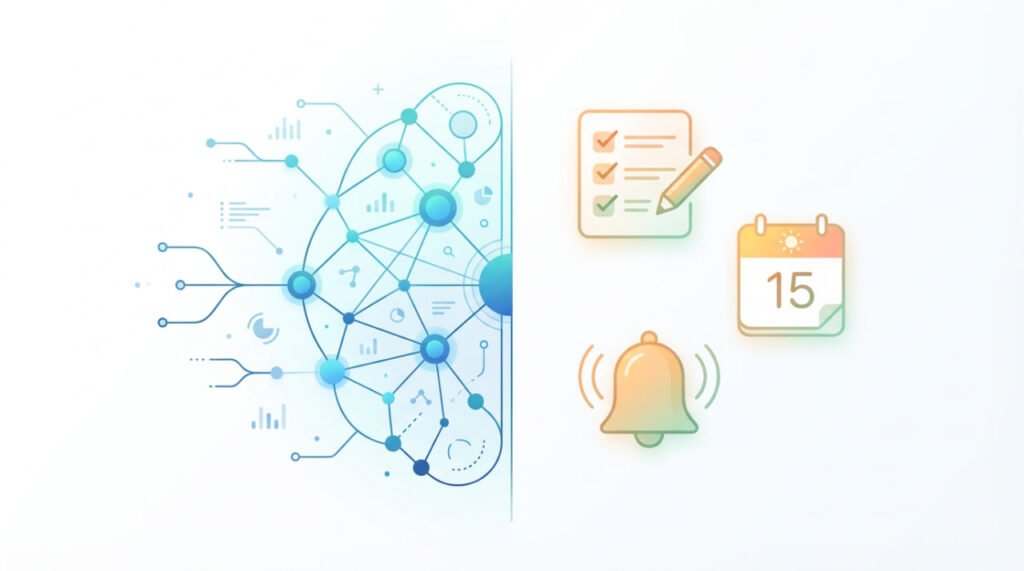
A Second Brain Works as a Trusted System for Long-Term Knowledge Growth
A Second Brain’s major role is that it helps you store and retrieve information easily and effortlessly, and this is done through creating a network of connected ideas—not just folders and lists. This approach helps you think better, create better, and work with more clarity over time.
In terms of core functions, a Second Brain includes:
Understanding What Productivity Apps Do and Why They’re Essential for Daily Workflow
If you belong to that group of people whose main struggle isn’t collecting ideas but getting things done, you should know that productivity apps are designed exactly for you. Productivity apps are there to simplify your task management and scheduling—helping you stay organized without overthinking the process.
Productivity apps focus on short-term priorities: what needs to be done today, this week, or this month. Their strength lies in structure, reminders, and straightforward workflows that make it easier to take action.
Productivity Apps Help You Stay Organized by Managing Tasks and Time Effectively
Unlike Second Brain systems designed for long-term knowledge management, productivity apps’ best performance is in helping you stay accountable to your immediate responsibilities. They provide simple, repeatable systems anyone can start using instantly.
Core functions of productivity apps include:
Here’s a quick comparison to clarify their purpose:
| Feature | Productivity Apps |
| Focus | Task management & scheduling |
| Structure | Lists, boards, priority levels |
| Best for | Daily tasks, deadlines, team coordination |
| Timeframe | Day-to-day or week-to-week |
| Tools | Todoist, Trello, Asana, Google Keep, Microsoft To Do |
“What gets scheduled gets done.” — Michael Hyatt
Popular Productivity Apps You Can Use to Manage Daily Responsibilities
If you’re looking for a straightforward way to stay organized and maintain momentum in your daily life, productivity apps offer an accessible and effective path.
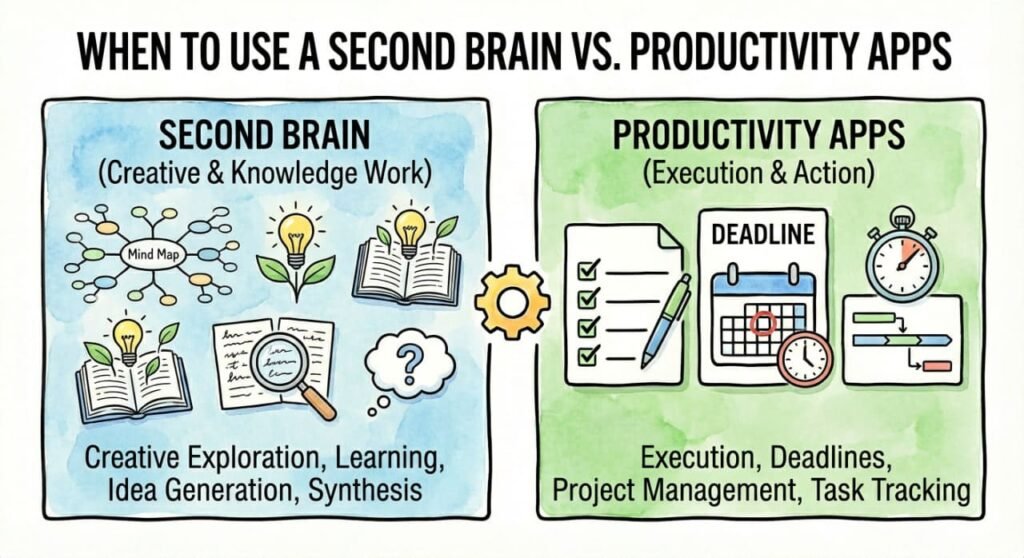
Understanding the Key Differences in Second Brain vs Productivity Apps
Now that you’ve come to understand what each system does by itself, it’s time to compare them. If you fully understand the differences between a Second Brain vs productivity apps, you will easily choose a productivity system that suits your workflow.
Below, you’ll find a clear, practical breakdown of how each system works so you can quickly spot which one aligns with your needs.
The Purpose of Each System Reveals Their Biggest Difference
A Second Brain and productivity apps may seem similar from a distance, but their goals are completely different. Recognizing this difference will immediately guide you toward the right choice.
Second Brain Purpose:
Productivity App Purpose:
The Structure You Choose Influences How You Use Information and Tasks
The way each system organizes data changes your entire workflow. This is a crucial distinction many people overlook. Let’s have a glance at the structural differences between the two:
| Aspect | Second Brain | Productivity Apps |
| Information Type | Notes, ideas, research | Tasks, deadlines, reminders |
| Organization Style | Networked thinking, backlinks | Lists, boards, priority levels |
| User Focus | Knowledge growth | Task completion |
Flexibility vs. Predefined Workflows Affects How Much You Can Customize
Productivity apps give you ready-made structures—you simply follow them. A Second Brain lets you build your own structure so it grows with you.
Key Flexibility Differences:
Second Brain:
- Fully customizable
- Adapts to creativity and long-term work
- Shapes itself around your thinking style
Productivity Apps:
- Predefined templates and workflows
- Designed for speed, simplicity, and consistency
- Helps you follow a system without reinventing it
The Timeframe You Work In Determines Which System Works Best
Your focus, which is in fact short-term execution or long-term knowledge, plays a major role.
- Second Brain: Ideal for months–years of content, research, or evolving ideas
- Productivity Apps: Perfect for daily–weekly planning and goal execution
Many people don’t choose one or the other—they integrate both. But understanding their roles helps you avoid overlap and confusion.
“Systems work best when every part knows its job.”
This insight reminds us that a Second Brain and productivity apps serve different functions in a larger productivity system.
Evaluating the Pros and Cons of Each System to Find Your Ideal Workflow
Before choosing between a Second Brain and productivity apps, it helps to understand the strengths and limitations of each. Every system has its own ups and downs, and knowing them in advance will help you avoid later frustration. Also, you can build a productivity system that genuinely supports what you are trying to achieve.
Why Second Brain System Shines for Deep Work
A Second Brain is at its best when you are relying on ideas and creativity. As the information you manage compiles, the more obvious its strengths become.
Second Brain Pros:
- Deep knowledge retention
You store ideas in a structured way, making them easy to retrieve months or years later.
- Creative idea generation
Connected notes spark insights you wouldn’t find in linear lists.
- Context-rich project management
Projects stay grounded in research, notes, and resources—not just tasks.
“Knowledge compounds when you return to it.”
This reflects exactly why a Second Brain becomes more powerful the longer you use it.
As powerful as it is, building and maintaining a Second Brain isn’t effortless.
Second Brain Cons:
- Steeper learning curve
Customizing your system takes time and thought.
- Requires regular maintenance
Notes need revisiting to stay useful and relevant.
- Can feel overwhelming without structure
Too much flexibility can lead to disorganization if you’re not consistent.
Why Productivity Apps Are Great for Fast, Action-Oriented Management
Productivity apps thrive when your priority is execution, deadlines, and short-term organization. They help you make progress quickly without needing complex systems.
Productivity Apps Pros:
- Easy to start and simple to use
You can get organized in minutes—not days.
- Great for quick wins and daily planning
Action steps stay clear and manageable.
- Often integrates with calendars and email
This makes scheduling automatic and stress-free.
Where Productivity Apps May Limit Long-Term Thinking
Even though they are simple and efficient, productivity apps have their limitations.
Productivity Apps Cons:
- Can become overwhelming with too many tasks
Long lists can create mental clutter and reduce clarity.
- Limited for long-term knowledge management
They aren’t built to store research, ideas, or insights.
- Not ideal for deep thinking or creative projects
Their linear structure doesn’t support complex information.
| Category | Second Brain Pros | Second Brain Cons | Productivity Apps Pros | Productivity Apps Cons |
| Knowledge | Strong knowledge retention | Requires maintenance | — | Weak knowledge storage |
| Creativity | Idea generation via connections | Steeper learning curve | — | Limited creative support |
| Tasks | Context-rich planning | Not ideal for quick tasks | Excellent for daily tasks | Overwhelming when overloaded |
| Workflow | Highly customizable | Time-consuming to set up | Easy to start | Limited customization |
Knowing When to Use Each System Based on Your Work Style and Needs
Choosing between a Second Brain and productivity apps becomes much easier depending on what type of work you do on a daily basis. There is no priority for each. Each of these two systems supports different objectives, habits, and mental processes.
A second brain works best when your work depends on ideas, research, and long-term thinking
If your daily tasks involve learning, analyzing, or creating, a Second Brain can become a powerful companion. It gives you the space to think deeply and revisit knowledge whenever you need it.
Use a Second Brain if you:
- Handle complex or multi-stage projects
- Work with a lot of research, notes, or references
- Want to build a personal knowledge base that grows over time
- Are a student, freelancer, researcher, writer, creative, or strategist
- Often get great ideas but struggle to store or return to them
- Prefer flexible systems that adapt to your thinking
“Your ideas deserve a home—one you can return to whenever you need inspiration.”
If you thrive on clarity and routine and want to stay on top of tasks, productivity apps make your day far more manageable. They streamline your priorities so nothing slips through the cracks.
Use productivity apps if you:
- Need to manage daily or weekly to-dos
- Prefer clear checklists and reminders
- Work in teams and need shared visibility
- Rely on deadlines and due dates
- Want a simple system that’s quick to set up and follow
- Handle short-term or fast-moving responsibilities
Quick Comparison to Help You Decide Instantly
| Situation | Best System | Why |
| Managing research-heavy projects | Second Brain | Handles ideas, notes, and context-rich information |
| Organizing daily tasks and schedules | Productivity Apps | Built for reminders, deadlines, and execution |
| Creative work requiring idea linking | Second Brain | Supports networked thinking and insight generation |
| Team coordination and progress tracking | Productivity Apps | Clear workflows and shared boards |
| Long-term personal learning | Second Brain | Stores knowledge you grow over time |
| Short-term deliverables | Productivity Apps | Optimized for quick action |
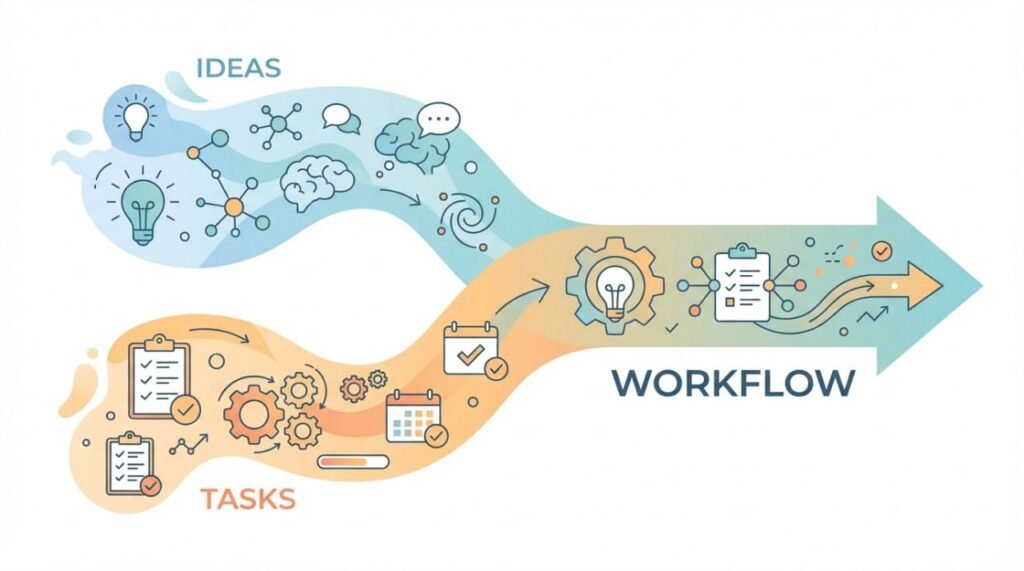
How Combining a Second Brain and Productivity Apps Creates a Balanced and Powerful Workflow
You don’t have to choose sides in the Second Brain vs Productivity Apps debate. In fact, many people discover that the most effective productivity systems blend both approaches. By letting each tool do what it does best, you create a workflow that supports both long-term thinking and daily execution.
This hybrid method helps you stay organized while still having a deeper space to store ideas, research, and knowledge. If you’ve been torn between the two, you’ll be relieved to know they work beautifully together.
Why a Hybrid Workflow Often Delivers the Best Results
A mixed system ensures every piece of information flows where it belongs, reducing overwhelm and increasing clarity.
A hybrid system works because:
- The Second Brain handles knowledge, ideas, and context.
- Productivity apps handle tasks, deadlines, and priorities.
- You avoid cluttering task lists with research notes.
- You avoid burying actionable tasks inside note-taking apps.
- Your workflow becomes more intentional and less chaotic.
“Think in one place. Act in another. That’s the secret to a healthy, sustainable workflow.”
A Practical Example of Combining Both Systems
Let’s have a quick look at a real-world scenario to see how these two can work together:
- Collect project notes, research, and ideas → save everything in your Second Brain.
- Extract practical steps → move them into your productivity app (Todoist, Trello, Asana).
- Set deadlines and reminders → manage execution using task tools.
- Return to your Second Brain for context → bring depth and clarity to your work.
This keeps your creativity alive without losing sight of what needs to get done.
Conclusion: Choosing the System That Supports Your Productivity and Growth
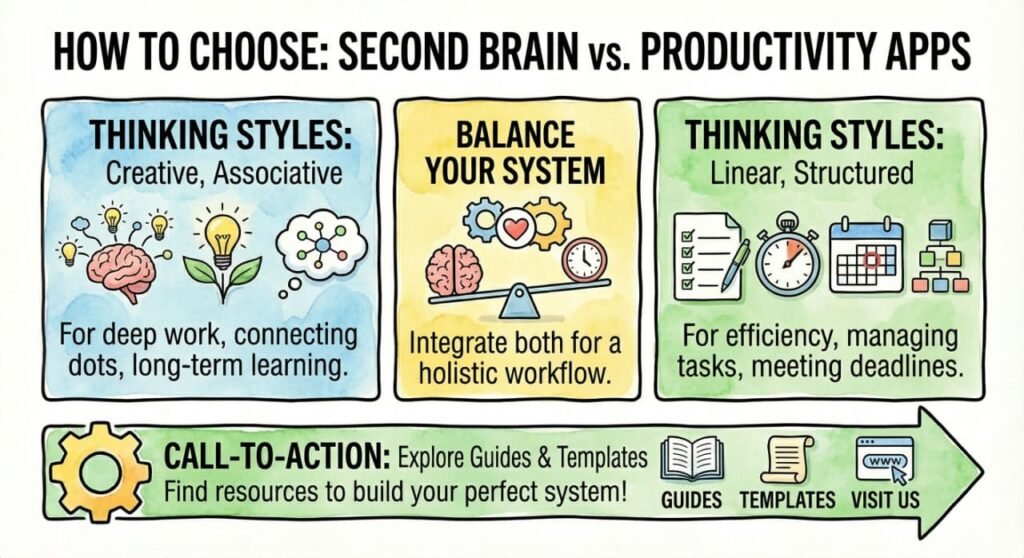
When trying to decide between a Second Brain vs Productivity Apps, you need to think about what is your ultimate way of thinking, method of working, and managing information. In a nutshell, a Second Brain helps you in capturing knowledge and connecting ideas. On the other hand, productivity apps keep you focused on the tasks, their deadlines, and their execution. According to many users that have gone through both, for the most balanced and effective workflow, you should combine the two of them.
If you’ve been searching for a way to stay organized, think more clearly, and manage your digital life with confidence, now is the perfect time to experiment. Try each system, observe how it shapes your productivity, and pick the one that feels natural and sustainable for your goals.
To keep learning and improving, feel free to drop your thoughts in the comments, subscribe to our newsletter, or follow us on social media for more insights on productivity systems, knowledge management, and digital organization.
If you are planning to take a practical step towards building your second brain, make sure you read another article of ours called “How to Build a Second Brain That Actually Works”.
Or explore our premium templates designed to help you set up your Second Brain or task management system effortlessly.
Frequently Asked Questions
1. How can I make sure to choose a Second Brain system or a traditional productivity app so that I achieve better long-term clarity in my daily workflow?
A Second Brain does really help in clarifying your stored knowledge, whereas productivity apps reduce overload by managing tasks.
2. How can I transit from scattered digital notes and multiple task apps into a unified productivity system in the most effective way?
We suggest you start by organizing notes in a Second Brain and moving only active tasks into one task app.
3. How do people who manage complex creative projects use Second Brain systems to stay organized without sacrificing speed and daily task execution?
They capture ideas in the Second Brain and use a task app separately for quick execution.
4. What are the essential features I should look for when choosing a productivity app that integrates smoothly with my note-taking or knowledge-management tools?
Look for syncing, reminders, calendar integration, and easy linking to your note system.
5. How can beginners avoid overcomplicating their productivity setup when experimenting with both a Second Brain and a task management app at the same time?
Do not mix the two and keep each tool’s role simple: notes in one place, tasks in another.
6. Which habits should I build to maintain a healthy balance between long-term knowledge organization and short-term task completion without feeling burdened by extra systems?
Review notes weekly and plan tasks daily to keep both systems aligned.