An AI-native workspace for those who want to build a smart Second Brain and stay aware—effortlessly.
Brainfo is a modern note-taking app that helps you capture, research, create content, and organize information with the power of AI—so you can focus on insights with confidence.
Text Notes: Basic note-taking for quick thoughts, to-do lists, or information. Users can type short or extended text as needed.
Checklists: Users can create checkboxes for task lists, with options to mark items as complete.
Image Notes: Users can attach images to notes, making it useful for visual reminders or saving photos with context.
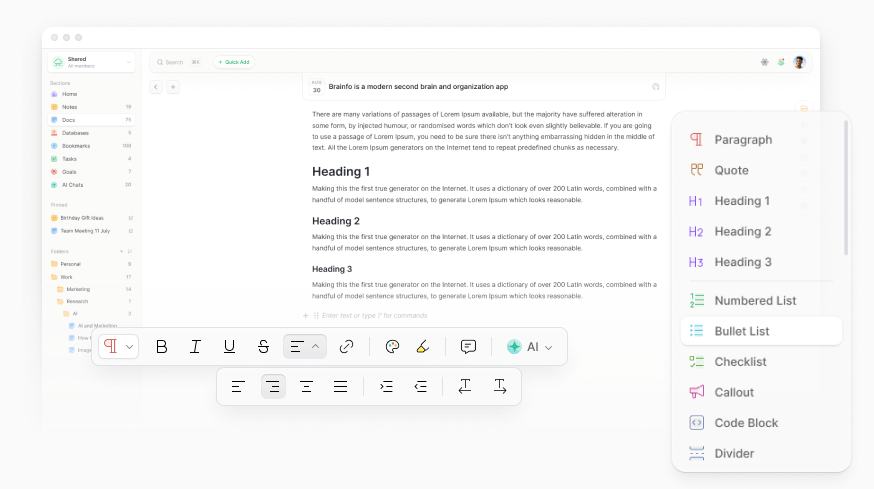
Rich Text Formatting: Format text with bold, italic, underline, strikethrough, hyperlinks.
Drag-and-Drop: Blocks can be rearranged or nested by dragging and dropping. Intuitive user experience for organizing content.
Markdown Support: Enable users to write notes using Markdown syntax for easy formatting. Markdown-style input (e.g., ## for H2, * for lists). Common shortcuts (e.g., Ctrl+B for bold.
Folders: Folders provide a clear, visual way to separate different projects, topics, or areas. With a well-organized folder system, finding specific notes becomes effortless.
Tags: Users can assign tags to notes for easier organization and searching. Unlike folders, which force you to choose a single category, tags allow you to assign multiple labels to a single note.
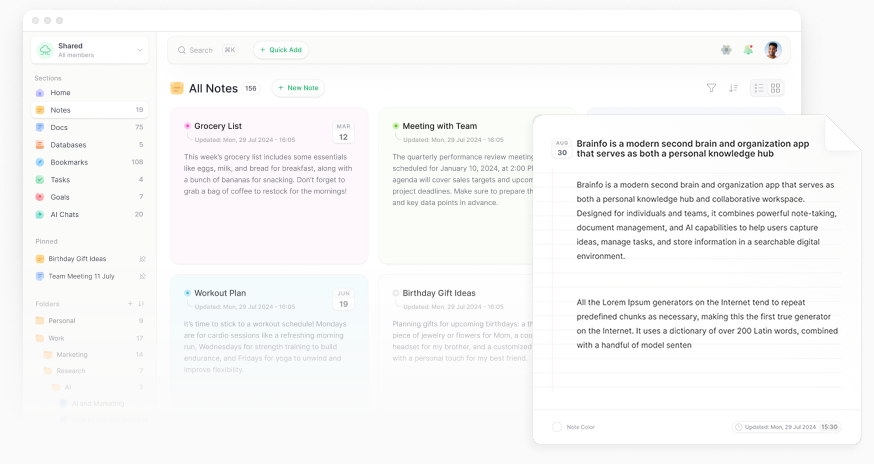
Grid View: Present your notes in a visually rich, card-based layout that lets you organize and navigate content like never before.
Filtering: Users can filter notes by specific folder or tag for quick access to certain topics or priorities.
Sorting: Rearranges notes in a specific order (Activity, Latest, Oldest, A-Z, Z-A) to improve organization, readability, and analysis.
Color Coding: Assign different colors to your notes for quick visual categorization. This allows you to instantly identify notes related to work, personal projects, or any other system you devise.
Search: Quickly find what you're looking for with a powerful search that can filter notes by content. Search across all text content in notes, including titles, body, and metadata.
Keyboard Shortcuts: Extensive support for keyboard shortcuts for efficient navigation and actions (e.g., Ctrl+K for search, Ctrl+Z for Undo).
Trash: Trash is a temporary storage area for deleted notes before permanent removal. Deleted notes can be easily searched for and restored later.
Block-based Editor: Block-based rich text editor designed to provide a Notion-like editing experience. Format toolbar & slash ("/") menu for quick formatting & block insertion like paragraphs, headings, lists etc.
Block Types: Paragraph, Headings (H1, H2, H3), Toggle headings, Bullet list, Numbered list, Checklist, Toggle list, Code block (with syntax highlighting), Quote, Divider, Table, Emoji, Callout, 2 Column, 3 Column, Date & Time.
Drag & Drop: Blocks can be rearranged or nested by dragging and dropping (tab/shift+tab for indentation). Intuitive user experience for organizing content.
Rich Text Formatting: Format text with bold, italic, underline, strikethrough, hyperlinks.
Text Alignment: Easily align text Left, Right, Center, or Justify, with optional Text-indent for cleaner formatting.
Paragraph Direction: Supports both left-to-right and right-to-left paragraph directions for multilingual content.
Markdown Support: Enable users to write notes using Markdown syntax for easy formatting. Markdown-style input (e.g., ## for H2, * for lists). Common shortcuts (e.g., Ctrl+B for bold.
Media Embedding: Ability to embed images, videos, audios within docs.
File Uploads & Attachments: Drag-and-drop file uploads (images, documents, PDFs, audio, video, etc). Storage & Max file size limits (differentiated by plan).
Tables: Ability to create and manage tables visually within content.
Fonts: You can choose your desired font from 20 font families. This feature is available in the toolbar, so you can have text with different fonts in one document.
Colors: Users can also change text colors, as well as highlight text using color-picker.
Folders: Folders provide a clear, visual way to separate different projects, topics, or areas. With a well-organized folder system, finding specific docs becomes effortless.
Tags: Users can assign tags to docs for easier organization and searching. Unlike folders, which force you to choose a single category, tags allow you to assign multiple labels to a single doc.
Real-Time Collaboration: Multiple users can edit a document simultaneously, with each person's cursor and changes visible in real-time (like Google Docs).
Grid View: Present your documents in a visually rich, card-based layout that lets you organize and navigate content like never before.
Filtering: Users can filter docs by specific folder or tag for quick access to certain topics or priorities.
Sorting: Rearranges docs in a specific order (Activity, Latest, Oldest, A-Z, Z-A) to improve organization, readability, and analysis.
Search: Quickly find what you're looking for with a powerful search that can filter docs by content. Search across all text content in docs, including titles, body, and metadata.
Keyboard Shortcuts: Extensive support for keyboard shortcuts for efficient navigation and actions (e.g., Ctrl+K for search, Ctrl+Z for Undo).
Find & Replace: A built-in tool that allows you to quickly search for specific text (words, phrases, symbols, etc.) and optionally replace it with something else across the document.
Trash: Trash is a temporary storage area for deleted docs before permanent removal. Deleted docs can be easily searched for and restored later.
Doc Templates: Pre-built templates for common use cases like meeting notes, project plans, journals, or brainstorming sessions.
Content Views: Customizable doc content width (default, wide, full, narrow). Also you can change the default font-family and font-size.
Doc Stats: View real-time or easily accessible statistics for the entire document, including character count, words, sentences, paragraphs, headings, links, images, and estimated reading time.
Voice-to-Text: Integrate voice recognition to convert spoken words into text, making note-taking faster and more accessible.
AI Assistance: Brainfo Copilot is an integrated AI assistant in the editor toolbar designed to enhance your workflow by supporting writing, ideation, and organization tasks (e.g., Suggest a title, Simplify content, Change tone, Fix spelling, Translate, Summarize, Brainstorm ideas, Write an article & Improve writing).
Import: Support for importing data from other note-taking apps (e.g., Markdown files, Microsoft Word, TXT, Markdown, Docs & LaTeX).
Export: Ability to export docs in various formats (e.g., Markdown, PDF, HTML, Word).
Version History: Ability to browse and restore previous versions of a document.
Web Publishing: Sharing docs as web pages, or entire workspaces via public or private (password-protected, expiring) links.

Bookmark Links: Save links directly to your app with a single click & paste the URL.
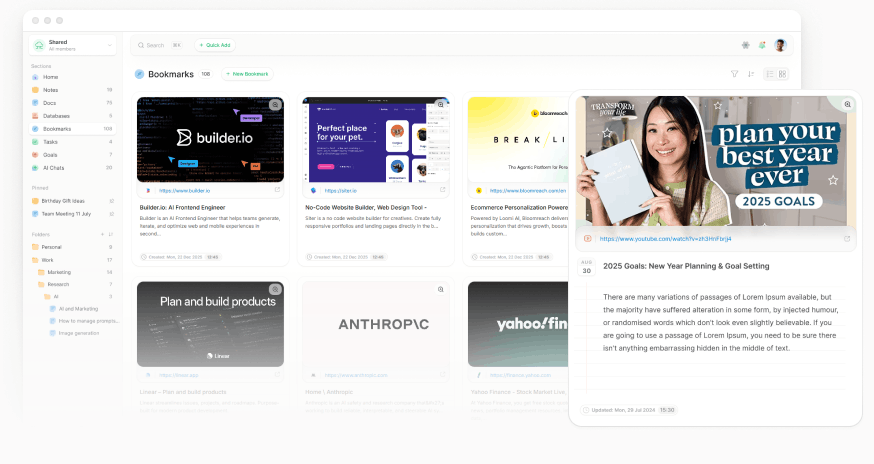
Grid View: Bookmarks' Grid View presents your saved web content in a visually rich, card-based layout that transforms link collections into an interactive inspiration board.
Folders: Folders provide a clear, visual way to separate different projects, topics, or areas. With a well-organized folder system, finding specific web-links becomes effortless.
Tags: Users can assign tags to web-links for easier organization and searching. Unlike folders, which force you to choose a single category, tags allow you to assign multiple labels to a single web-link.
Drag-and-Drop: Blocks can be rearranged or nested by dragging and dropping. Intuitive user experience for organizing content.
Filtering: Users can filter bookmarks by specific folder or tag for quick access to certain web-links.
Sorting: Rearranges bookmarks in a specific order (Activity, Latest, Oldest, A-Z, Z-A) to improve organization, readability, and analysis.
Task Management: Create and track tasks with customizable due dates, reminders, priority levels, assignees, and estimated hours.
Status Tracking: Easily change task statuses (To Do, Doing, Done, Cancelled).
Notifications: In-app and email notifications for assignees and task updates.
Reminders: Users can set specific date and time reminders for each task.
Design: Clean and minimalistic design, with a focus on functionality.
List View: Tasks list view presents your tasks in a visually rich, card-based layout optimized for quick browsing.
Kanban View: Kanban view helps teams organize and track tasks using a board-style layout with columns representing different stages of a workflow (e.g., "To Do," "In Progress," "Done").
Projects: Task projects(folders) provide a clear, visual way to separate different projects or task categories.
Tags: Users can assign tags to tasks for easier organization and searching. Unlike Lists, which force you to choose a single category, tags allow you to assign multiple labels to a single task.
Filtering: Users can filter tasks by specific folder or tag or time period for quick access to certain tasks.
Sorting: Rearranges tasks in a specific order (Activity, Latest, Oldest, A-Z, Z-A) to improve organization, readability, and analysis.
Goal Management: Create and track tasks with customizable due dates, reminders, priority levels, assignees, and estimated hours.
Status Tracking: Easily change goal statuses (Targeted, Achieved, Cancelled,...).
Notifications: In-app and email notifications for assignees and goal updates.
Reminders: Users can set specific date and time reminders for each goal.
Design: Clean and minimalistic design, with a focus on functionality.
Grid View: Goals grid view presents your tasks in a visually rich, card-based layout optimized for quick browsing.
Tags: Users can assign tags to goals for easier organization and searching.
Filtering: Users can filter goals by specific folder or tag or time period for quick access to certain tasks.
Sorting: Rearranges goals in a specific order (Activity, Latest, Oldest, A-Z, Z-A) to improve organization, readability, and analysis.
Integrated AI assistant in the editor toolbar designed to enhance your workflow
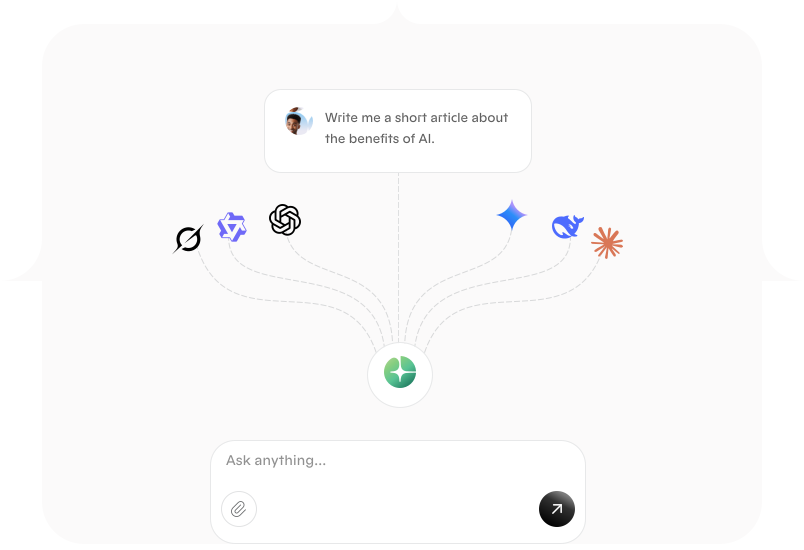
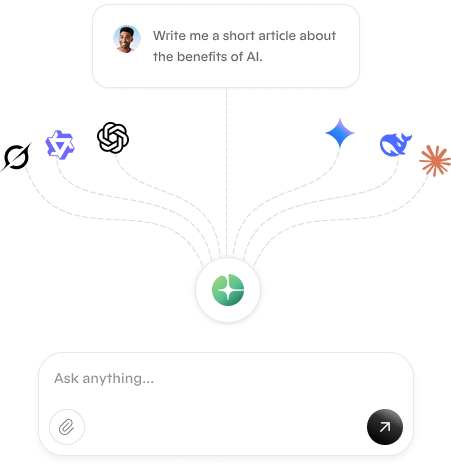
Instantly switch between ChatGPT, Claude, Gemini, and other models, without the hassle of going through several apps.
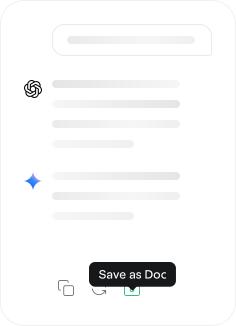
Research & compare answers from different AI models in the same chat, & seamlessly convert your chat insight into a perfect doc.
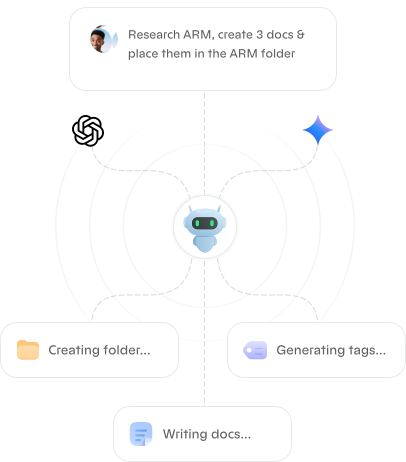
Automate content creation, task management, and idea organization seamlessly with Brainfo’s multi-model AI agents.
Success is a balance of individual focus and team synergy. Brainfo provides the tools to master both, creating a single hub for productivity.
Brainfo, store data locally on the client's device, ensuring they work just as well offline as they do online.
Efficient handling of large documents and many attachments. Enable real-time saving and syncing across devices
Create shared spaces where your team can collaborate on projects. Invite team members via email with a simple link.
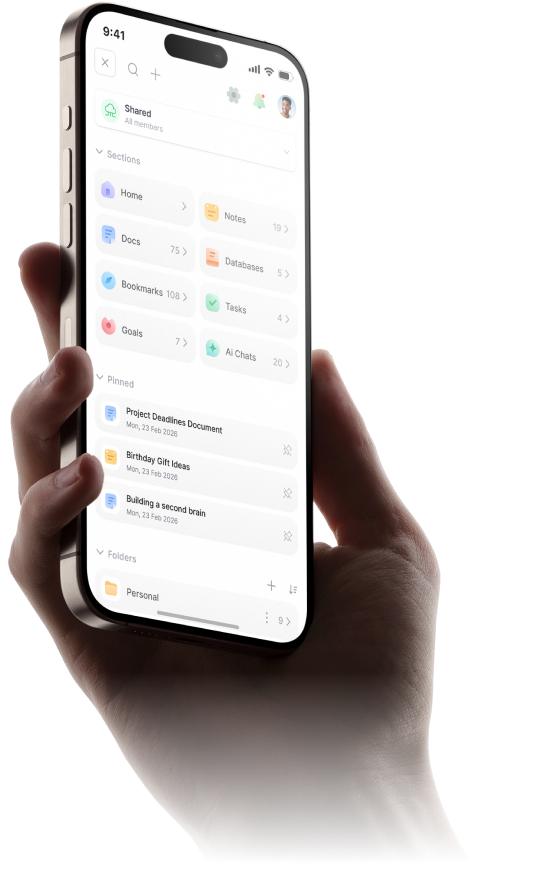
Your notes, documents, AI chats, and daily tasks are all in one place, seamlessly connected.
Chat with notes, multiple documents, PDFs, Weblinks and videos at once to get synthesized answers.
Multiple users editing the same note or document simultaneously with changes synced instantly.
Easily find related content across folders, with tags that connect ideas from different areas.
Locate any content with a simple keyword search that scans titles, folders, tags, and even all texts.
Manage your account, email, and preferences. Set your timezone and preferred date/time formats.
Users maintain ownership of their data with easy export options. Transparency regarding data collection, and sharing.
With industry-leading cloud security and encryption, your information is always kept safe, private, and secure.
Start a note on your laptop and add to it on your phone. Your information is always current, everywhere you go.
Brainfo provides both grid and list views across different content types, enhancing visual organization.
Quick ideas and polished documents serve different purposes, and your app provides the right tools for each.
The Weblinks and Videos sections offer rich visual bookmarking capabilities with automatic metadata extraction.
Wherever you are, your information is always up-to-date on your phone, tablet, and computer.
We employ cutting-edge security measures to protect your information, ensuring you can focus on your work with peace of mind, whether online or offline.
Role-based permissions and multi-factor authentication (MFA) ensure only authorized users access your workspaces.
Our systems are monitored 24/7 with Cloudflare DDoS protection and Sentry error tracking to detect and resolve issues instantly.
Automated backups and version history keep your data safe, with disaster recovery systems ensuring high availability.
As a global company, we are fully compliant with GDPR regulations, ensuring your data is handled with the highest standards of privacy and protection.
No ads, no data sales, no tracking. Your content is never used to train AI models or shared with third parties without your consent.
Your data is protected in transit & at rest with modern TLS & AES encryption standards — ensuring only you and your collaborators can access your content.
Experience the future of knowledge management for yourself.