
Skip to content
Brainfo AI robot

AI Features

down vec

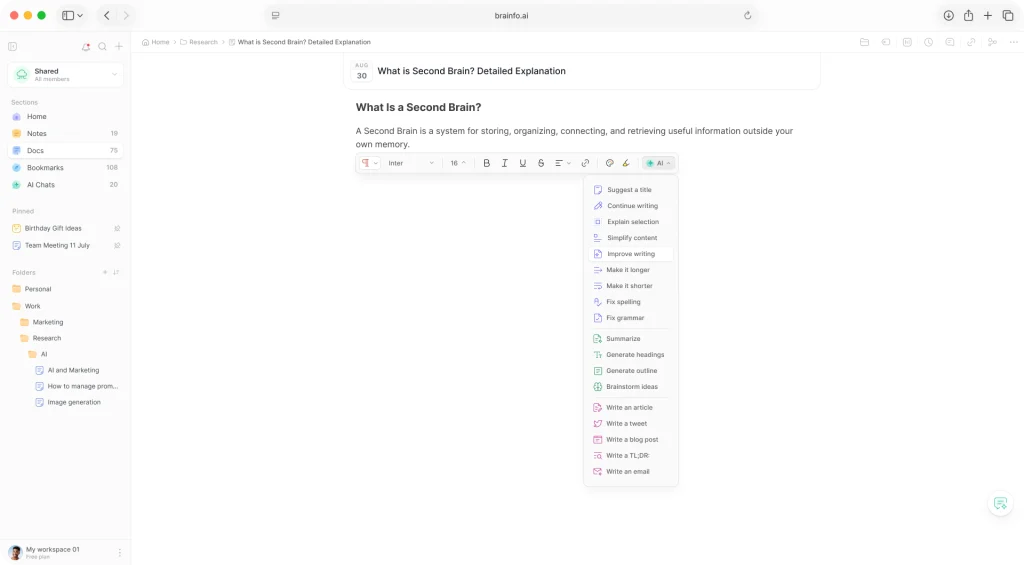
AI Copilot in Docs

brainfo ai chats in doc 1024 n3

Keep the power of AI at your fingertips

Integrated AI assistant in the editor toolbar designed to enhance your workflow

bnfo ai suggest a title i
Suggest a title
bnfo ai continue writing i
Continue writing
bnfo ai explain selection i
Explain selection
bnfo ai simplify content i
Simplify content
bnfo ai change tone to i
Change tone to
bnfo ai improve writing i
Improve writing
bnfo ai make it longer i
Make it longer
bnfo ai make it shorter i
Make it shorter
bnfo ai fix spelling i
Fix spelling
bnfo ai fix grammar i
Fix grammar
bnfo ai translate to i
Translate to
bnfo ai summarize i
Summarize content
bnfo ai generate headings i
Generate headings
bnfo ai generate an image i
Generate image
bnfo ai generate outline i
Generate outline
bnfo ai brainstorm ideas i
Brainstorm ideas

AI Chats

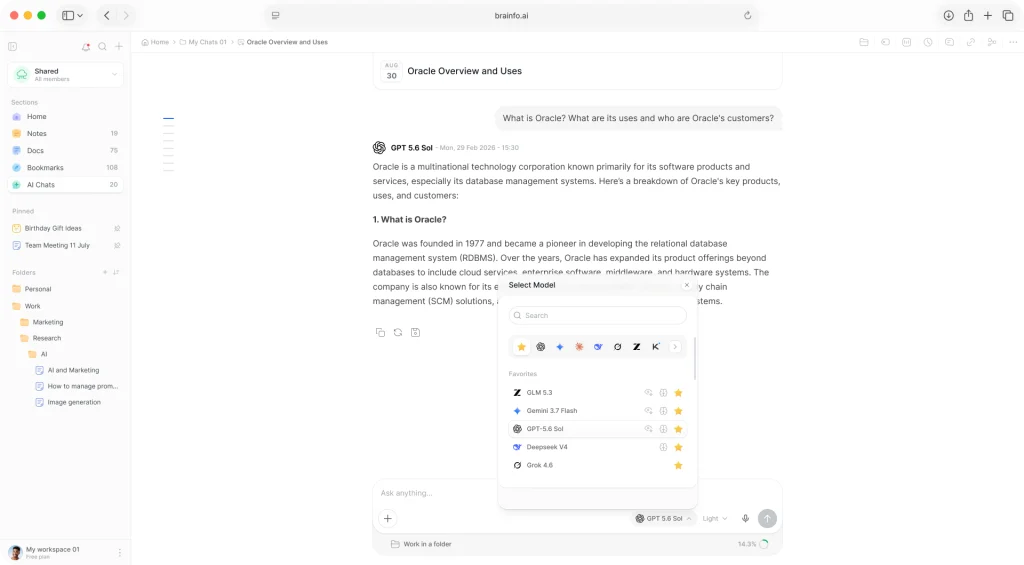
brainfo ai chats 1024 n3

Intelligence inside your workspace

To truly unlock the potential of your knowledge, your Second Brain needs a voice. It needs an integrated AI Chats section that acts not just as a chatbot, but as the central operating system for your entire intellectual life.

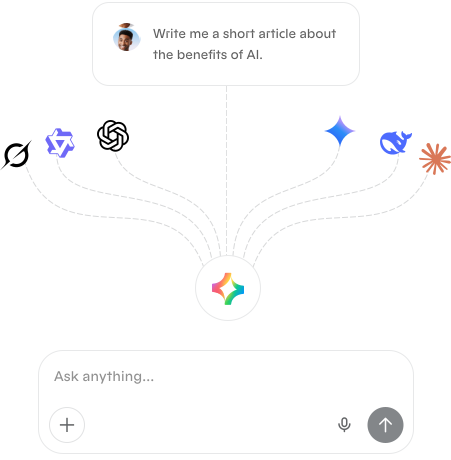
All your favorite AI models in one hub

Instantly switch between ChatGPT, Claude, Gemini, and other models, without the hassle of going through several apps.

ai hub img wrp3
down vec

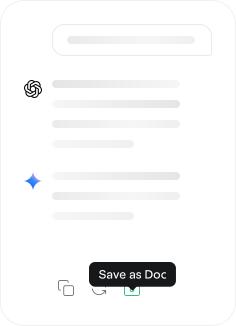
Research to doc with 1 click in 1 platform

Research & compare answers from different AI models in the same chat, & seamlessly convert your chat insight into a perfect doc.

ai chat to doc img 1
down vec

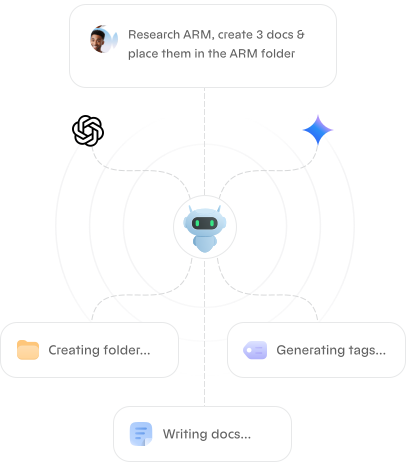
Get things done faster with multi-model AI agents

With smart agents and workspace actions, your Second Brain can actually do things — create notes, sort folders, tag content — all based on the context of your conversation.

brainfo sec ai agents img
down vec

AI Agents Benefits

These agents can range from simple programs performing a single task to complex systems capable of learning and adapting.

bnf site img 10 min


Why Teams Love It

  • Create: Turn briefs into polished documents or notes (titles, outlines, markdown) in one step
  • Enhance: Rewrite, tighten, and adapt copy inline with the Content Copilot
  • Research: Paste URLs to fetch and summarize pages safely with citations
  • Analyze: Select existing docs/notes to generate summaries, insights, and next steps
  • Organize: Auto-create and apply folders/tags across documents, notes, and tasks
  • Chat: Streamed, conversational AI with model switching and usage transparency

Key Capabilities

  • Document & Note Generation: From a topic or bullet list to structured markdown ready to ship
  • Inline Content Copilot: Summarize, rewrite, expand, and optimize selected text in the editor
  • Web Fetch & Summarization: Extract titles and text from public web pages; get concise briefs
  • Selected Resource Analysis: Load the full text of pre-selected items for deeper analysis
  • Task Creation: Capture action items with status/priority/due date at the moment of insight
  • Folders & Tags Automation: List existing taxonomy, create missing items, and apply at scale
  • Model Switching & Streaming: Draft on a fast model, refine with a reasoning model—all in real time
  • Mini-Chat in Editor: Chat directly alongside your document and insert results where needed
  • Attachments: Upload files to enrich context and keep artifacts in one place
  • Usage Transparency: See token usage to manage cost and performance trade-offs

How It Works

  1. Start a conversation: Ask for a draft, summary, plan, or analysis.
  2. Pick the right model: Start fast; switch to a reasoning model for deeper thinking.
  3. Create & organize: The agent generates content, then suggests folders/tags for tidy handoff.
  4. Iterate live: Streamed responses let you accept, refine, or insert results instantly.

Built-In Guardrails

  • Workspace-aware access: Actions respect membership and permissions
  • Clear auditability: Generated content, tags, and folders are traceable

Who It’s For

  • Content Creators: Scripts, show notes, outlines, captions
  • Students: Study guides, summaries, structured notes
  • Sales & Marketing: Call recaps, briefs, outreach personalization, repurposing
  • Development & Research: RFCs, postmortems, release notes, literature reviews

Real-World Outcomes

  • 30–60% faster drafting and editing cycles
  • 2x throughput on content campaigns and documentation
  • 40% faster research-to-brief workflows
  • 15–25% higher engagement from stronger hooks and clearer copy

Detailed Feature List

Ask Questions: Ask AI to answer questions using the content of a doc or workspace.

Chat History: All your conversations are saved and searchable.

Chat with Files: Upload documents (PDF, CSV, DOCX) directly to the chat. Brainfo's AI can search, read, and analyze these files to provide answers, summaries, or extract specific data, seamlessly integrating your external documents into the conversation.

Multi‑Model Support: Switch between different AI models includes ChatGPT, DeepSeek, Gemini, Claude, GLM, Grok and more, automatically updated with new models. With only 1 subscription, you have access to the world's top AI models.

AI Agents: Automate content creation, and idea organization seamlessly with multi-model AI agents.

Custom AI Agents: User-created agents for specific workflows and automation tasks.

AI Chat to Doc: Convert an AI chat directly into a clean document with one click.

Multi-source Conversations: Combine knowledge from numerous formats in a single AI chat session.

Write with AI: Generate drafts from scratch on any topic.

File Explorer: AI can navigate your folders and file structure to find the documents you need.

AI Workspace Actions: Instruct the AI to create notes, tasks, folders, and tags directly from the chat interface, as well as organize your content automatically.

Web Fetch: AI can browse the web pages to find information, answer questions, or summarize pages.

Improve Writing: Enhance grammar, clarity, tone, and flow.

Fix Spelling & Grammar: Auto-correct errors and suggest improvements.

Make Longer / Shorter: Expand or summarize content.

Change Tone: Adjust tone to be more professional, casual, friendly, or assertive.

Translate: Translate content into multiple languages.

Summarize: Generate a summary of an entire doc.

Summarize Meeting Notes: Turn detailed notes into concise takeaways and action items.

Highlight Key Points: Extract bullets, decisions, and action items from content.

Generate Synopses or TL;DRs: Great for newsletters, articles, or reports.

Brainstorm Ideas: Use prompts to generate lists of ideas, names, strategies, etc.

Explain Concepts: Ask AI to clarify or simplify complex topics.

AI Web Fetch Enhancement: Improved reliability for fetching external web content.

AI Media Search Accuracy: Improved AI precision when searching within uploaded files like PDFs, CSVs, and documents.

AI File Explorer Agent: Autonomous file navigation, resource summarization, batch operations, smart tool selection.

Editor Agent: Autonomous AI helper inside the doc editor.

Semantic Search: AI-powered search based on meaning rather than keywords.

AI Web Search: Grounding LLM responses with real-time web data.

AI Diagram Generation: Generate flowcharts, diagrams, and visual representations from prompts.

AI Research Mode: Deep research combining workspace context and web sources for detailed reports.

AI Meeting Notes: Audio transcription, automatic summaries, and action item extraction from meetings.

AI Resource Bookmarking: Bookmarking and saving AI-generated insights.

AI Memory: Store and retrieve information across conversations.

MCP Server: Integration with the Model Context Protocol ecosystem.

AI Copilot System Prompt Tuning: Better personality and task accuracy for AI.

List of Chats in Table & Grid View: Switch between a clean List View for fast browsing and bulk actions, or a visually rich Grid View with card-based layouts for intuitive organization and navigation.

Filtering: Users can filter chats by specific folder or tag for quick access to certain videos.

Sorting: Rearranges chats in a specific order (Activity, Latest, Oldest, A-Z, Z-A) to improve organization, readability, and analysis.

Try Now

Experience the future of knowledge management for yourself.