

You’ve heard about “Second Brains”; you’re excited; you know this system could help you finally organize your ideas, projects, and notes.
But now, you’re staring at a blank page, where a new notes app is open in front of you, and you have no idea what to type first.
You’re not alone! This “blank page” problem is the single biggest barrier for most beginners.
You’ve bought into the why, but the how feels overwhelming. What do you add first? How do you structure it? What if you do it wrong?
practical setup you can build in under an hour—without overengineering folders, tags, or workflows.
You’ll create a basic Second Brain system, organize it with the PARA method, add your first useful notes and tasks, and set up a lightweight weekly review to keep everything useful over time.
We’ll use Brainfo for the walkthrough, but the core principles are simple: start small, organize information for action, and improve your system only when real use gives you a reason to.
How to Build a Second Brain in Under 1 Hour: Quick Start
Part 1: The Tools (Your Workshop)
The first step to building your Second Brain is choosing the right platform.
Pick something too complex, and you’ll end up spending more time tinkering with the system than actually using it.
Pick something too limited, and you’ll quickly outgrow it.
This is where Brainfo stands out. It’s designed to be a modern Second Brain and organization app that works as both a personal knowledge hub and a collaborative workspace.
With its combination of notes, documents, and AI-driven organization in one searchable environment, Brainfo removes the overwhelm and lets you start capturing ideas and managing information from day one without friction.
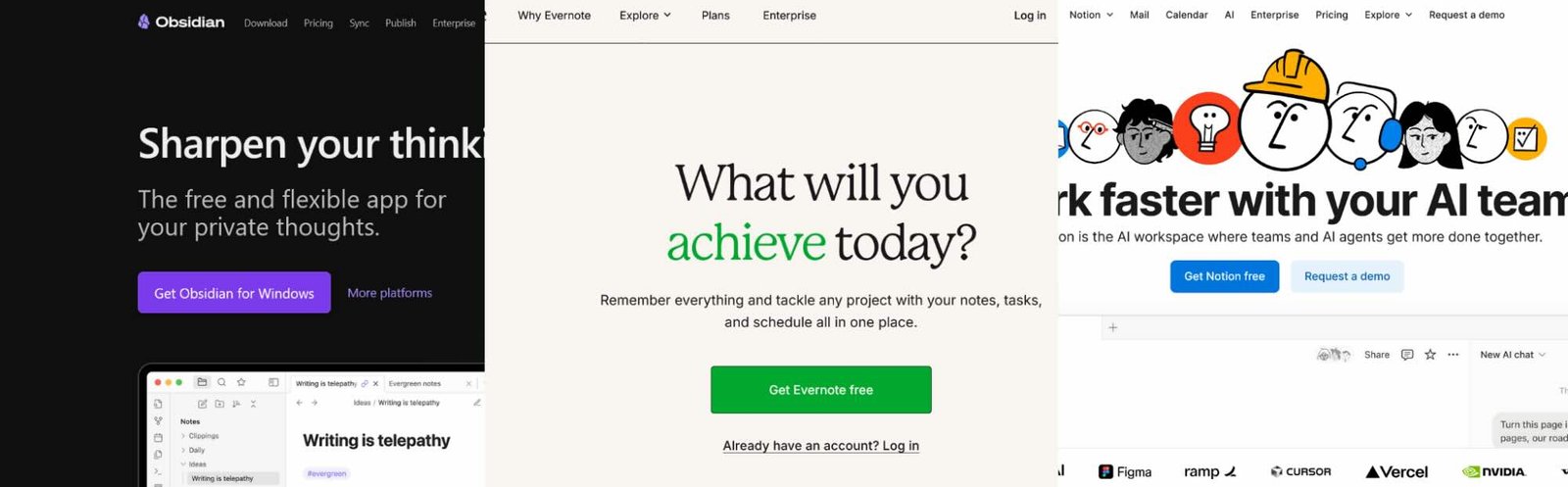
Of course, other options exist. Notion is flexible but can feel like a blank canvas that requires heavy setup before it becomes useful.
Evernote offers simplicity but lacks the modern features and collaborative structure needed for long-term growth.
Obsidian is powerful for advanced users but is local-first and can be intimidating for someone just starting out.
By comparison, Brainfo gives you an immediate, organized space to work in without the steep learning curve.
After signing up, you simply create a new workspace and give it a name—something like “My Second Brain” works perfectly.
This workspace acts as your central hub for notes, documents, links, and tasks.
From there, you can start creating your first folders or tags to organize information without needing to set up a complicated system.
The initial setup is quick and intuitive, which means you’ll be up and running before you know it.
If you already have ideas or notes scattered across different apps—Google Docs, email drafts, or your phone’s notes app—there’s no need to move everything at once.
Start small by bringing in only the information you need right now, such as an ongoing project, a few key ideas, or your current to-dos.
This approach prevents overwhelm and lets your Second Brain grow naturally as you use it.
Over time, you can import more content into Brainfo and organize it using its folders, tags, and search features, but in the beginning, focus on getting a working setup rather than a perfect one.
Part 2: The Blueprints (PARA method)
Instead of designing a system from scratch, you can start with a simple, proven framework that gives you “buckets” to drop your ideas into.
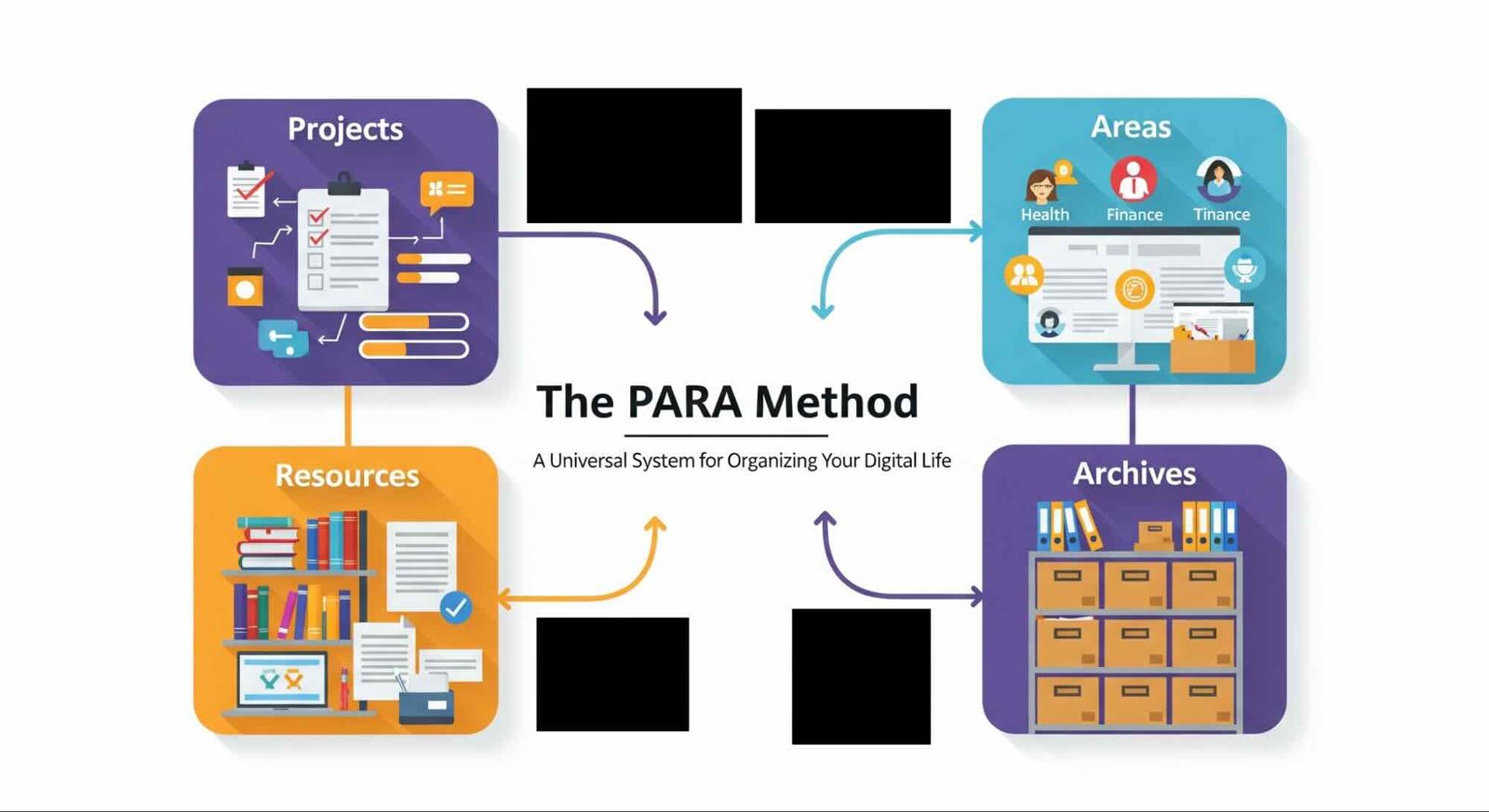
A helpful way to start is with the PARA method—Projects, Areas, Resources, and Archives—simplified for beginners.
Projects are the things you’re actively working on right now, such as launching a product, studying for an exam, or planning a trip.
Areas are ongoing responsibilities like “Marketing,” “Health,” or “Finances.”
Resources are collections of useful information you may need later, from articles to checklists.
Archives hold everything that’s no longer active but still worth keeping for reference.
With just these three to five sections, your Second Brain instantly has a structure that makes sense.
Brainfo makes this setup easy. You can create a folder for each bucket—Projects, Areas, Resources, and Archives—and add notes or docs under each one.
The whole process takes less than five minutes and gives you a working system immediately.
Once your buckets are ready, the key is to start filling them with real content.
For example, a “Project” note might be titled “Spring Campaign Launch” with a checklist of tasks inside, while a “Resource” note could be “Marketing Swipe File” with saved articles and images.
Seeing actual examples in your own workspace shows you what “good” looks like and builds confidence to keep going.
Part 3: The Mindsets (Your Rules for Success)
Tools and templates will get you started, but it’s your habits and mindset that will make your Second Brain stick.
The good news is you don’t need to be perfect or have everything figured out before you begin.
In fact, the opposite is true: your first version is supposed to be messy.
Think of it as a rough draft. The goal on day one is not to build a polished system but to get something functional enough to start capturing value right away as action beats planning every time.
If the full PARA structure feels like too much, begin with just one template or one project.
Add more only when you feel comfortable. This prevents overwhelm and helps your system grow with you instead of collapsing under its own weight.
A simple, working system is infinitely better than a complicated one you never use.
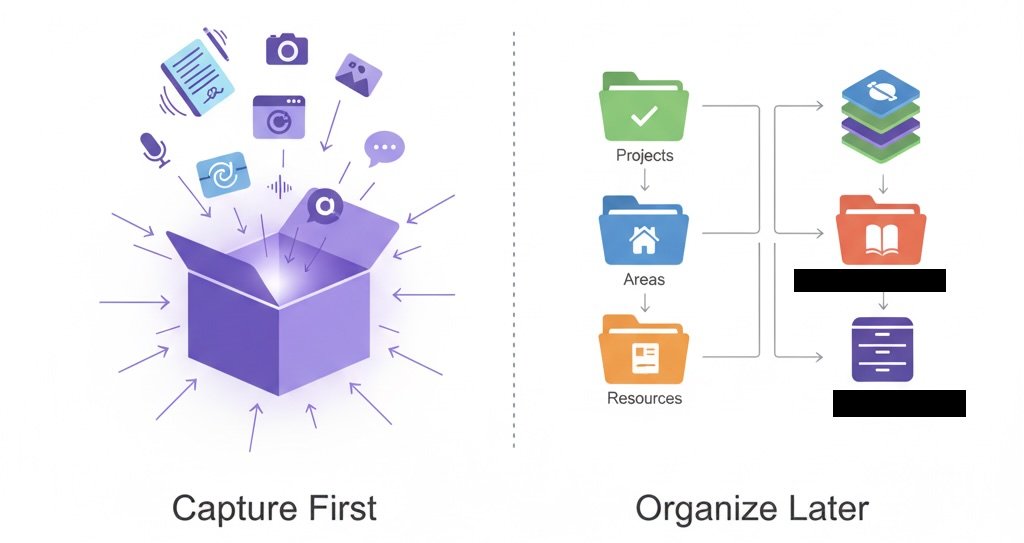
Adopt a “capture first, organize later” mindset. Don’t worry about filing every note or link perfectly from the start.
A “good enough” system that collects your ideas is far more useful than a beautiful but empty workspace. You can always tag, sort, or reorganize later as your needs become clearer.
Finally, build a habit of reviewing your Second Brain once a week.
It doesn’t have to be a big chore—just a 10-minute check-in to tidy up your notes, clear old tasks, and plan the week ahead.
This tiny investment of time keeps your system valuable and ensures it grows alongside you instead of gathering digital dust.
With these mindsets in place, your Second Brain becomes less of a project and more of a natural part of your life.
Conclusion: Your Second Brain Starts Today
In under an hour, you can go from a blank page to a fully working Second Brain.
With the right tools, a simple system, and a focus on progress over perfection, you’ve already learned everything you need to get started.
Your system doesn’t have to be flawless to deliver value—it just has to exist.
Every note you capture, every idea you store, every small improvement you make turns it into something more powerful over time.
So don’t wait until everything feels “ready.”
Take the first step now. Sign up for Brainfo to get instant access and start building your Second Brain today.
In just a few clicks, you’ll have a simple, intuitive workspace that helps you think better, stay organized, and unlock the benefits of a digital brain from day one.
Frequently Asked Questions
1. I’ve heard of Second Brains but I’m overwhelmed — how can I start without messing it up?
Start tiny. Use Brainfo’s built-in templates and just drop in one project or note. You can expand later.
2. What if I don’t know how to structure my notes or projects before starting?
You don’t have to. Brainfo gives you ready-made buckets like Projects and Resources so you can simply fill them in.
3. I already have years of notes scattered across apps — do I need to import everything at once?
No. Just bring in what you need now. Add the rest over time as you feel ready.
4. How is Brainfo different from Notion, Evernote, or Obsidian for a beginner?
It’s simpler. You sign up, pick a template, and start — no steep learning curve or blank canvas to design.
5. My life is busy. How much time does this actually take every week?
Just 10 minutes for a weekly check-in is enough to keep your Second Brain running smoothly.
6. Will my Second Brain look messy at first and is that okay?
Yes, and it’s normal. The first version is supposed to be messy — it’s about progress, not perfection.
7. Do I need to be tech-savvy to use Brainfo effectively?
Not at all. If you can sign up for an email account, you can set up Brainfo in minutes.
8. How soon will I actually see benefits from building a Second Brain?
Right away. Even after adding just a few notes or tasks, you’ll feel the clarity and relief of having things organized.