

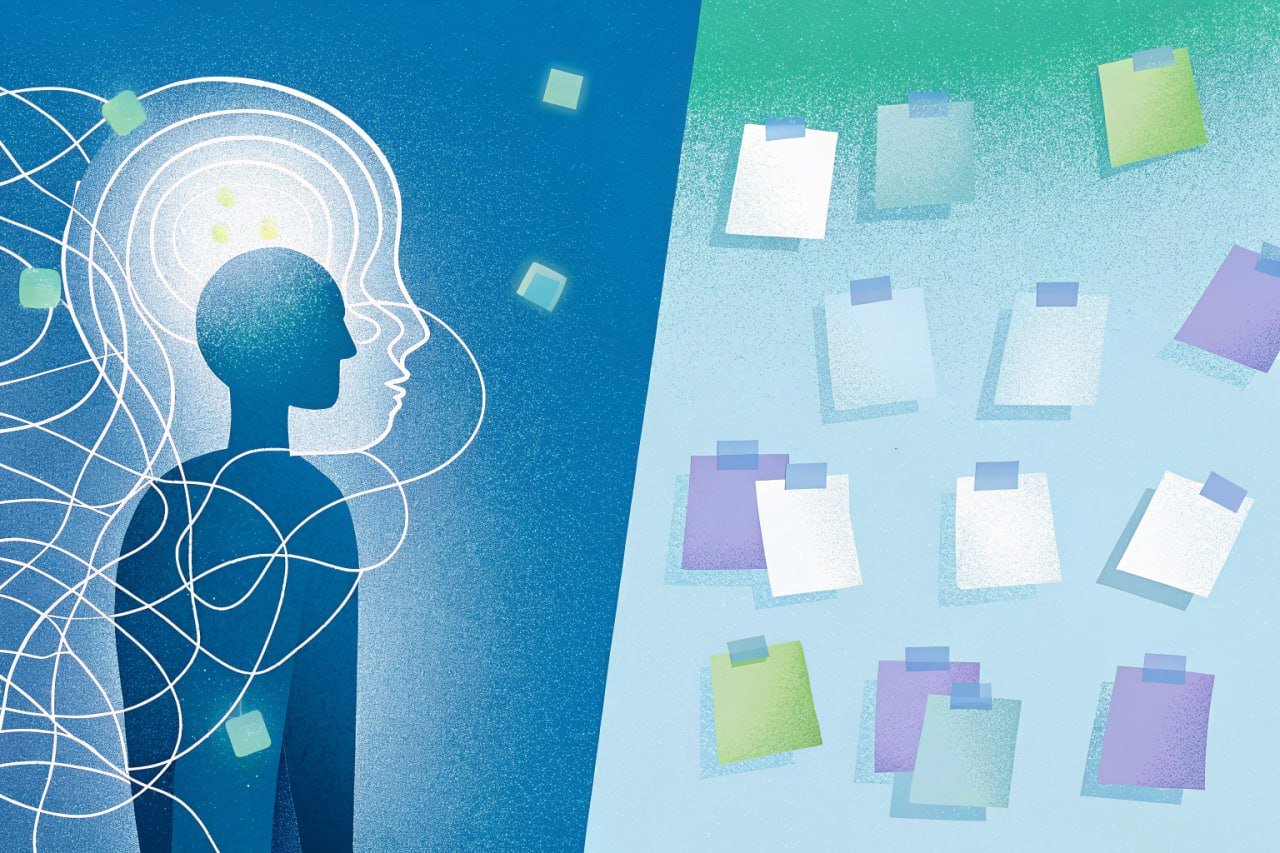
We live in an age of information overload, where ideas, tasks, messages, and useful knowledge are scattered across apps, tabs, inboxes, and devices. A Second Brain gives that information a trusted external home, helping you organize your mind, reduce digital clutter, and retrieve what matters when you need it.
The problem isn’t a lack of information. It’s the friction of remembering where everything lives—and the mental effort of trying to keep it all in your head.
Collectively, it creates a silent cognitive burden that follows us everywhere. The result is lost momentum, forgotten insights, and a constant sense of being behind.
Before we can improve productivity or work smarter with AI, we must first confront the hidden cost of how we currently manage information.
1. Introduction: The Invisible Tax of Digital Chaos
Does this ring a bell?
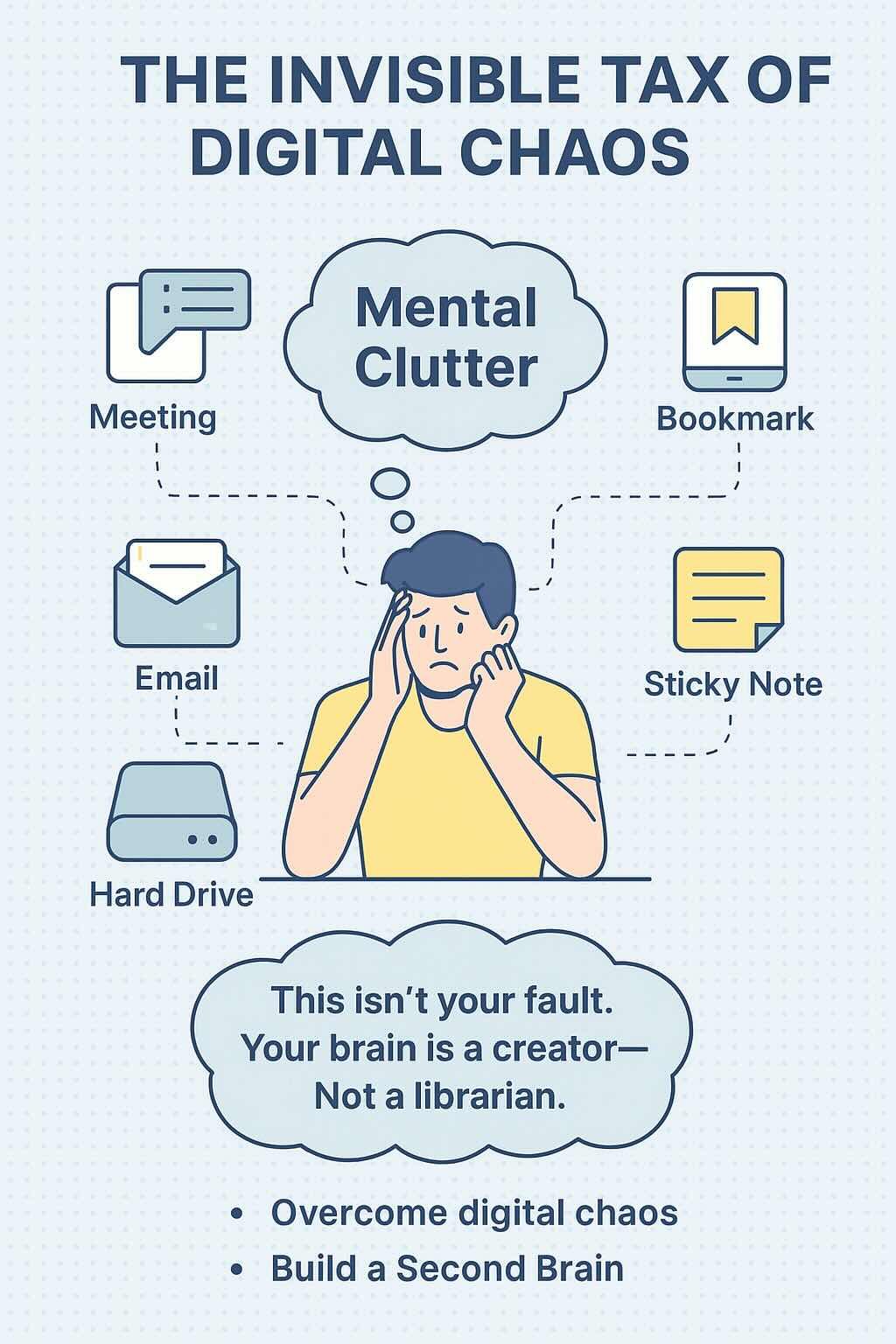
After a productive meeting, you forget where you jotted down crucial action items… somewhere?
Later, brilliant ideas strike for your next project, and you text them to yourself, promising to deal with them “later.” You find an insightful article, bookmark it in one of several browser windows, and tell yourself you’ll read it “when you have time.”
Client feedback lives in an email thread, project files sit quietly on a hard drive, and personal tasks remain on a sticky note. Sometimes you can’t even remember whether it was your phone—or your tablet—where you stored something.
This isn’t just “disorganization.”
It’s an invisible tax on your attention—a constant background task for your mind’s manager.
You can feel it: the low-grade hum of anxiety, the fear that you’ve forgotten something important. You’ve likely spent hours searching for a piece of information you know you saved.
Mental clutter makes focus difficult, keeps you reactive instead of proactive, and lets deadlines sneak up on you. Even your best ideas can get buried under scattered information.
This chaos isn’t your fault. Your biological brain is an incredible creator—but a terrible librarian. Trying to remember, track, and connect everything across countless apps and locations was never what it evolved to do.
So how do you overcome digital chaos? How do you stop forgetting important information? What if there were a way to step off the hamster wheel and turn chaos into clarity?
We’re not suggesting another app to add to the pile—but a digital organization system that changes how you manage your knowledge.
That system is your Second Brain.
Building a Second Brain isn’t about rigid rules or becoming a productivity robot. It’s about applying a few timeless principles of digital organization so your biological brain can do what it does best: think, create, and lead.
This guide will show you how to move from chaos to clarity—step by manageable step, starting right where you are.
Why Information Overload Makes It Hard to Organize Your Mind
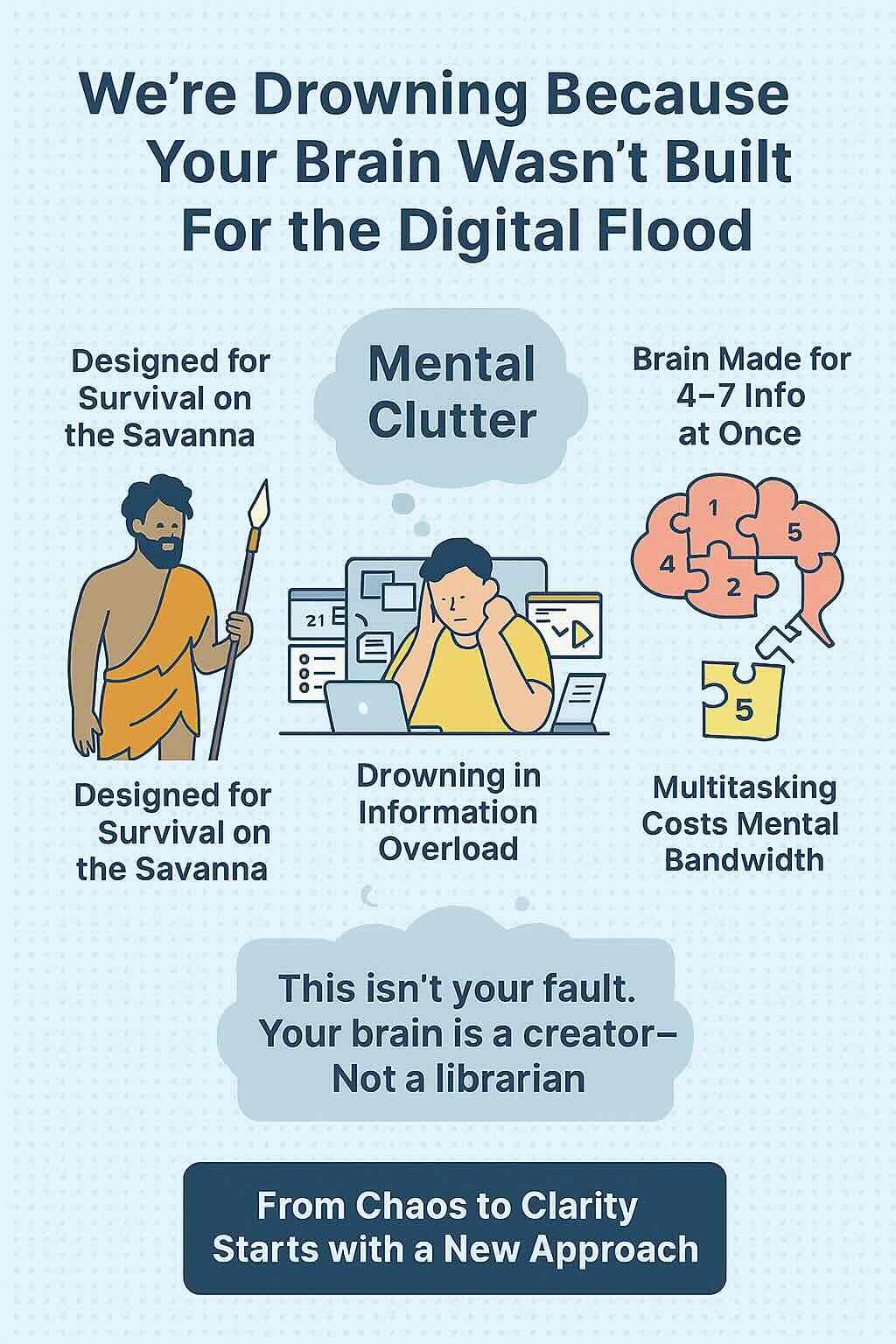
To be brutally honest, your biological brain is mind-blowingly magnificent — but at the same time, it’s spectacularly unsuited for the modern information tsunami.
Why Multitasking and Memory Can’t Keep Up
Your working memory has limited capacity. Research suggests that only a small amount of information can remain readily available to conscious attention at one time, with estimates often centered around roughly four meaningful chunks.
That limitation becomes especially noticeable when you’re trying to remember meeting notes, unfinished tasks, decisions, links, and ideas across multiple tools at once. A Second Brain doesn’t expand your biological memory—it gives important information an external place to live so you don’t have to keep mentally rehearsing where everything is.
The Cost of the Multitasking Myth
Jumping rapidly between emails, documents, messages, and notes can feel productive, but task-switching research shows that changing tasks comes with a measurable performance cost.
Instead of relying on memory to reconstruct context every time you switch, a well-organized external knowledge system helps you return to the information, notes, and connections you need more quickly.
Science shows that task-switching isn’t multitasking; it’s rapid attention-shifting that comes with a massive cognitive cost.
The Real Price of Scattered Information
The consequences of relying solely on your biological brain and fragmented digital tools aren’t just frustrating — they’re costly.
In today’s digital chaos, brilliant ideas often get lost before you capture them, while valuable links get buried in endless bookmarks, leading to missed insights and stalled progress.
You end up re‑researching topics or recreating files you already made, wasting time and draining productivity.
Feedback disappears in crowded inboxes, details are forgotten, and deadlines are missed, creating anxiety, rework, and damaged trust.
And with every new input demanding a decision, focus is depleted and mental clutter builds, leaving you chronically overwhelmed.
This is the essence of digital chaos — when managing information consumes more energy than using it.
It’s not about being “busy.” It’s about your mental bandwidth being hijacked by the very systems meant to support you.
From Chaos to Clarity Starts with a New Approach
You don’t need to work harder — you need a fundamentally different approach to organize your digital life.
A clear, external system can help you reclaim control, reduce stress, and let your brain do what it does best: think, create, and lead
How a Second Brain Helps You Organize Your Mind
The Second Brain is how you stop surviving the flood and start thriving in it.
Understanding the Concept Behind a Second Brain
So, what exactly is this “Second Brain”?
A Second Brain is one practical approach to personal knowledge management (PKM)—the process of capturing, organizing, connecting, and using the information that matters to you.
If you’re completely new to the concept, start with our complete guide to Second Brain systems. Here, we’ll focus specifically on how to use those principles to reduce mental clutter and bring order to your digital life.
At its core, your Second Brain is an external digital organization system designed to capture, store, organize, distill, and retrieve your knowledge and insights.
Think of it as a reliable, always-accessible extension of your biological mind — purpose-built to handle the information overload of modern work and life.
It’s not just another app or a fancy filing cabinet.
It’s a dynamic system based on proven knowledge management principles.
How a Second Brain Works: The Four Core Functions
Behind the idea of a Second Brain lies a practical framework: four essential functions that transform chaos into creativity.
Why the Principles Matter More Than the Tools
The real magic of a Second Brain isn’t in the technology itself but in the principles it’s built upon.
This isn’t about forcing you into a rigid, one-size-fits-all system.
It’s about adopting fundamental, timeless principles that work with your brain, not against it.
You can apply these principles using any tool — Notion, Brainfo, Evernote, or others — to create a setup that fits your personal workflow and thinking style.
Core Principles: Build a System That Works Your Way
Forget rigid rules.
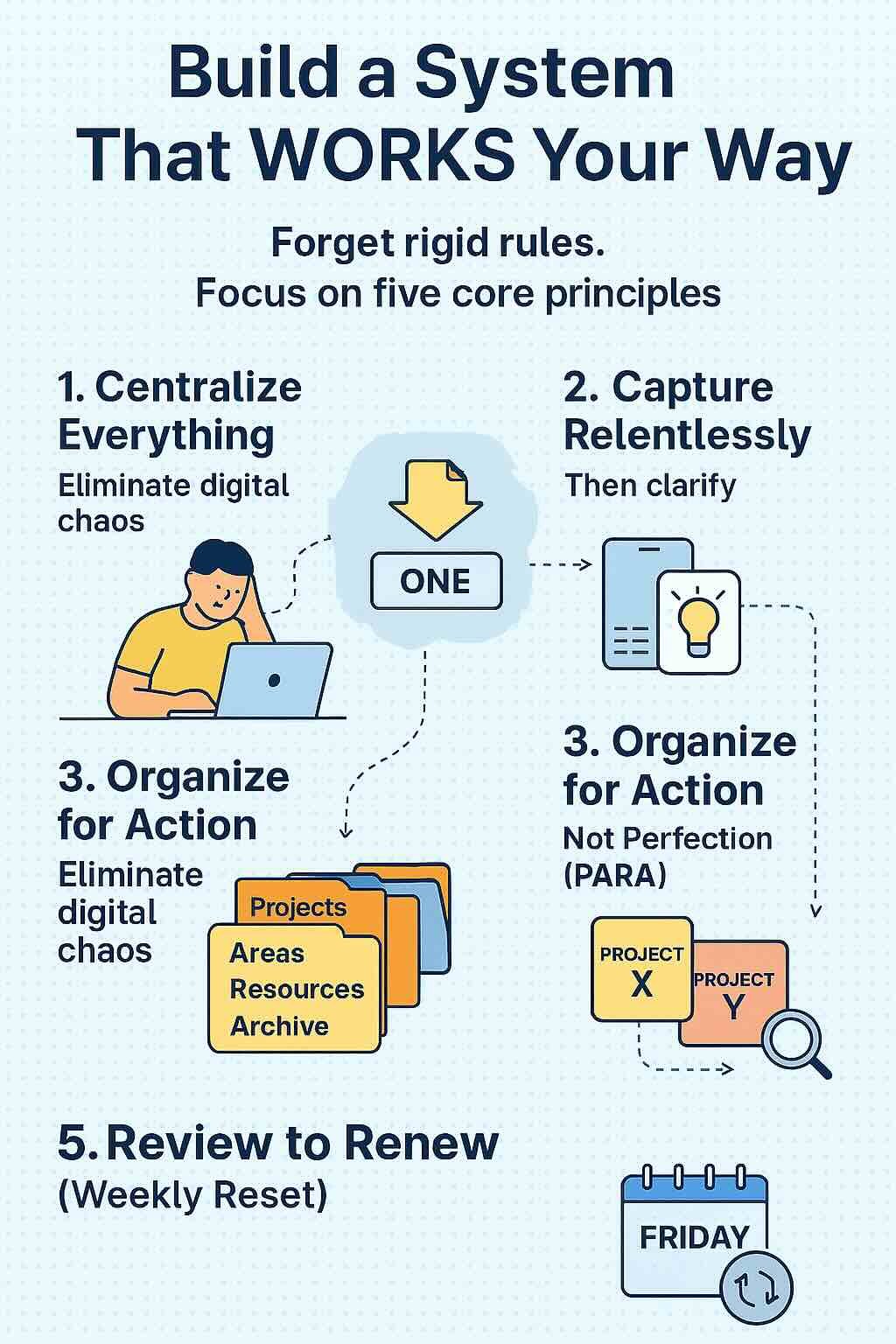
True digital clarity comes from mastering five fundamental knowledge management principles that organize your mind and simplify your workflow.
Adapt them to your style using any tool you choose.
Principle 1: Centralize Everything to Eliminate Digital Chaos
Targets: digital chaos, organize digital files, how to overcome digital chaos
The Problem:
Scattering notes across seven apps and files across three drives isn’t just messy — it’s mentally corrosive. Every location becomes a pit of lost ideas.
The Principle:
Commit to one central repository for all knowledge — meeting notes, PDFs, tasks, bookmarks, voice memos. No exceptions.
How to Start:
Principle 2: Capture Relentlessly, Then Clarify — and Stop Forgetting
Targets: organize your mind, stop forgetting important information
The Problem:
Useful ideas are easy to lose when you postpone capturing them. “I’ll save this later” often turns into searching for the same thought, link, or insight again.
The Principle:
Capture first, organize second. Save ideas instantly — then process in batches.
How to Start:
Principle 3: Organize for Action, Not Perfection — The PARA Method
Targets: organize work life, manage multiple projects, best way to organize notes
The Problem:
Folders like “Misc” or “Admin” become digital graveyards. You’re organizing for neatness, not results.
The Principle:
Use the PARA Framework to organize information by actionability rather than broad topics. PARA divides your digital information into four practical categories: Projects, Areas, Resources, and Archives.
How to Start:
Principle 4: Connect Ideas Instead of Caging Them — Networked Thinking
Targets: knowledge management principles, how to manage multiple projects, building a Personal Knowledge system
The Problem:
Traditional folders force single-filing. That brilliant marketing insight stays trapped in “Project X” instead of fueling “Project Y.”
The Principle:
Link related concepts across projects and areas using tags, backlinks, or searchable keywords.
How to Start:
Principle 5: Review to Renew — The Weekly Reset
Targets: overcome digital chaos, organize work life
The Problem:
Even the best systems decay without maintenance. That “perfect setup” from January? It’s now a time capsule.
The Principle:
Schedule a 20-minute weekly review to keep your system alive and aligned with your priorities.
How to Start:
Brainfo: Clarity, Built In
From Principles to Effortless Practice
You’ve just learned the principles of true digital organization.
Now imagine a tool designed from the ground up to make them effortless.
Why Generic Tools Create More Work Than They Solve
General-purpose tools such as Notion, Obsidian, or other note-taking apps can all support a Second Brain. The difference is how much of the workflow you want to design yourself.
Some people enjoy building their own structure, linking conventions, templates, and review process. Others prefer a system where capture, organization, search, connected knowledge, and AI-assisted retrieval are available with less setup.
Brainfo is designed for the second approach: reducing the amount of system-building required so you can spend more time using your knowledge.
The Bottom Line
Brainfo bridges the gap between principle and practice — so you can spend less time organizing your knowledge and more time using it.
Brainfo: Your Shortcut to Clarity
Why wrestle with generic tools?
Brainfo embodies these principles so you don’t have to engineer them yourself.
It’s the unified environment where clarity emerges naturally—not from endless configuration, but from intentional design.
Your peace of mind isn’t a luxury. It’s a system.
Conclusion: Your Peace of Mind Is a System Away
Chaos has not been your choice.
Actually, it chose you—through overflowing inboxes, scattered notes, forgotten ideas, and the sense that somewhere, something critical is slipping through your mind.
Today, you’ve discovered that a Second Brain isn’t magic. It’s a decision.
A decision to stop letting fragmented tools dictate your potential and to manage multiple projects with focus and control.
A decision to build a digital organization system that works for you—one based on timeless principles, not fleeting trends.
The principles you’ve learned today—Centralize, Capture, Organize (PARA), Connect, Review—are your foundation.
Start small. Win fast. Let momentum build. Your future self will thank you for every captured idea, every reclaimed hour, every moment of focus you gift yourself.
Frequently Asked Questions
1. What is a Second Brain?
It is a digital system for capturing and reusing information outside your biological brain. By storing notes and ideas externally, you reduce mental clutter and turn scattered data into actionable knowledge.
2. How do you organize your mind with a Second Brain?
Start by capturing important ideas, tasks, notes, and resources in one trusted place instead of trying to remember where everything is stored. Then organize that information around your active projects and responsibilities, connect related ideas, and review the system regularly. The goal is not to organize every thought—it is to make useful information easy to find when you need it.
3. Is this just another productivity app?
No, it is a set of principles, not a specific tool. Whether you use Notion, Obsidian, or Evernote, the value lies in how you capture, distill, and retrieve information.
4. How does it solve digital chaos?
It replaces scattered emails and bookmarks with a single, trusted system. You move from chaos to clarity by knowing exactly where your information lives, dramatically reducing cognitive overload.
5. What is a practical way to organize digital files?
One practical approach is the PARA framework: Projects, Areas, Resources, and Archives. It organizes information according to how you are likely to use it, making active work easier to separate from ongoing responsibilities, reference material, and inactive files.
6. Can it manage work life and multiple projects?
Yes. By separating active projects from long-term references, you stay proactive. This clarity prevents missed deadlines and stops you from duplicating work across different areas.
7. How is it different from traditional note-taking?
Traditional notes are often stored and forgotten. A Second Brain focuses on usability and connection, constantly refining ideas so they remain useful for future projects.
8. How do I start building a Second Brain?
Start small. Choose one trusted place for your notes and ideas, capture only information that is useful to you, and create a simple structure for active projects and reference material. Once the habit feels natural, add links, tags, reviews, or more advanced workflows as needed.





