

Second brain templates can fail for a boring reason: they ask you to organize your whole life before you have added a single useful note.
A better starting point is a workspace that helps you capture ideas, connect them to active work, and retrieve them later. You do not need six dashboards on day one.
This collection covers free second brain templates in Notion with different starting points: PARA, GTD, visual planning, lightweight note capture, and broader life systems. Pick one that matches the work already on your desk.
One note on the labels below: “best” means the strongest editorial fit for a stated use case. It is not an independent product test or a scorecard.
In this guide, we’ll cover:

What Makes a Second Brain Template Worth Using?
A useful second brain has four jobs:
- Capture a thought before it disappears.
- Give active projects and reference material distinct homes.
- Make old information easy to retrieve.
- Create a brief review habit so the system stays useful.
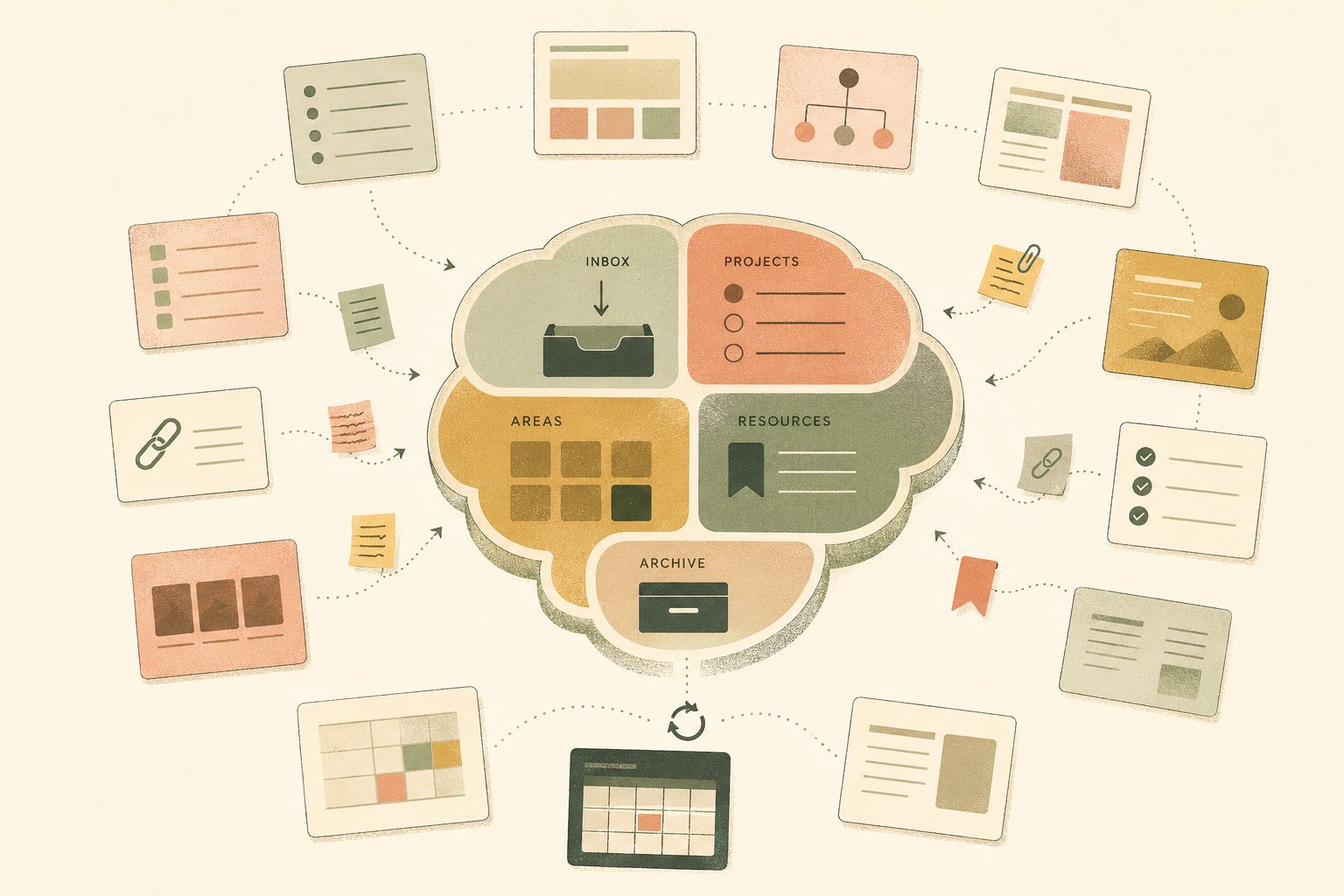
PARA is one common way to create this structure: Projects, Areas, Resources, and Archives. You do not have to use PARA, but a template should make it clear where a new note belongs.
How We Picked These Free Templates
Every entry below links to a public Notion Marketplace listing that was surfaced during current free-template research on August 24, 2026. Price, availability, and creator support can change, so confirm the linked listing before you duplicate a template or publish this collection.
“Free template” and “works on Notion’s free plan” are different claims. This is a research-led selection, not an independent product test. If a listing is no longer free at the final editorial check, replace it before this page goes live.
12 Free Second Brain Templates to Try in 2026
1. Second Brain Free: Best for a Straightforward First Setup
Second Brain Free is aimed at people beginning their productivity journey or looking for a no-cost way to organize their work and life.
Start here if your system is scattered across notes, tasks, and browser tabs. Add one active project, a few reference notes, and an inbox before you change the layout. That is enough to learn whether the structure fits.
2. Second Brain by Rosidssoy: Best for a Flexible PARA Setup
Second Brain by Rosidssoy follows the PARA method and is presented as flexible and customizable.
It is a sensible choice when you want a known framework without spending a week inventing categories. Use it if you can already tell the difference between a live project, an ongoing responsibility, and a resource you may need later.
3. Free Second Brain: Best for Keeping Work in One Place
Free Second Brain brings tasks, projects, notes, and resources into one workspace.
That is useful when meeting notes need to connect to real work. A campaign brief, for example, should sit close to the tasks, research, and decisions that move it forward.
4. Second Brain, PARA Dashboard 2026: Best for a Clear Home Screen
Second Brain, PARA Dashboard 2026 is a free PARA-based dashboard.
Choose it if you want Projects, Areas, Resources, and Archives visible from one starting screen. The value is simple: it reduces the pause that happens every time you wonder where a new item belongs.
5. Knowledge OS Lite: Best for Learning Notes and Reading
Knowledge OS Lite is a free second brain starter built around Zettelkasten principles, evergreen notes, idea capture, and reading tracking.
This option suits readers, researchers, and students who want their notes to compound over time. Use it when a source, quote, or class note should lead to a connected idea instead of disappearing into a folder.
6. Second Brain, PARA GTD & Life System: Best for Action-Oriented Work
Second Brain, PARA GTD & Life System combines PARA with Getting Things Done.
Pick it when tasks keep losing their connection to projects and responsibilities, even though you keep useful notes. This is the kind of system worth trying when your capture habit and execution habit need to live together.
7. Second Brain by MB: Best for a Growing Personal Library
Second Brain by MB is a free template for organizing notes, knowledge, and experiences.
It fits people who already have useful material spread across old documents, saved links, and notebooks. Import only the material tied to current work first. Moving every old note is usually a way to delay the work you meant to do.
8. Ultimate Second Brain, Base Version: Best for a Fuller Free System
Ultimate Second Brain, Base Version v1.25 is explicitly offered as a free version for handling tasks, projects, and goals.
This is for someone who wants a broader system from the beginning. The tradeoff is setup complexity. If you only need a place to capture meeting notes today, a lighter template will get you moving faster.
9. PARA Second Brain: Best for Learning the PARA Method
PARA Second Brain follows the PARA method directly.
Use it if you want to learn the framework while using the template. Each new item has a practical home: a live project, an ongoing area, a reusable resource, or an archive. That one decision prevents a surprising amount of clutter.
10. Second Brain by Menphine: Best for a Lightweight Personal Dashboard
Second Brain by Menphine is a free template aimed at productivity, creativity, and control.
It is a reasonable choice when you want a dashboard for personal planning and idea capture without committing to a strict framework. Start with the parts that solve a real problem, then ignore the rest until you need it.
11. Second Brain System, PKM + PARA + GTD: Best for Framework Enthusiasts
Second Brain System, PKM + PARA + GTD brings personal knowledge management, PARA, and GTD into the same system.
It can fit users who already understand these approaches and want one place to apply them. For beginners, it may be more structure than necessary. The right template is the one you will still open after a busy week.
12. Free Second Brain Notion Template: Best for an All-in-One Starting Point
Free Second Brain Notion Template presents itself as an all-in-one system for organizing life and productivity.
Choose this route if you want one central workspace and are prepared to simplify it around your own needs. A useful second brain should feel like a workbench, not a cockpit.
A Quick Way to Narrow the List
| If you need… | Start with… |
|---|---|
| A first system with little setup | Second Brain Free or Second Brain by Menphine |
| A PARA structure | Second Brain by Rosidssoy, PARA Dashboard 2026, or PARA Second Brain |
| Notes that grow through reading and research | Knowledge OS Lite |
| Tasks connected to projects and reference material | Free Second Brain or PARA GTD & Life System |
| A larger life-management workspace | Ultimate Second Brain, Base Version or Free Second Brain Notion Template |
| More than one productivity framework | Second Brain System, PKM + PARA + GTD |
Use the table to create a shortlist of two. Then open both template pages and choose the one whose first screen makes sense without a tutorial.
There is also a useful reason to skip a template. Leave it behind if you cannot tell where a new note goes, if the setup asks you to maintain categories you do not use, or if the dashboard hides the work you need today. A template should make the next action clearer.
Do not treat a finance tracker, habit log, reading database, and personal CRM as required equipment. They are optional modules. Add one only after your existing capture and review loop feels stable.
How to Pick the Right Template for Your Work
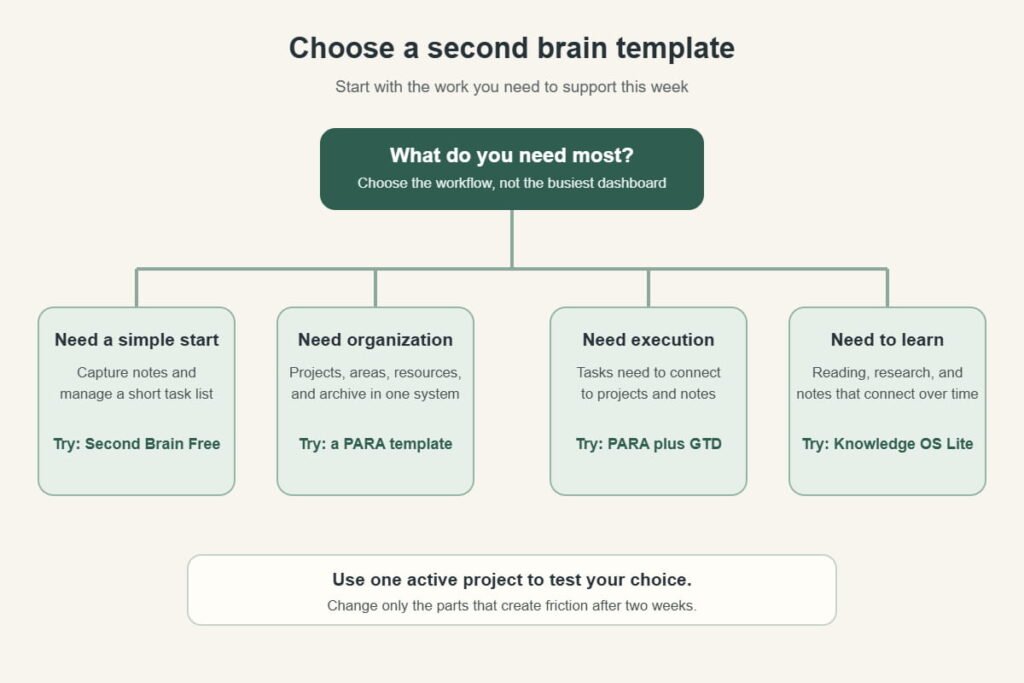
Use this shortcut:
The temptation is to choose the template with the most pages.
Resist it. The best template is the one you can open on a rushed Tuesday and understand in ten seconds.
Make the Template Useful After Day One
After duplicating a template, do three things:
- Create one inbox for loose ideas, links, and unfinished thoughts.
- Add one active project that matters this week.
- Set a short weekly review to clear the inbox and archive material you no longer need.
Do not rebuild the template before you use it. Work inside it for two weeks first. The friction you notice will tell you what needs changing.
A Two-Week Setup That Avoids Template Tinkering
In the first week, use the template only for what is already happening. Add a current project, the notes from one meeting, a handful of useful links, and the next tasks that matter. You are testing the path from capture to retrieval.
At the end of the week, ask three plain questions: Did I know where to put new information? Could I find something I captured on Monday? Did the system help me complete any work?
In the second week, fix only the friction that appeared. You may need a clearer inbox, fewer views, or a better project page. You probably do not need a new database.
That sequence sounds almost too basic. It works because it makes the template earn its complexity instead of letting complexity become the project.
Keep a short change log while you test it. One line such as “the inbox became a dumping ground” or “project notes are hard to find” is enough. At the end of two weeks, those observations give you a better basis for changes than a new video tour or another collection of templates.

Check a Template Before You Copy It
Before you duplicate any template, open its listing and confirm four things: the current price, whether duplication is enabled, the latest update or version note, and the creator’s setup guidance. A template can be free today and paid tomorrow. It can also be free while its most useful documentation or add-ons are not.
That quick check takes less time than moving your work into a system you will abandon next week.
When a Template Stops Being Enough
A template gives you a starting structure. It cannot organize a growing pile of notes, documents, bookmarks, and research for you.
That is the point where a dedicated knowledge workspace can make more sense.
Brainfo is a local-first knowledge platform for people whose work has outgrown a static template. Your notes, documents, and bookmarks are available offline, then sync when you are connected again.
It also keeps notes, docs, bookmarks, and chats in the same workspace. That matters when a project starts with a saved link, becomes a research note, and ends as a document someone else needs to review.
When you need help inside that workspace, Brainfo’s specialist agents can create notes, documents, and bookmarks, organize folders and tags, and research uploaded files or a web page you provide. Web search is opt-in, and AI, web research, and file uploads need an internet connection.
Here is a practical example. You can save a competitor page as a bookmark, keep related project notes beside it, ask the Researcher to inspect a supplied web page or uploaded files, then ask the Writer to turn the useful material into a document. The workflow keeps the source material close to the work, rather than leaving it in a separate template tab.
You stay in control of irreversible work. Destructive actions require your approval before they run.
If a Notion template still fits your workflow, use one. If you need a local-first workspace that can help capture, organize, research, and report as the system grows, compare Brainfo with other knowledge tools.
Frequently Asked Questions
What Is a Second Brain Template?
A second brain template is a prebuilt workspace for capturing, organizing, and retrieving notes, projects, tasks, and resources. It saves you from building every database or page from scratch.
Can I Build a Second Brain in Notion for Free?
Yes. Notion maintains a free second brain templates collection. Choose between a simple capture system, PARA structure, or task management alongside your notes.
Can I Build a Free Second Brain in Notion?
Yes. Searches such as “second brain notion free” and “notion second brain free” usually point to the same practical need: a usable setup without an upfront template cost. Check the live listing because a template can be free while add-ons, support, or a later version are paid.
Is Notion Ultimate Brain Free?
No. Ultimate Brain by Thomas Frank is a paid template, although its official page says it can be used on Notion’s free plan. This distinction matters when targeting the query “notion ultimate brain free.”
Do I Need to Know PARA Before Using a Template?
No. A PARA template can help you learn the method as you go. Start by placing one live task in Projects, one ongoing responsibility in Areas, one useful reference in Resources, and old material in Archive.





