

Most Notion vs Evernote comparisons make the choice sound easy.
Notion is for people who want flexibility. Evernote is for people who want simplicity.
That is broadly true. It is also too vague to help when you are moving years of notes, choosing a tool for a team, or deciding what to pay for.
The useful question is simpler: after you capture information, do you need to find it again or turn it into connected work?
This comparison uses the products’ public documentation and plan pages, reviewed on August 25, 2026. Brainfo publishes this comparison; competitor facts are checked against official documentation. Prices and feature limits change, so check the linked official pages again before buying.
The short answer
Choose Evernote if you want quick capture, a familiar note-taking flow, and a focused place to store and retrieve material.
Choose Notion if your notes need to become a project tracker, team wiki, content calendar, or other structured workspace.
Neither answer is universal.
Someone saving web clips, receipts, meeting notes, and personal reference material may get more value from Evernote’s focused approach. A marketer coordinating briefs, owners, deadlines, and research in one place will usually outgrow a plain note library faster.
The tool is not the system. Your repeatable work is.
Notion vs Evernote at a glance
Most people do not need another place to write notes.
They need a place where a meeting decision, a saved article, a course outline, or a half-finished idea can still be found when it matters.
That is the real difference in the Notion vs Evernote comparison.
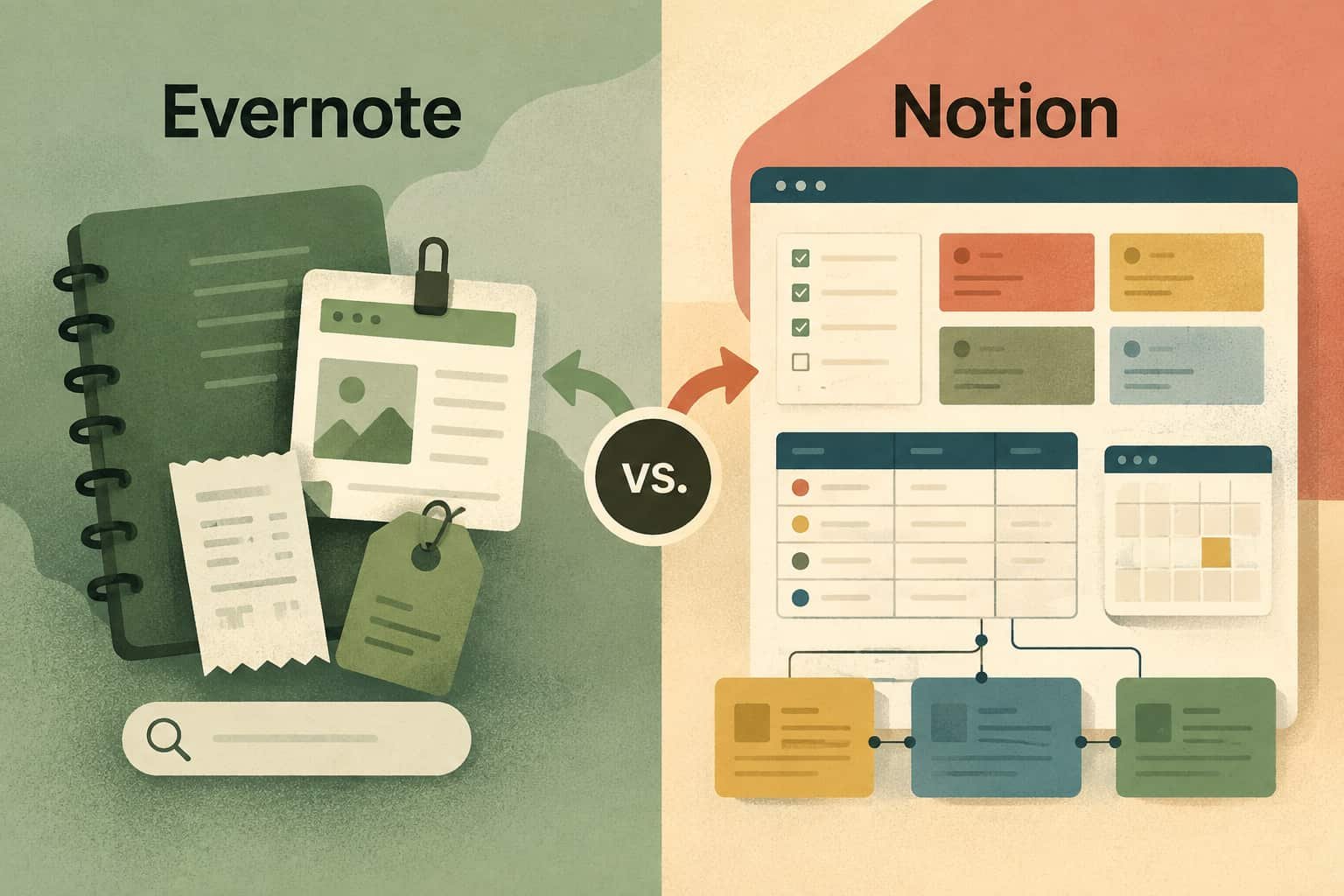
Evernote is built around quick capture and retrieval. Notion is built around flexible pages, databases, and connected workspaces. Both can hold notes. They just ask you to work in different ways.
A brief disclosure first: Brainfo publishes this guide. Brainfo product claims are limited to documented product capabilities, while Notion and Evernote claims come from their official documentation.
The short answer
Choose Evernote if your workflow is mostly:
- Capture something quickly
- Save a web page, scan, or note
- Find it later with minimal setup
Choose Notion if your workflow is mostly:
- Build project hubs, team wikis, or content calendars
- Connect tasks, documents, owners, and deadlines
- Create a workspace around custom databases and views
The question is not whether Notion or Evernote has more features.
The better question is: do you need a notebook that stays out of your way, or a workspace you can shape around your work?
Notion vs Evernote at a glance
| What matters | Better fit | Why |
|---|---|---|
| Quick capture | Evernote | It is designed around notebooks, notes, clipping, and retrieval. |
| Structured projects | Notion | Pages and databases can connect projects, people, tasks, and documents. |
| Team wiki or content hub | Notion | Better suited to custom properties, linked information, and project views. |
| Simple personal archive | Evernote | Less setup means less system maintenance. |
| Web clipping and scans | Evernote | A stronger fit when saved web pages, documents, and scans are central. |
| Offline use | Depends | Both support offline workflows, but their rules are different. |
| Moving existing Evernote notes | Notion | Notion provides an Evernote importer for personal imports. |
| Local-first knowledge work | Brainfo | Notes, documents, bookmarks, and tags remain on the device first. |
The difference between Notion and Evernote
The simplest way to understand the difference between Notion and Evernote is this:
Evernote starts with the note.
Notion starts with the workspace.
In Evernote, you normally capture information first, then organize it with notebooks, tags, and search. That is useful when speed matters more than structure.
In Notion, a note can become part of a larger system. A campaign brief can connect to a content calendar. A project can connect to its owner, status, deadline, meeting notes, and deliverables.
For example, a marketing team could build this in Notion:
Content ideas > briefs > drafts > approvals > published articles
Then add properties for funnel stage, keyword, owner, due date, and target market.
That control is useful.
It also creates a tradeoff: somebody has to maintain the system.
A Notion workspace can become powerful very quickly. It can also become a Friday-afternoon project where the team is maintaining properties, templates, and views instead of doing the work those tools were meant to support.

When Evernote is the better choice
Evernote is often the better answer when you want to write something down now and retrieve it later without designing a whole workspace first.
That matters for:
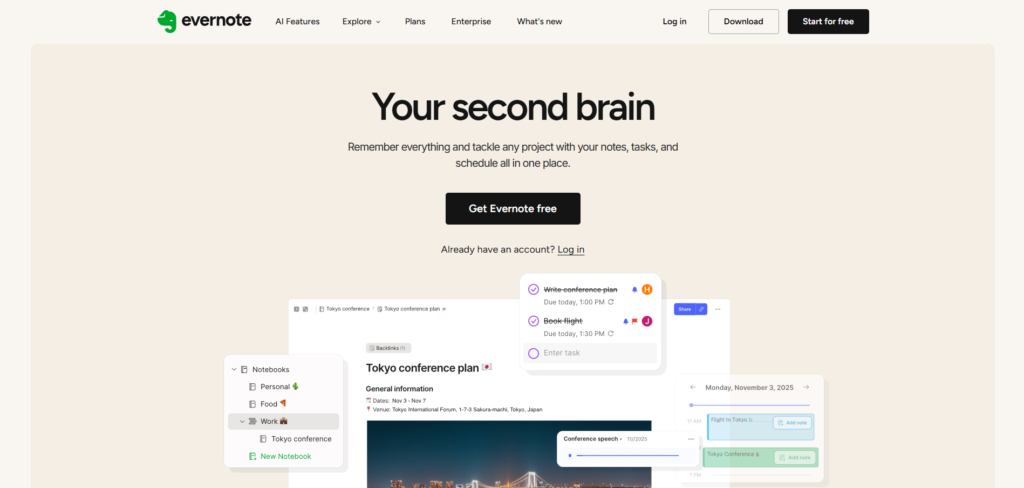
Evernote’s strength is familiarity. You can open it, create a note, clip a page, add a tag, and move on.
If your real need is “keep this somewhere safe and help me find it later,” that may be enough.
For people comparing Evernote vs Notion for personal use, this is usually the deciding point. Notion gives you more options. Evernote asks less from you.
When Notion is the better choice
Notion becomes more useful when the information itself needs structure.
A freelance consultant might need:
- Clients
- Projects
- Meetings
- Deliverables
- Status updates
- Linked documents
An agency might need:
- Content briefs
- Keyword clusters
- Publication dates
- Writers
- Review stages
- Campaign dashboards
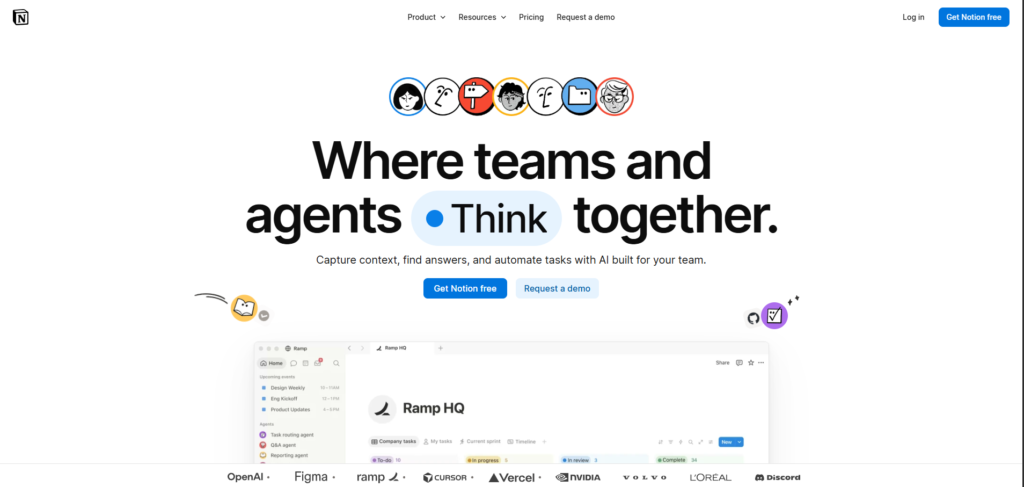
Notion databases are built for this kind of connected work. You can create custom properties, filters, views, subtasks, and dependencies. Notion’s pricing and feature documentation describes these database capabilities across its plans.
The question “is Notion better than Evernote?” therefore has a conditional answer.
Yes, if you need a structured operating space.
No, if all that structure becomes another job.
Notion vs Evernote for students
Students often need both capture and structure, but not necessarily in the same tool.
Choose Evernote if you want a straightforward place for:
- Lecture notes
- Scans
- Quick study notes
- Saved web resources
- Simple course notebooks
Choose Notion if you want to build:
- A semester dashboard
- Assignment trackers
- Reading databases
- Study plans
- Shared group-project pages
Notion can be especially useful when several courses, deadlines, and study materials need to connect. Evernote is often more comfortable when you mainly need a reliable personal notebook.
Both companies may offer education-related plans or discounts, so check their current eligibility rules before choosing based on price.
Offline use is not the same in both apps
Offline access is an easy feature to compare badly.
Notion supports offline pages in its desktop and mobile apps, not in the browser. You can download individual pages, while paid plans can automatically download recent and favourited pages. There are limits: subpages do not automatically come with the parent page, and offline databases initially include only part of the first view. Notion’s offline guide explains the current behaviour.
Evernote works differently. Synced notes on its desktop apps are stored locally, so they remain available when you are offline. On mobile, offline access depends more on what has been opened recently or explicitly made available. Evernote’s offline documentation is worth reading if this is a deciding factor.
If you travel, work on unreliable Wi-Fi, or often write during flights, test your real workflow before committing.

AI: Notion vs Evernote
Both products now include AI-related features, but they are used differently.
Notion’s AI tools are closely tied to pages, databases, workspace search, and connected work. Its current plans include AI functions for generating and editing documents, filling databases, and finding information across a workspace. Notion’s pricing page is the best place to check which AI features are included in each plan.
Evernote also offers AI-assisted capabilities alongside its note-taking and retrieval workflow. If your main concern is helping a growing archive become easier to search and work with, that may be enough.
Do not choose an app because it says AI.
Choose it because the underlying system already fits the way you capture and organize information. AI helps once the system is useful. It does not fix a messy system by itself.
Notion vs Evernote pricing in Canada
For Canadian users, compare the final checkout price, not just the headline number.
Evernote often presents pricing in CAD, while Notion’s public pricing page lists its Plus plan at US$10 per member per month on annual billing. Taxes, billing frequency, exchange rates, and plan availability can change the final amount.
At the time of review, Evernote’s Canadian plan information listed annual Starter and Advanced prices in CAD. Check the current Evernote plans page and Notion pricing page before purchasing.
This is particularly important for small Canadian teams. A cheaper tool can become more expensive if it adds another subscription for documents, task tracking, or AI.
Can you use Notion and Evernote together?
Yes. You do not have to make this an all-or-nothing decision.
A practical split can look like this:
- Keep quick captures, clipped research, and legacy notes in Evernote.
- Use Notion for active projects, editorial calendars, team documentation, and structured planning.

Notion also provides an importer for personal Evernote content. It can bring notes into a Notion database and convert notebooks into pages. Read Notion’s Evernote import guide before moving a large archive.
Do not migrate everything on day one.
Export a backup. Test a representative group of notes. Check attachments, tags, images, links, and formatting. Keep the original data until you know the new workflow works.
Where Brainfo fits
There is another workflow that neither Notion nor Evernote fully represents.
Some knowledge workers do not want a database-heavy workspace or a cloud notebook alone. They need notes, longer documents, saved bookmarks, research, and AI-assisted work to stay close together.
That is where Brainfo fits.
Brainfo keeps notes, documents, bookmarks, and tags in one workspace. Those core content types live on the device first and sync when a connection returns. AI chat, web research, and file uploads still need an internet connection, so it is more accurate to call Brainfo offline-capable for content rather than a fully offline AI platform.
Brainfo also includes specialist AI agents for organizing folders and tags, managing content, and researching selected files or web pages. Permanent destructive actions require approval before they happen.

For teams, Brainfo supports real-time document editing, live presence, inline comments, and shared spaces.
Choose Brainfo if your main problem is that your knowledge is split across notes, documents, saved links, and research. Skip it if your work depends heavily on custom relational databases, formulas, and complex database views. In that situation, Notion is the more natural fit.
You can also read our full Brainfo vs Evernote comparison.
Which should you choose?
Choose Evernote if you want to capture, organize, and retrieve notes without building a system around them.
Choose Notion if you want to turn information into a connected workspace for projects, teams, and repeatable processes.
Choose Brainfo if you want local-first content, notes and documents in the same workspace, saved research, collaborative editing, and controlled AI actions.
If you arrived here after searching “Notion vs Evernote vs OneNote,” start by resolving this first question: do you need a simple notebook or a structured workspace?
That answer usually eliminates at least one option.
Frequently asked questions
Is Notion better than Evernote?
Notion is better for structured workspaces, connected databases, project planning, and team documentation. Evernote is better when you want fast capture and straightforward retrieval with less setup.
Is Evernote better than Notion?
Evernote can be the better choice for personal note-taking, web clipping, scans, and long-running archives. It is especially useful when you do not want to maintain a database-driven workspace.
Can I move from Evernote to Notion?
Yes. Notion provides an Evernote importer for personal content. Start with a small batch and verify important notes, attachments, tags, and formatting before migrating a full archive.
Can Notion and Evernote work together?
Yes. You can keep archival notes and quick captures in Evernote while using Notion for current projects, planning, and team knowledge.
Should students choose Notion or Evernote?
Students who want a simple note archive may prefer Evernote. Students who want course dashboards, assignment tracking, group-project pages, and study systems may prefer Notion.
The distinction is easy to miss:
Evernote is a note-taking product that can handle more. Notion is a workspace that can contain notes.
The difference between Notion and Evernote
Notion gives you building blocks. Evernote gives you a filing cabinet.
That sounds like a slogan, but it changes what each product is good at.
Notion is better when notes need to become a system
Imagine collecting research for a content campaign.
In Evernote, you can save sources, tag them, and search when it is time to write. That is a sensible workflow if the research mainly needs a safe home.
In Notion, the same research can become a database. You can add fields for topic, funnel stage, owner, source, deadline, and status. That database can feed a content calendar and a briefing process.
Notion describes a database as an advanced type of page used to structure information. That makes it a natural fit when your notes need relationships, views, and repeatable processes. Notion’s database guide
Use Notion if you often think:
- I need one home for this project.
- I need to connect these notes to a process.
- Other people need to update the same source of truth.
There is a cost to that flexibility. Someone has to decide how pages, properties, and permissions fit together.
For some people, that work is satisfying.
For others, it is the reason the workspace stays empty.
Evernote is better when capture is the job
Evernote fits people who want to save useful material without first designing a system.
Think web clips, scanned documents, quick ideas, meeting notes, and reference material that you expect to find later.
Evernote’s current product pages focus on note-taking, web capture, document scanning, advanced search, tasks, and calendar-related workflows. Evernote
That makes the product a good match for a simple loop: capture it, organize it, find it.
The limit appears when the notes themselves need to run a complex project. Evernote can store the pieces, but it is not built around the same database-first approach as Notion.
Evernote is not missing team features. Its current site says teams can edit in real time, leave comments, and assign tasks. Notion is the better starting point only when that collaboration needs to sit inside a more customizable page and database structure. Evernote collaboration
Do not decide based on old offline assumptions
Older Notion vs Evernote articles often say Notion cannot work offline.
That is no longer accurate.
Notion supports offline use in its desktop and mobile apps, not in a browser. You can create new pages and edit downloaded pages while offline. Individual pages need to be made available offline, while paid plans automatically download recent and favorited pages. Subpages still need separate downloads, and a downloaded database initially includes only the first 50 rows of its first view. Notion’s offline guide
Evernote handles this differently. Its Mac and Windows desktop apps keep synced notes and notebooks in a local database, so they remain available offline when you have signed in before disconnecting. On mobile, you can browse cached note metadata, but full note content must have been recently viewed or deliberately made available offline. Evernote offline access, Evernote mobile offline setup
That is the real tie-breaker: test your device and your actual offline routine, including attachments and database rows, before migrating an important library.
If local-first content is a requirement rather than a convenience, Brainfo is another option worth evaluating. Its local-first behavior applies to content. AI chat, web search, and file uploads still need a connection.
AI is now a real tie-breaker
Saying that Notion has AI no longer helps much. Evernote has expanded its AI offering too.
Notion’s documentation says Notion Agent can create and edit pages and databases using context from the workspace and connected apps. Its pricing page places more advanced Agent capabilities and other AI features within particular plans and credit structures. Notion Agent, Notion pricing
Evernote’s current AI overview lists AI Assistant, AI Memory, Semantic Search, AI Meeting Notes, transcription, title generation, editing, and note cleanup. Evernote AI overview
The practical decision comes down to the job you want AI to do.
- Pick Notion when AI should help create or reshape workspace output such as pages and databases.
- Pick Evernote when AI should help retrieve, organize, and use the notes you already keep.
Check feature availability before paying for either option. A product page can list a capability that is gated by plan, credits, device, or rollout status.
Notion vs Evernote pricing in Canada
Price deserves a closer look than a single monthly number.
Team size, billing interval, AI usage, exchange rates, and taxes all change the real cost.
Evernote’s current plan-update FAQ lists CAD 17.99 per month or CAD 124.90 per year for Starter. It lists CAD 30.99 per month or CAD 309.99 per year for Advanced. The same FAQ says legacy Personal and Professional plans are no longer available. Evernote’s plan update
Notion offers Free, Plus, Business, and Enterprise plans. At the time of review, its USD view listed Plus at US$10 per member per month and noted savings of up to 20% for annual billing. The public currency selector offers USD, EUR, and GBP rather than CAD, so do not convert that figure and call it a Canadian price. Check the checkout total for your workspace. Notion pricing
For Canadian buyers, Notion says it collects applicable GST, QST, HST, or PST depending on the province. Notion’s Canada sales-tax guidance
Before you compare cost, use the same inputs for both products:
- Choose monthly or annual billing.
- Enter the number of people who need access.
- Confirm the AI features you expect to use.
- Check the final total, including tax.
That takes a few minutes. It prevents a year of buyer’s remorse.
Notion vs Evernote for personal use
For personal use, Evernote is usually easier when you want a dependable place for notes, documents, web clips, and reference material.
There is less to configure.
Notion is the stronger choice when personal notes connect to goals, reading systems, freelance work, travel planning, or a side project that benefits from structure.
Use this rule of thumb:
- Choose Evernote if you want a better notebook.
- Choose Notion if you are willing to build and maintain a personal workspace.
The second option can be useful. It can also turn into a weekend organization project that you never open on Monday.
Choose the amount of setup you will actually maintain.
Notion vs Evernote for students
Students should start with how they study, not with the longest feature list.
Evernote can work well for lecture notes, scanned reading material, saved research, and fast retrieval. Eligible students who are not already paying for Evernote can receive 40% off an Evernote Advanced annual plan after verification. Evernote student offer
Notion makes more sense when assignments, course plans, reading lists, and group work need to live in one structured space. Eligible university students and teachers may qualify for a free Education Plus plan, subject to Notion’s requirements. Notion for education
The point is not to build an impressive dashboard during the first week of term.
It is to have a system you still use after midterms.
Can you use Notion and Evernote together?
Yes, if each tool has a clear job.
For example, you might keep Evernote for fast capture and use Notion for projects or shared documentation.
That can work. It can also create two libraries that you have to remember to search.
If you are moving away from Evernote instead of intentionally keeping both, Notion supports importing Evernote notebooks. Notebooks import as pages and notes import as database items. Notion also documents limits, including that Evernote Teams does not import through this flow. Notion’s Evernote import guide
Do not build a second brain that turns every question into a scavenger hunt.
Where Brainfo fits for knowledge workers
Notion and Evernote are not your only choices.
Brainfo is worth considering when you need more than a note library but want your core content to be local-first.
Notes, docs, bookmarks, and tags live on the device first and sync once you are back online. That lets you keep working with content offline. AI chat, web search, and file uploads need an internet connection.
Its AI approach is different too.
Brainfo uses a supervisor agent that can delegate work to specialist agents for organization, writing, and research. Those agents can create and organize workspace content, work with files, and fetch web pages when needed.
You still make the final call on irreversible work. Destructive actions such as permanent deletion require an explicit approval.
Brainfo also supports real-time document editing, live presence, and inline comments for teams.
It will not suit every use case. Evernote may remain the simpler choice for frictionless personal capture. A deeply customized Notion workspace deserves a hands-on migration test before you replace it.
For a closer comparison, see Brainfo as an Evernote alternative.
Pick the app by running one real workflow
Choose Evernote if your workflow is: capture it, organize it, find it.
Choose Notion if your workflow is: capture it, structure it, connect it, and use it with other people.
Consider Brainfo if you need local-first content, real-time collaboration, and AI agents that can organize, research, and create in the workspace. Destructive actions remain under your approval.
Still undecided?
Build one real project in each app this month. A research library, a content calendar, a course plan, or a meeting-notes system will do.
The app that makes you come back tomorrow is the one to keep.
FAQs
Is Notion better than Evernote for note-taking?
Not always. Notion works best when notes need to connect to projects, databases, and team workflows. Evernote is often a better fit for focused note capture and retrieval with less setup.
Is Evernote better than Notion for quick capture?
For many people, yes. Evernote is built around collecting and organizing notes, while Notion asks you to decide how the notes should fit into a workspace.
Which is cheaper in Canada: Notion or Evernote?
It depends on the plan, billing period, team size, AI usage, displayed currency, and tax. Evernote publishes Canadian prices for Starter and Advanced. Check Notion’s live checkout total before comparing final costs.
Can you use Notion and Evernote together?
Yes, but only if each has a separate role. If you want to consolidate, Notion supports importing Evernote notebooks and notes, subject to the documented import limits.
Is Notion or Evernote better for students?
Evernote suits straightforward note-taking and reference storage. Notion is usually the better fit when students want to manage assignments, study systems, and group work in one structured space.





