

If you are thinking about how to migrate from obsidian to Brainfo, the difficult part usually is not choosing a new workspace.
It is making sure the knowledge you have built comes with you.
An Obsidian vault can contain years of notes, folders, attachments, tags, links, research, and project documents. Moving those files without checking the result can leave you with a workspace that looks complete but is harder to use.
The safest way to migrate from Obsidian to Brainfo is to treat it as a process:
This guide walks through the seven checks that make that process safer.
Before you start: understand what you are moving
Obsidian keeps notes as local Markdown files, which gives you a useful starting point for a migration. Obsidian’s documentation explains its Markdown-based approach to importing and managing notes.
But your vault may include more than text.
You may have:
A successful migration means your information remains usable after the move.
That is the goal.
What you need before migrating from Obsidian to Brainfo
Prepare a few things before you begin:
- your original Obsidian vault
- a complete backup of that vault
- a copied folder for testing
- a small group of representative notes
- important attachments and images
- a list of notes or links you want to verify manually
- a Brainfo workspace
You do not need to move everything at once.
In fact, you should not.
A small test tells you more about the migration path than a large import that creates hundreds of issues at once.
Check 1: Back up your Obsidian vault
Create a full copy of your vault before changing anything.
Keep the original files, attachment folders, and any configuration you may want to inspect later. This gives you a reliable fallback if you find missing files, formatting problems, or broken links after the test.
Then take a quick inventory.
Which folders contain active projects? Where are your images stored? Which notes use plugins or unusual formatting?
You do not need a perfect spreadsheet.
You need enough context to recognize a problem when you see one.
Check 2: Find content that needs extra attention
Plain Markdown notes are usually easier to move than notes with special syntax.
Before you migrate, look for content that may need a closer review:
- wiki links
- embedded notes
- links to headings or blocks
- callouts
- Dataview queries
- Canvas references
- frontmatter properties
- image-heavy notes
- PDFs and other attachments
Obsidian supports several internal-link formats, including note links and folder-aware paths. Its link documentation is useful when you are identifying what exists in your vault.
The important thing is simple:
Do not assume every relationship between your notes will map automatically.
Check 3: Clean up obvious clutter
A migration is a good time to remove content you no longer use.
Look for:
- duplicate notes
- empty folders
- outdated project notes
- old temporary files
- duplicate tags
- broken links you already know about
Keep this cleanup practical.
You do not need to rebuild your entire knowledge system before migrating. Clear names, fewer duplicates, and a simpler folder structure make the test easier to understand.
Instead of asking, “How do I move every note?”
Ask, “Which notes are worth moving first?”
Check 4: How to migrate from Obsidian to Brainfo with a small test batch
Choose a small set of notes that reflects how you actually work.
For example:
- one project note with links
- one research note with tags
- one long document
- one note with images or attachments
- one note that uses plugin-related syntax
Brainfo publicly lists Markdown support, separate Notes and Docs, local-first content, and real-time collaboration. See the Brainfo and Obsidian comparison
That makes a Markdown test batch the right place to start.
Use the current Brainfo import or manual transfer workflow for the copied test folder. The exact path can depend on the format of your files, so test it before moving the full vault.
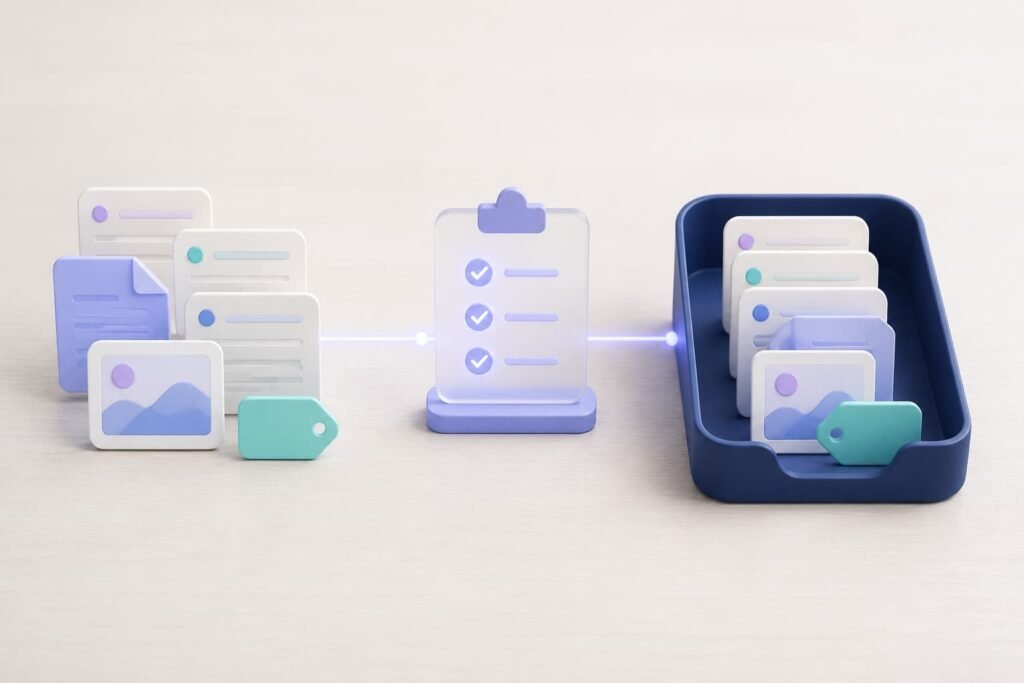
Keep a simple migration log as you work:
| Item | What to check |
|---|---|
| Linked project note | Are note links still usable? |
| Image note | Do images and attachments appear correctly? |
| Research note | Are tags, headings, and structure easy to use? |
| Long document | Did formatting, lists, and tables remain readable? |
A small failed test is easy to fix.
A full-vault migration is harder to untangle.
Check 5: Review notes the way you actually use them
Open the migrated notes and use them as part of normal work.
Check:
- titles and headings
- lists and tables
- links
- attachments
- images
- tags or properties
- external references
A note that opens successfully can still be awkward to use.
Maybe the formatting is flatter than expected. Maybe an image is missing. Maybe a link points nowhere. These issues are easier to catch when you review a small batch carefully.
Write down what transferred well, what needs manual cleanup, and what should remain in Obsidian for now.
That record becomes your migration plan for the next batch.
Check 6: Test links before moving everything
Links are one of the most important parts of a knowledge system.
They connect project notes to research, ideas to sources, and old work to the next thing you create.
Test the link types you depend on:
- note links
- aliases
- heading links
- embedded content
- links to attachments
- folder-aware links

Click them after the test transfer.
If something does not work, record the original link, the result you see in Brainfo, and the action needed to repair it. The fix may be a mapping rule, a manual edit, or a limitation you need to document.
Keep the original vault available until this check is complete.
Check 7: Move your workflow gradually
Once your test batch works well, move the next group of notes.
Start with the content you use often:
- active projects
- current research
- shared documents
- important reference notes
There is no prize for moving your entire archive in one day.
Brainfo can be useful when your work includes notes, longer documents, and collaboration in one workspace. Its official comparison page describes features such as local-first content, separate Notes and Docs, and real-time collaboration.
But the migration should still happen at your pace.
Keep your Obsidian vault as a reference copy until the notes you rely on have passed your QA checks.
Why move from Obsidian to Brainfo?
Obsidian is a strong choice for people who want local Markdown files, deep customization, and a plugin-based setup.
Brainfo may be a better fit when you want your notes, documents, research, and team work closer together.
The choice is not about declaring one tool the winner.
It is about choosing the workflow that helps you use your knowledge more often.
If you are still comparing both tools, read the Brainfo vs. Obsidian comparison.
Frequently asked questions
Can I migrate my whole Obsidian vault to Brainfo?
You may be able to, but begin with a small representative batch. Test notes, attachments, links, tags, and formatting before you move the rest.
Will Obsidian wiki links work after migration?
Test them first. Wiki links, aliases, embeds, and folder-based links can need extra verification after moving between workspaces.
Can I move Obsidian attachments and images?
Yes, but they need their own QA check. Include image-heavy notes and important files in your first test batch.
Should I clean up my vault before migrating?
A focused cleanup helps. Remove duplicates, clarify note names, and identify known broken links. Save the major reorganization for later.
When can I stop relying on my original Obsidian vault?
Keep it until your important notes have transferred successfully and you have verified the workflow you depend on.
Start with one small batch
You do not need to migrate your entire vault today.
Choose a handful of notes that represent your real work. Back them up. Move them through the current Brainfo workflow. Check the result.
Then decide what comes next.
That is how you move your knowledge without losing control of it.





