

Most second brains fail for a simple reason: people build a filing system before they build a working habit.
They create folders, tags, templates, databases, and automations, then discover they still cannot find the note they need when a project is due. Or they can find it, but it has no clear connection to the work in front of them.
A second brain is useful only when it helps you retrieve and use information. This guide shows how to build a second brain with a small, active-work system that stays useful.
How to build a second brain in 7 essential steps
- Define what useful looks like for your work.
- Start with one active project.
- Create one capture inbox.
- Keep the project material together.
- Save only selective reference material and archive the rest.
- Use your notes in a decision, draft, or plan.
- Run a light weekly reset.
These steps are the practical answer to how to build a second brain without turning organization into a second job. The sections below show how to put each one into practice.
Define “working” before you choose an app
A working second brain should pass two tests:
- Can you find useful information when you need it?
- Can you turn that information into a decision, draft, plan, or other piece of work?
If your system stores a lot but rarely changes what you do, it is an archive, not yet a second brain.
The first decision in how to build a second brain is to define the work it should make easier.
Start with one real project. That project gives your system an immediate job. It also prevents a familiar trap: spending a weekend reorganizing years of old notes before the new setup has helped you once.
Set up your second brain in 30 minutes
You do not need a perfect workspace. You need four places.
For most people learning how to build a second brain, this small structure is enough to start.
1. Create one capture inbox
Choose one place where new notes, links, ideas, and reminders can land quickly.
Your inbox can be a note, a folder, a database, or a dedicated capture tool. What matters is that it is fast enough to use when you are busy. If saving a thought requires choosing five tags, it will eventually remain unsaved.
Use a capture filter: save something when you can name a plausible future use for it. “Interesting” is not always enough. “Useful for the Q4 content strategy” is better.
2. Make space for active projects
Create a place for the outcomes you are trying to finish now.
A project has a finish line. “Publish the research report” is a project. “Marketing” is not. Inside each active project, keep the notes, source material, decisions, drafts, and meeting context that help move it forward.
If a note supports work you are doing this week, it should not be buried in a general reference library.
3. Keep a selective reference area
Some material is useful but does not belong to an active project. A guide to customer research, a collection of writing examples, or notes on negotiation can live in a reference area.
Do not treat this as permission to save everything. A reference collection becomes hard to use when it grows faster than your ability to revisit it.
4. Add an archive
Completed or inactive material should remain available without competing for attention.
Archive finished projects, old responsibilities, and references you no longer need often. Archive is not a graveyard. It is how you keep the active part of your system honest.
Organize notes by what they help you do now
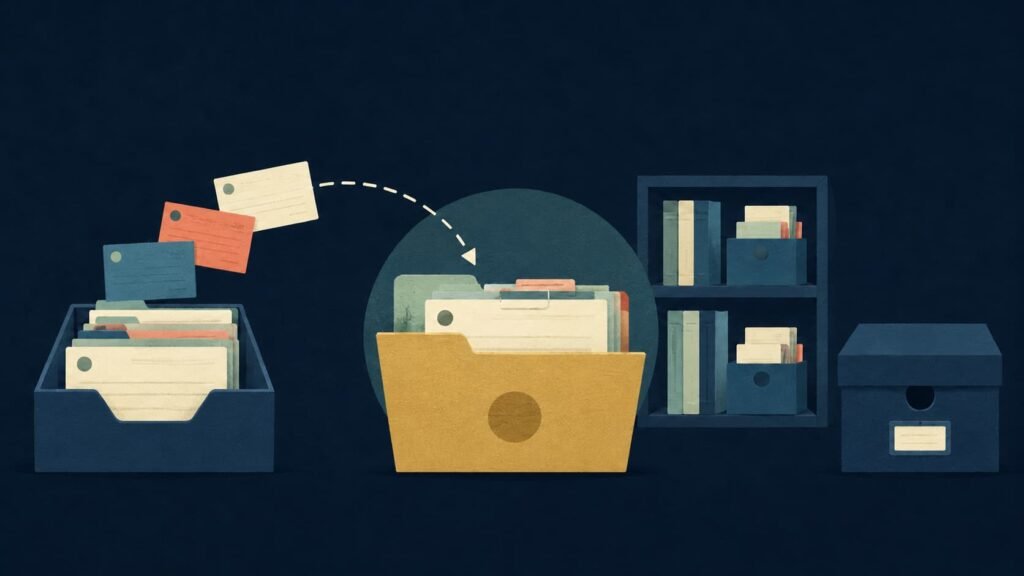
A simple way to make this decision is the PARA method: Projects, Areas, Resources, and Archives. The framework organizes information around current actionability rather than broad subjects. This is useful when you are learning how to build a second brain around real commitments instead of broad subjects. Tiago Forte’s PARA guide explains the approach in detail. For a Brainfo-specific setup and maintenance guide, see The PARA Method.
Ask these questions in order:
Imagine you are preparing a client strategy workshop. A research report on customer retention belongs with that workshop if you are using it now. When the workshop ends, the reusable report may move to Resources while the agenda, decisions, and final slides move to Archives.
The information did not change. Its relationship to your work did.
Use folders, tags, or links only to solve an actual retrieval problem. A note can relate to several topics, so do not force it into a single perfect category. If your tool supports links or tags, use them for secondary relationships instead of duplicating the same material across many folders.
For a deeper comparison of PARA, CODE, Zettelkasten, and other approaches, see Brainfo’s guide to second-brain methods.
Turn saved material into useful output
Capture is only the beginning. The point of a second brain is to make future work easier.
A durable approach to how to build a second brain connects saved material to the work you need to produce.
When you save something, add a short note in your own words:
This makes the note more useful when you encounter it later.
The broader CODE framework describes this movement as Capture, Organize, Distill, and Express. In other words, you collect material, put it where it can be found, reduce it to what matters, and use it to create something. Forte’s introductory guide presents CODE as a process for turning information into creative output.
Suppose you are drafting a product brief. Instead of searching your entire library for “pricing,” open the active project and pull in the customer notes, competitor research, and past decisions that matter. Highlight the key evidence, write a short synthesis, and use it in the brief.
Your system starts to compound when each finished piece of work leaves behind useful building blocks: an outline, a decision record, a source list, a template, or a lesson learned.
Keep your second brain alive with a weekly reset
Your system does not need daily housekeeping. It needs a short reset when your work changes.
If you are deciding how to build a second brain for the long term, keep the review rhythm light enough to maintain.
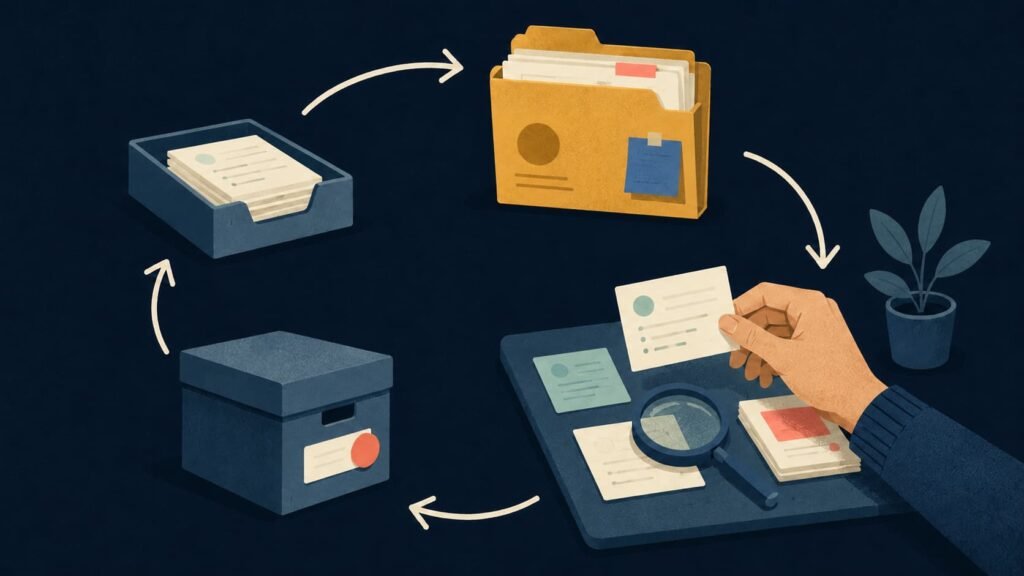
Once a week, spend a few minutes on four questions:
- What is still sitting in the inbox?
- Which projects are active, complete, blocked, or no longer real?
- What information did I search for but fail to find?
- What small change would reduce that friction next week?
Clear obvious inbox items. Rename vague projects. Archive finished work. Move only the material you need for current priorities.
Do not schedule a total reorganization unless you have a specific retrieval problem to solve. Most systems become unmanageable because their owner tries to prevent every possible future problem in advance.
The best maintenance rule is simple: maintenance should cost less than the confusion it removes.
Avoid the common ways second brains fail
Capturing everything
Saving every article, video, quote, and screenshot creates a larger search problem. Capture selectively and make the reason for keeping an item visible.
Organizing your entire history first
You do not need to classify every old file before starting. Put old material in a temporary legacy archive and migrate it only when current work gives you a reason.
Treating your note app as your task manager
A second brain can support projects, but it does not have to manage every deadline, habit, calendar event, and task. Keep the distinction clear: your system stores and connects knowledge; your task system tells you what to do next.
Copying someone else’s elaborate setup
A creator’s dashboard may be useful for their work and wrong for yours. Start with your own repeated problems: scattered meeting notes, lost research, inconsistent project context, or difficulty turning inputs into drafts.
Choose tools after the workflow is clear
The right tool is the one that makes capture easy, active information visible, and retrieval reliable. Choose it after you know how to build a second brain around your own workflow.
Before comparing apps, decide what you need:
Avoid selecting a tool because it has the most features. More features can add more choices when you need to retrieve something quickly.
When you are ready to evaluate software, compare knowledge-management tools by the workflow you want to support, not by a long checklist. For a role-based tool model, read The Second Brain Stack. If you need a starting structure, Brainfo’s second-brain templates guide can help you choose without treating a template as the system itself.
Where Brainfo fits
If you want one workspace for notes, documents, and saved links, Brainfo is one option to evaluate. Its local-first approach keeps core content such as notes, documents, bookmarks, and tags available offline. Online features include AI chat and AI-assisted research, drafting, and organization. Brainfo features
For a practical second-brain workflow, that can mean keeping project notes and reference material in one place, then using AI when you need help working with selected material. AI is useful for research, organization, and drafting, but it does not remove the need to decide what matters or what to do next.
Brainfo is currently inviting users to join the waitlist.
Start with one project this week
Pick one active project. Create an inbox, a project space, a reference area, and an archive. Add only what helps you move that project forward. That is how to build a second brain you will keep using.
Then use the system for a week.
If you can find what you need and turn it into better work, keep going. If not, improve the one point of friction you noticed. A second brain earns its complexity over time.
Frequently Asked Questions
What is a second brain?
A second brain is an external system for capturing, organizing, retrieving, and using useful information. It can be digital or physical, but most people use note-taking and knowledge-management tools because they make search and reuse easier.
How long does it take to build a second brain?
You can create a useful first version in under an hour. The larger system develops gradually as you add material connected to real projects and improve only the parts that create friction.
Do I need PARA or Zettelkasten to build a second brain?
No. PARA and Zettelkasten solve different problems and can be useful, but neither is mandatory. Start with a simple retrieval-first workflow, then adopt a framework when it helps with a specific problem.
Which app is best for a second brain?
There is no universal best app. Choose one that fits your needs for capture speed, organization, search, collaboration, privacy, and the kinds of material you work with.
How often should I maintain my second brain?
A short weekly reset is enough for many people. Process the inbox, update active projects, archive finished work, and fix only the friction you experienced that week.





