


Most Notion vs OneNote comparisons start with a feature list. That is useful for about two minutes.
The better question is what happens to your notes after you capture them. Do they need to become projects, decisions, a team wiki, or a database? Or do you need a fast, flexible place to write, sketch, annotate, and find them later?
Choose Notion when your notes need to become structured work. Choose OneNote when quick, flexible capture is the priority, especially if handwriting and the Microsoft ecosystem shape your day.
Neither tool is universally better. They solve different problems.
The short answer
| If you need to… | Better fit |
|---|---|
| Build project hubs, databases, team wikis, and repeatable workflows | Notion |
| Take freeform notes, annotate, sketch, or write by hand | OneNote |
| Organize work around Microsoft 365 | OneNote |
| Connect tasks, properties, documents, and operational records | Notion |
| Start with very little setup | OneNote |
| Build a system that evolves with your team | Notion |
Notion works best when you are willing to define a structure. OneNote works best when you want to open a notebook and start thinking.
Notion and OneNote solve different workspace problems
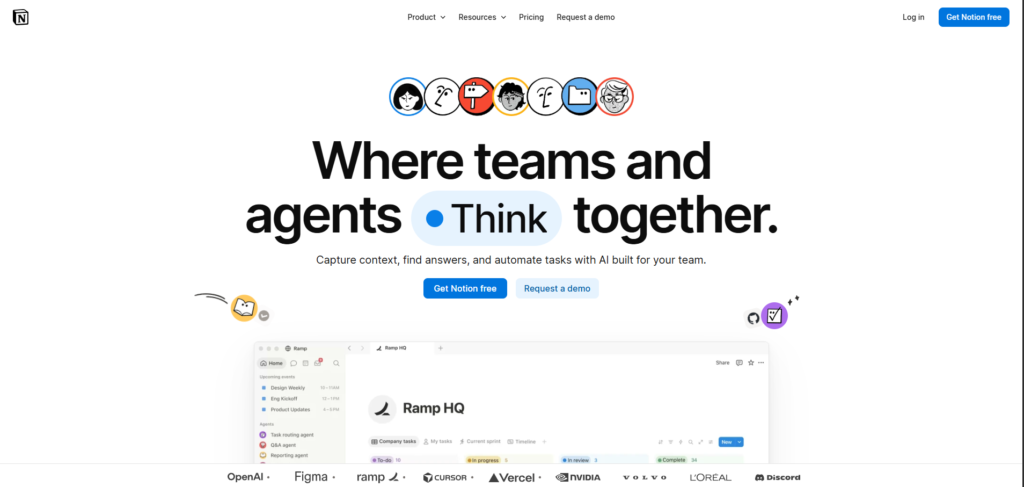
Notion turns notes into structured work
Notion is built for information that needs a life after today.
A meeting note can become a project brief. A project brief can connect to tasks, owners, deadlines, research, and decisions. A content idea can live beside the production calendar and the finished asset. That is the appeal of pages, databases, properties, and linked records.
Notion’s current product and pricing pages show the shape of that system: databases can hold custom properties, filters, subtasks, dependencies, and different views. Its higher plans add more granular collaboration and security controls. Notion Product and Notion Pricing provide the current details.
The trade-off is setup. A flexible workspace can become useful infrastructure, or it can become a collection of half-maintained databases with unclear rules. The tool will not decide which fields matter, who owns a page, or when a record is stale.
If your current issue is that Notion itself has become too complex, Brainfo’s Notion alternative describes a different, local-first knowledge-workspace approach.
For more context on that long-term problem, see Brainfo’s guide to a durable knowledge-management system.
OneNote keeps capture flexible and immediate
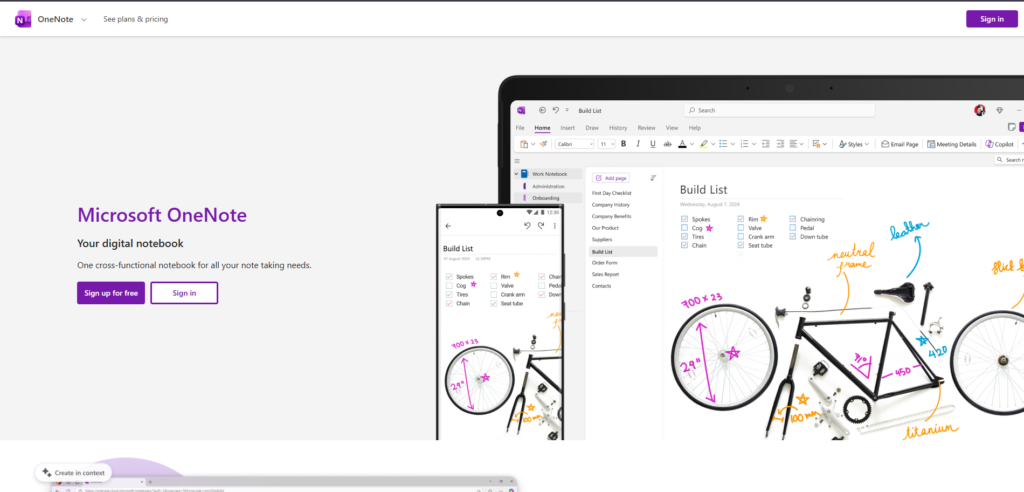
OneNote follows a more familiar model: notebooks, sections, and pages. Its page is a flexible canvas where you can type, draw, annotate, and arrange material without first designing a database.
That is a practical advantage for lecture notes, workshop notes, visual planning, quick meeting capture, or any situation where the order of thought matters more than the final structure. Microsoft also highlights ink, voice transcription, sharing, and Copilot capabilities on its current OneNote page. Microsoft OneNote
The limitation shows up later. A large pile of freeform pages can be easy to create but harder to turn into a shared operating system. OneNote can hold useful knowledge. It does not naturally push that knowledge into connected projects, ownership fields, or workflow states.
Notion vs OneNote at a glance
| Dimension | Notion | OneNote |
|---|---|---|
| Core model | Pages, blocks, databases, and workspaces | Notebooks, sections, and freeform pages |
| Best for | Structured projects, team knowledge, repeatable processes | Notes, handwriting, annotation, fast capture |
| Setup | Requires choices about structure and conventions | Low-friction start |
| Collaboration | Shared pages, teamspaces, permissions, and structured records | Sharing and collaboration around notebooks, with strongest fit in the Microsoft ecosystem |
| Offline considerations | Downloaded, recent, and favourite pages can be available offline depending on plan and device | Test the workflow on the devices you use, especially when your work depends on local access |
| AI | AI is part of the workspace and plan structure | Copilot capabilities are tied to Microsoft’s product and subscription context |

The AI row deserves restraint. Both companies market AI features, but the useful question is whether AI changes your workflow. A summary button does not make a notebook a project system, and an AI-generated database field does not remove the need for sound processes.
Choose Notion when your notes need to become a system
Notion is usually the better choice if your work depends on relationships between pieces of information.
A marketing team might maintain one content database with a brief, owner, status, channel, audience, target date, research links, and final assets. A product team might connect customer feedback to product decisions and roadmap items. A consultant might create a client hub that holds meeting notes, deliverables, and next actions.
These are coordination jobs, not merely note-taking jobs.
Notion’s databases, properties, and connected pages are well suited to that work. Its pricing documentation also describes teamspaces, advanced permissions, database controls, and workspace-level capabilities that become relevant as a team grows. Notion Pricing
Choose Notion if you need:
- A team wiki that has owners and review dates
- A project workspace that links work to context
- A content calendar with repeatable fields and status views
- A searchable system for decisions, projects, and documents
- A public or shared page that needs to connect to internal work
The cost is maintenance. Someone has to decide what a project means, how statuses work, and when records should be archived. If nobody owns that model, Notion can make disorganization look more polished.
For another example of choosing an ongoing system rather than a one-off task, see Notion vs NotebookLM.
Choose OneNote when capture matters more than architecture
OneNote is a strong choice when a note begins as a visual or unstructured object.
A student may want to write beside lecture slides. A researcher may need to paste screenshots, diagrams, questions, and rough observations on one page. A manager may want a notebook for a workshop where the ideas do not arrive in tidy rows and columns.
In those situations, forcing every thought through a database can slow the work down.
Microsoft positions OneNote around digital ink, annotation, voice transcription, and note-taking across devices. Its Microsoft 365 plans also place OneNote alongside OneDrive, Teams, Outlook, Word, and the rest of the suite. Microsoft OneNote
Choose OneNote if you need:
- Handwriting, sketches, or visual annotations
- A quick place to capture notes before you know their final shape
- A familiar notebook and section hierarchy
- Stronger alignment with Microsoft 365 tools your organization already uses
- A lower setup burden for individual notes
OneNote does not prevent you from organizing. It simply asks less of you up front.
The trade-offs a feature table misses
Flexibility can create maintenance work
Notion gives you many ways to organize work. That flexibility is valuable when the structure reflects a real process.
It is less valuable when every teammate creates a different template, status field, or database. Then the workspace stops reducing confusion and starts storing it.
A simple rule helps: build the smallest system that can answer the next decision. Do not create a project database with twenty fields before the team has agreed on three.
If you are tempted to build a complex system before you have a working capture habit, Brainfo’s second brain templates guide offers a more incremental starting point.
Freeform notes can become hard to reuse
OneNote is excellent for keeping a meeting, brainstorm, or class session intact. But a page that captures everything can make it difficult to surface the one decision that matters three months later.
You can reduce that risk by adding a short decision summary at the top of important pages, using consistent section names, and linking notes to the project or meeting that created them.
Can you use Notion and OneNote together?
Yes, if each tool has a clear job.
Use OneNote for fast capture, handwriting, workshop notes, and visual thinking. Move the durable output into Notion when it needs an owner, a decision, a deadline, or a connection to other work.
- Capture a client workshop in OneNote.
- Extract the decisions, risks, and actions.
- Add those items to a Notion project hub.
- Link back to the original notes when detail matters.
- Review the structured record as the work changes.
Without that handoff, you create two sources of truth.

What if neither tool fits your knowledge workflow?
Notion and OneNote are not the only choices. You may want a different kind of workspace if the main problem is keeping notes, documents, bookmarks, and research available as a connected body of work.
Brainfo is relevant when you want core content to remain local-first and available offline, while still working in a workspace with notes, documents, bookmarks, folders, and tags. Its product pages also describe real-time collaboration and an in-editor AI copilot for writing, summarizing, and organizing. Brainfo Features and Brainfo AI
That does not make Brainfo a universal replacement for either tool. Notion is still the better fit when relational databases, mature operational workflows, and extensive enterprise controls are central. OneNote is still the more natural fit for handwriting and freeform note capture.
Choose Brainfo when the lasting value is in turning saved material into an organized knowledge workspace. Keep one limitation in view: core notes, documents, bookmarks, and tags can remain available offline, but AI chat, web search, and file upload require an internet connection.
Make the decision
Choose Notion if your notes need to become shared, structured work. It rewards teams that will maintain a clear system.
Choose OneNote if you value fast capture, handwriting, flexible pages, and a straightforward fit with Microsoft 365. It gets out of the way when the first job is to think.
Use both only when you have a deliberate handoff from raw notes to durable work. Otherwise, pick one place as the system of record.
If you are still comparing broader workspace options, compare Brainfo with other tools before committing years of notes and process to a platform.
FAQ
Is Notion better than OneNote?
Not universally. Notion is better for structured projects, databases, team wikis, and connected work. OneNote is better for flexible note-taking, handwriting, annotation, and low-friction capture.
Is OneNote free while Notion costs money?
Both offer free options, but their limits and paid features differ. Notion’s current pricing lists a free plan and paid tiers with more collaboration, database, and AI-related capabilities. Microsoft offers OneNote within its product ecosystem, with Microsoft 365 subscriptions adding broader storage, desktop apps, and Copilot benefits. Check each official pricing page before you decide because plans change. Notion Pricing and Microsoft OneNote
Which is better for students: Notion or OneNote?
OneNote is often the better fit for handwritten class notes, diagrams, and annotated material. Notion is more useful when the student wants to manage assignments, reading lists, study plans, and projects in a structured system.
Can Notion replace OneNote?
Notion can replace OneNote when your notes are mainly text, documents, databases, and shared project information. It is a less natural replacement if your workflow depends on freeform page layout, handwriting, or visual annotation.
Can I use Notion and OneNote together?
Yes. Use OneNote for capture and Notion for the record that needs to be managed, shared, or acted on. Make the handoff explicit so the same decision does not live in two places.
Which is better for offline work?
Test the exact devices and pages you use before making a choice. Notion’s current plan information describes offline access for downloaded pages and automatically downloaded recent or favourite pages, depending on the plan. Your practical result will depend on the content and device. Notion Pricing





