


Consultants rarely lose time because a useful source does not exist. They lose time because the source is buried in a tab, a client folder, a meeting note, or somebody else’s memory when the next engagement begins. If you are comparing knowledge management tools for consultants, start with that retrieval problem.
That makes this a workflow problem, not a hunt for one perfect app. You need a way to discover evidence, examine the material that matters, keep client context separate, and retrieve the reasoning behind a recommendation months later.
The best research and knowledge management tools for consultants each solve a different part of that problem. This guide compares five strong options by the job they do, then shows how to assemble a small stack that fits a solo practice, a boutique firm, or a larger advisory team.
The short answer: choose tools by the job they must do
There is no universal winner. A web research tool may be excellent at showing its sources but weak at holding a client’s project history. A flexible wiki can keep a team aligned, yet still be a poor place to interrogate a dense diligence pack. Start with the bottleneck that currently causes rework.
| Tool | Best for | Start with it when | Watch out for |
|---|---|---|---|
| Perplexity | Cited web research | You need a fast, source-linked first pass on a market or company | You still need to read and assess the original sources |
| Gemini Notebook (formerly NotebookLM) | Source-grounded analysis | You already have a bounded set of reports, transcripts, or documents | It does not replace a durable project knowledge system |
| Notion | Flexible client and project wiki | A small team needs shared briefs, decisions, and reusable templates | Flexibility can create inconsistent structures |
| Confluence | Governed firm knowledge | Multiple teams need a structured, permission-aware knowledge base | It needs ownership and administration to stay useful |
| Brainfo | Local-first research and knowledge work | You want notes, documents, bookmarks, and research activity close to your working context | AI and web research still require an internet connection |
The five jobs behind a consultant’s research workflow are simple:
- Find outside evidence. Locate credible sources and preserve enough context to revisit them.
- Question the material you already have. Review a client deck, interview transcript, or research pack without treating a general answer as evidence.
- Turn findings into project knowledge. Record the recommendation, the reason for it, and the source trail.
- Make knowledge reusable. Let the next project team find an earlier decision without relying on the original author’s vocabulary.
- Keep client boundaries clear. A useful system should make it harder, not easier, to blend sensitive client material into unrelated work.
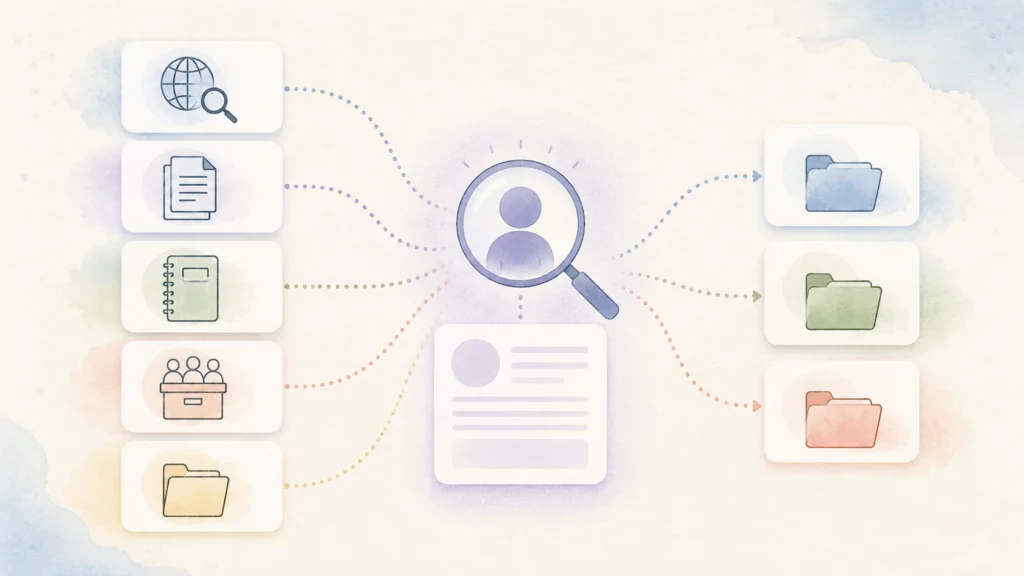
Conceptual workflow: research becomes reusable only after a person assesses the sources and records the client-specific implication.
How to choose knowledge management tools for consultants
The product comparison matters, but the questions you ask first matter more. A tool earns a place in a consulting workflow only when it fixes a real handoff.
Can the tool preserve sources and context?
A consultant often needs more than a conclusion. You may need the publication date, the original chart, the qualifier below the headline number, or the reason a source was excluded. A good research workflow therefore captures the source and the judgment together.
For discovery tools, check whether you can open the cited source and whether the citation actually supports the statement beside it. For document-analysis tools, confirm that the answer stays grounded in the selected material. For a knowledge workspace, make the source link, owner, date, and client or project visible where the finding is saved.
This is also why a shared folder is not automatically a knowledge system. A folder can store a report. It does not tell a future reader whether the report is current, which client it informed, or whether anyone relied on it. For the broader operating model, see how a knowledge management system works.
Can it separate client work safely?
Client confidentiality is not a checkbox you add after choosing a tool. Before uploading, sharing, or connecting data, verify the provider’s current terms, workspace controls, retention rules, and your client’s own requirements. Those details differ by plan, region, and configuration, and they change.
At a minimum, define which material can be used for open-web research, which material belongs in a client-restricted workspace, and who can invite or export content. A solo consultant may need a lightweight rule. A firm working with regulated data may need formal approval and a separate environment. Do not assume that a tool’s consumer workflow meets the second case.
Can a future teammate find and trust the answer?
Search matters, but trust matters more. If someone searches for “retail pricing study” and finds five conflicting notes, the result is not useful. The note that survives should identify its client boundary, owner, source date, decision status, and linked evidence.
This is where page ownership, verification, review dates, and a small set of fields beat a complicated taxonomy. A system that asks people to classify every thought will be abandoned. A system that makes the next decision easier will get maintained.
Does the tool reduce, rather than create, admin work?
Every extra app creates a handoff. Use a tool when it removes a handoff you currently feel: collecting cited sources, understanding a dense source pack, sharing a live client brief, or recovering an earlier recommendation. Do not add software simply because it looks like a more sophisticated version of your existing notes.
The practical test is simple: run one active project through the proposed workflow. If the team cannot explain where a source belongs, who owns the conclusion, and how it will be found later, change the process before expanding the stack.
Conceptual decision aid: weigh evidence, client boundaries, retrieval, and maintenance before adding a tool.

Best tool for cited web research: Perplexity
Perplexity is the best fit here when the first problem is rapid discovery. Its help documentation says answers include numbered citations that link to the underlying sources, which makes it a useful starting point for market scans, competitor questions, and issue framing. Perplexity Help Center
The important word is starting. A citation lets you inspect a source. It does not prove that the source is authoritative, current, representative, or correctly interpreted for a client. If a claim will appear in a client deliverable, open the original publication, record the relevant caveat, and save the final source beside your own analysis.
Use Perplexity when you need to move from a vague question to a defensible research plan. Do not use it as the only place where your project knowledge lives. Its output should feed a dated research note, client brief, or knowledge record that a colleague can later understand.
Best tool for source-grounded document analysis: Gemini Notebook
Gemini Notebook, formerly NotebookLM, is the best fit when your question is already bounded by a defined collection of sources. That may be a group of interview transcripts, annual reports, project documents, meeting recordings, websites, or reference material provided by the client. Google’s documentation describes adding and managing sources within notebooks, with limits that vary by plan. Gemini Notebook Help
That makes Gemini Notebook especially useful during synthesis. Instead of asking a broad AI system to reason from the entire web, you can ask targeted questions about the research pack in front of you. The discipline still matters: check the cited passage, note material gaps in the source set, and distinguish what the sources say from your recommendation.
The limitation is durability. A notebook can accelerate a project phase, but it does not automatically become the team’s long-term decision record. When a piece of analysis matters after the engagement, move the conclusion, evidence links, and owner into the knowledge system you use for the project.
Best tool for a flexible shared client wiki: Notion
Notion is a strong choice for a small consulting team that wants one adaptable home for briefs, project decisions, reusable frameworks, and client-facing working documents. Its wiki tools support page owners and verified pages, which can help distinguish a current operating note from a useful but dated draft. Notion Help Center
The value is flexibility. You can begin with a simple client hub, then add templates for research briefs, decision logs, and reusable deliverable outlines. For a boutique team, that is often enough structure without a separate implementation project.
Flexibility is also the risk. If each consultant invents their own database, status labels, and client naming conventions, search quickly becomes unreliable. Set a small standard from the outset: one client page, one project index, one decision-log format, and one owner for any page people should trust. If your need is primarily client notes rather than research-to-reuse knowledge, compare this option with Brainfo’s note-taking apps for client projects guide.
Best tool for a governed firm knowledge base: Confluence
Confluence is the best fit when the challenge is firm-wide knowledge rather than an individual consultant’s research library. Atlassian describes a Confluence space as a collaborative workspace or knowledge base, with a choice of collaboration, knowledge-base, or custom purpose. Atlassian Support
This is useful for consulting firms that need repeatable proposals, methods, delivery playbooks, project lessons, and team documentation to be found by people beyond the original project team. The case for Confluence strengthens when your organization already uses the Atlassian ecosystem and can support shared conventions, permissions, and content ownership.
It is not a lightweight answer for a solo consultant. The administrative work is only worthwhile if people will maintain the spaces, archive stale material, and keep sensitive client content out of the wrong place. A knowledge base without a review habit becomes a confident-looking archive of obsolete advice.
Best local-first research and knowledge workspace: Brainfo
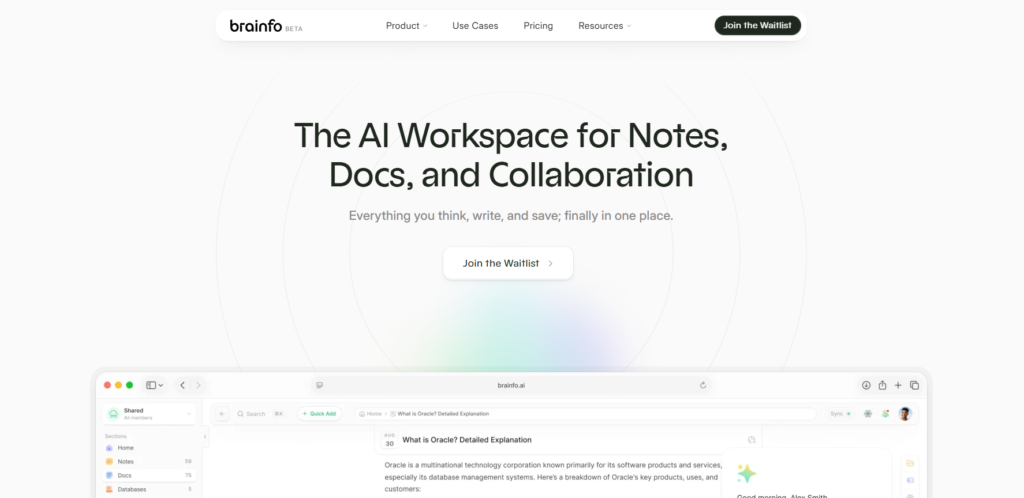
Brainfo is a good fit for consultants who want their research trail, notes, documents, and bookmarks in a local-first workspace. Its current product documentation describes a Researcher specialist for selected uploaded files and web pages, a Writer for notes, documents, and bookmarks, and an Organizer for folders and tags. It also describes fetching and summarizing public URLs with citations. Brainfo AI, Brainfo Features
That combination is useful when a consultant wants to keep a project trail close to the material they are actively shaping, rather than treating research as a separate browser activity and notes as a separate archive. A practical workflow is to save the approved source, record the client-specific implication in a note or document, tag it to the right project, link it to a decision, and return to it when the next relevant engagement begins. If an organizing action would delete content, Brainfo requires an explicit approval or rejection.
There are important limits. Brainfo reads selected files in manageable batches, so it should not be presented as unlimited file context. Its core local content, including notes, documents, bookmarks, and tags, can remain available offline, but AI chat, web research, and file upload require an internet connection. Its search claims should also be kept to keyword search rather than universal semantic search.
For a team, Brainfo supports shared spaces and real-time collaborative editing. However, its roles are owner, admin, and member, and every member can edit. A firm that needs a read-only client role or more restrictive access should treat that as a selection constraint. Brainfo should be evaluated against the same client-data, collaboration, and workflow requirements applied to every other option. This article is published by Brainfo, so treat the recommendation as a transparent fit assessment rather than an independent product test.
Build the smallest stack that fits your practice
The right answer is usually two tools, not five.
Stack for an independent consultant
Use a cited research tool for early discovery and a single knowledge workspace for notes, sources, decisions, and reusable frameworks. For a bounded diligence pack, add a document-analysis notebook only for the project phase that needs it. Keep the output in your long-term knowledge home, not inside the research tool alone.
Stack for a boutique consulting team
Use a shared project wiki for the client hub, decision log, reusable templates, and explicit ownership. Pair it with a source-grounded analysis tool when projects include many documents. Give every client page a clear access rule and a review date. The goal is a shared memory that remains useful after the delivery team changes.
Stack for a firm managing sensitive reusable knowledge
Use a governed knowledge base for approved methods and reusable delivery assets. Keep project research within defined client boundaries, and publish only material that has an owner, review status, and a clear permission model. The research tool may change from project to project. The operating rules should not.
Choose the smallest stack that supports the work you actually need to hand over and reuse.
For a broader framework on assigning a job to each part of the stack, see Brainfo’s guide to a role-based second-brain stack.

Before you move research into a new tool
First, define the outcome. A sensible pilot is not “move all our knowledge.” It is “make the next strategy project easy to research, hand over, and revisit.” Set the source fields you need, decide who can access client material, and create one decision-record template.
Then test that model on an active engagement. Can another person find the most important source? Can they tell whether it is current? Can they understand the recommendation without asking the original consultant? If the answer is no, fix the workflow before importing a backlog of old notes.
Frequently asked questions
What is the best knowledge management tool for consultants?
There is no universal best tool. Perplexity is a strong first step for cited web research, Gemini Notebook fits bounded source analysis, Notion fits flexible shared client hubs, Confluence fits firm knowledge, and Brainfo fits local-first knowledge work. Choose the tool that addresses your actual bottleneck.
Do consultants need both a research tool and a knowledge tool?
Usually, yes. Research tools help you discover or analyze material. A knowledge tool keeps the source, context, decision, and future reuse path together. One product can cover more than one role, but the handoff still needs to be clear.
How should consultants verify AI research?
Open the cited source, check its publisher and date, confirm that it supports the claim, and record the relevant limitation. Treat an AI-generated summary as a research aid, not as the final source for a client recommendation.
Can I put client information into these tools?
Only after reviewing the provider’s current terms, plan controls, data-handling practices, and your client’s requirements. Keep client boundaries explicit and use a client-approved workflow for sensitive material.
How do I stop a consulting knowledge base from becoming stale?
Assign an owner to material people rely on, record its review date, keep a visible decision status, and archive or update old guidance. The goal is not to preserve every note. It is to preserve the information a future project can trust and reuse.





