Workspace-grounded answers
It finds relevant content by meaning and by what is written inside your docs, instead of you picking files first.

Brainfo AI
Ask a question and the assistant finds the relevant content across your workspace itself. Bring files, a web page, or a whole folder, then save the answer as a note or doc.
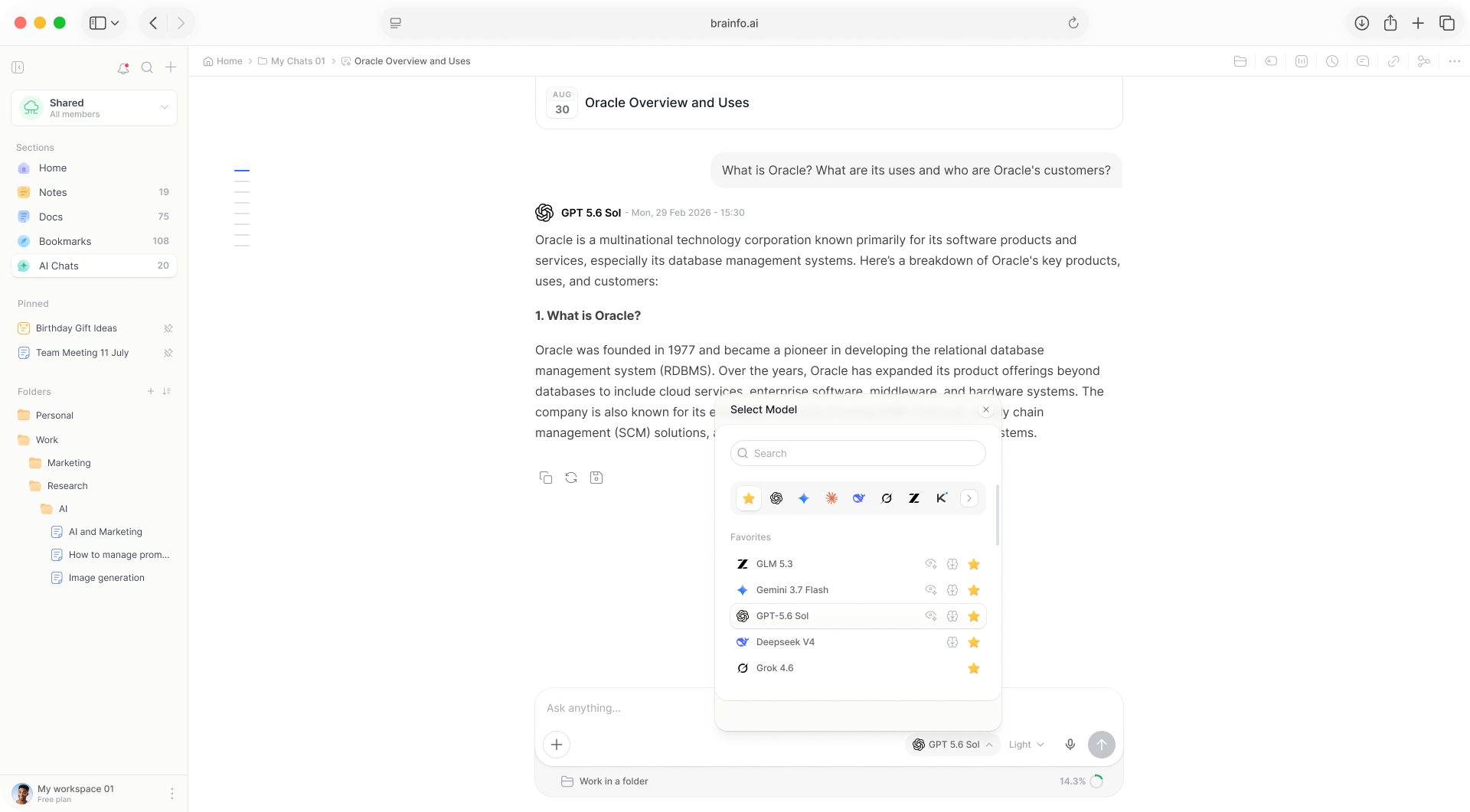
The AI is native to the workspace, not bolted on.
It finds relevant content by meaning and by what is written inside your docs, instead of you picking files first.
A searchable multi-select attaches the notes, docs, or bookmarks you pick.
Select a whole folder as the source for a conversation.
Upload files in 44 supported formats, including PDFs, Word, spreadsheets, and code. The Researcher reads them a batch at a time.
An opt-in toggle researches the live web and shows cited sources. It returns 5 results.
Drop in a screenshot or photo and the model looks at it. Give it a video link for a transcript and summary.
Chats are first-class content, and the work keeps going when you step away.
Every answer offers Save as note and Save as doc.
Each chat runs as its own server-side session. Only the stop button cancels a run.
Open the same chat from the Chats section on another device and the answer replays live.
The assistant remembers what it has learned about you. A settings page shows every entry, and any can be deleted.
Several workspace members view, continue, and contribute to one AI conversation in real time.
Chats are space-scoped and can be filed, tagged, filtered, and searched like notes and docs.
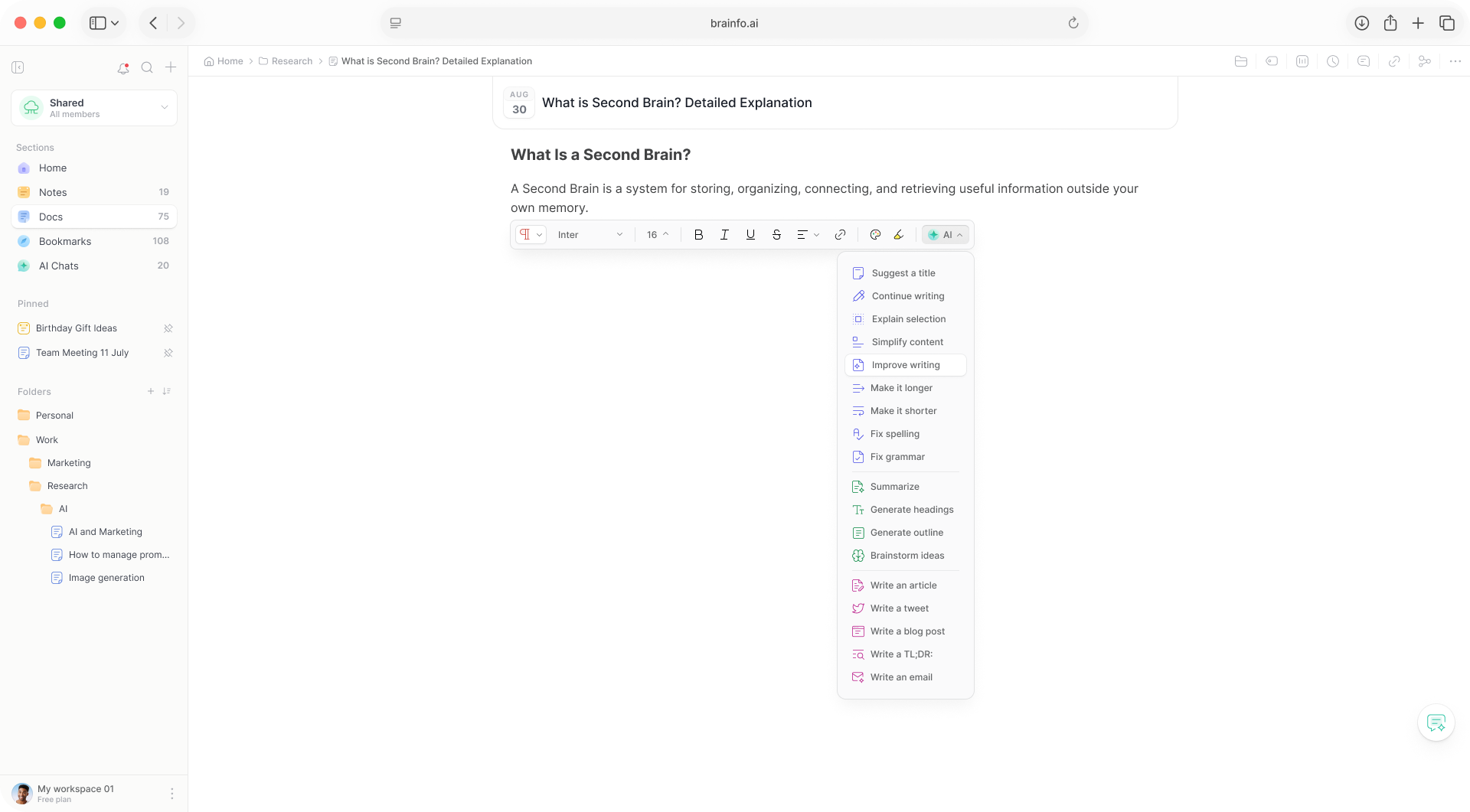
Select text in any document and the copilot appears in the toolbar. It rewrites, corrects, and drafts without you leaving the page. For bigger jobs, the editor agent works through the document on its own.


Speak your thoughts and watch them become text. Capture ideas hands-free, transcribe meetings and voice memos, and turn rambling thoughts into clean, structured notes; instantly.


It opens the doc, reads it, answers
Research with sources for web answers
You can pick from 23 models across 8 providers, or let Brainfo route each request automatically. Every plan gets the same model catalogue; plans differ by AI usage.
It keeps going. Each chat runs as its own server-side session, and anything it creates lands in your workspace. There is no push notification yet, so check back in the chat or the inbox.
Yes, the full chat page works on mobile. The floating assistant bubble is desktop web only.
No. Model requests tell providers not to retain content for training, and model traffic routes to zero-data-retention endpoints.
No. Your notes, docs, and bookmarks work offline, but AI chat, web search, and file upload need a connection.
An AI that reads your workspace and turns answers into notes and docs.