Text notes
Quick capture for thoughts, lists, or information, short or long.

Notes
Capture a thought, a list, or a photo with its context, short or long. Notes sit in the same folders and tags as your docs and bookmarks, so nothing you jot down ends up on its own island.
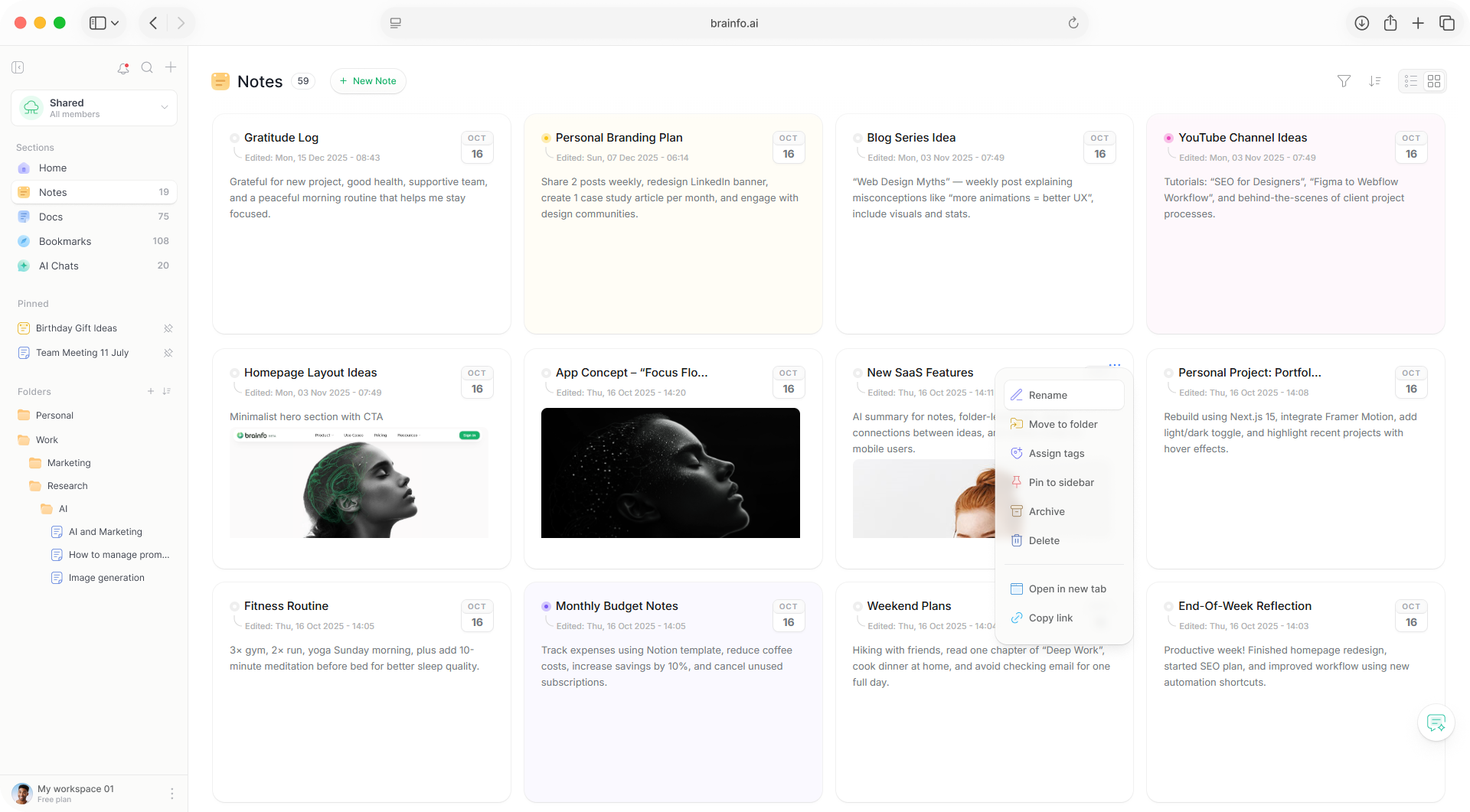
Type a line, tick off a list, or attach an image. A note takes whatever shape the thought needs.
Quick capture for thoughts, lists, or information, short or long.
Add checkboxes and mark items complete as you go.
Attach images for visual reminders or photos with context.
Bold, italic, underline, strikethrough, and hyperlinks, with common shortcuts like Ctrl+B as you type.
Speak and it becomes text, straight into a note. Use Cmd/Ctrl + Shift + M on the web.
Assign colours to notes for visual categorization, so your own system shows at a glance.
Notes use the same organization system as the rest of Brainfo, and they are collaborative, not just docs.
Subfolders and many-to-many tags, shared across notes, docs, bookmarks, and chats.
Several people can edit the same note at once, with the body merging cleanly.
A list for fast browsing or a card grid for a visual overview. The toggle is on desktop.
Filter by folder or tag, and sort by Activity, Latest, Oldest, A-Z, or Z-A.
Checklists you tick off as you go
Small things, kept with their context
Text, checklists, and images, with bold, italic, underline, strikethrough, and hyperlinks. Headings are not part of the note menus; use a doc when you need structure.
Yes. Voice dictation works on the web: speak and it becomes text in the note. It is dictation only, not a voice assistant.
Yes. Notes support real-time collaboration, like docs. The note body merges cleanly; the title is last-write-wins.
No. The copilot appears on selected text in docs and bookmarks. The note toolbar does not have an AI button.
Yes. Brainfo is local-first, so your notes live on your device first and sync when you reconnect. AI features need a connection.
Notes, docs, bookmarks, and AI in one local-first workspace.