Improve and fix
Improve writing, Fix spelling, Fix grammar, and Simplify content.

Writing copilot
Select text in a document or a bookmark and an AI button appears in the formatting toolbar. Choose one of 18 commands, then insert or replace the result.
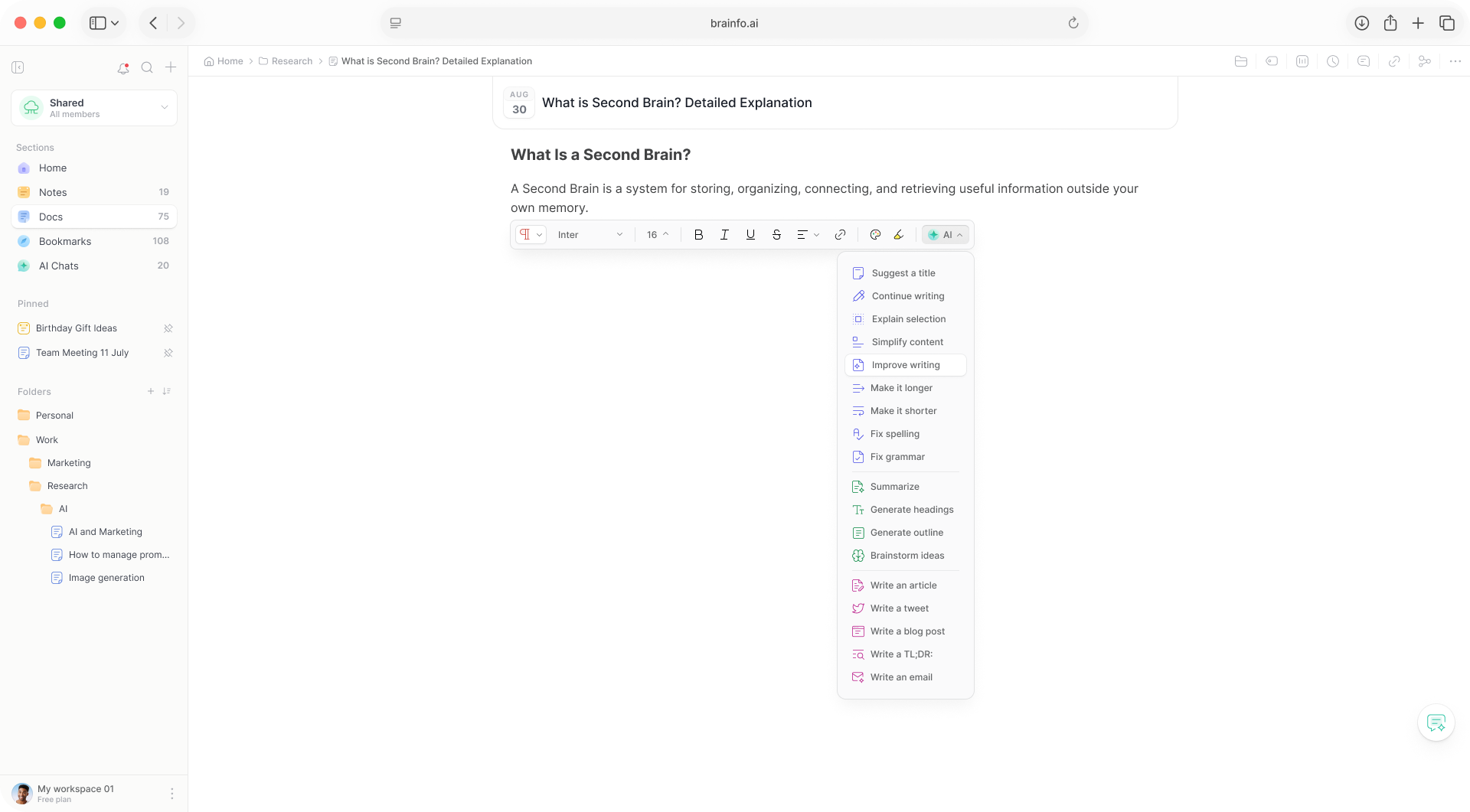
The rewriting, shortening, and drafting people do all day, without leaving the paragraph.
Improve writing, Fix spelling, Fix grammar, and Simplify content.
Make it longer, Make it shorter, Continue writing, Summarize, and Write a TL;DR.
Suggest a title, Generate headings, and Generate outline.
Explain selection and Brainstorm ideas.
Write an article, Write a blog post, Write a tweet, and Write an email.
The result streams into a popup. Insert it below or replace the selection.
Other editor tools that work alongside the copilot.
An assistant that reads the open document and rewrites blocks in place. Version history is the safety net.
Create an image from a prompt in the editor and drop it into the document.
Listen to a document or an AI answer instead of reading it.
The AI reads a note or doc and suggests up to 10 tags, one click to accept.
Three steps, inside the paragraph you are editing.
Highlight text in a doc or bookmark on the web.
Click the AI button in the toolbar and choose one of 18.
The result streams into a popup. Keep it, or replace your text.
On selected text in documents and bookmarks, on the web. Notes do not get it, there is no AI entry on the mobile toolbar, and it is hidden when the selection is a table.
It runs on a fixed fast model, separate from your chat model choice, and each result is capped at 1024 output tokens.
For larger jobs, the editor agent reads the open document and rewrites blocks in place, with version history as the safety net.
Copilot functions count as AI requests, alongside AI chat and agents, within your plan’s AI usage tier.
18 AI commands on selected text, plus an editor agent for bigger jobs.