Block types
Headings (H1 to H4), toggle headings, lists, checklists, toggle lists, code with syntax highlighting, quotes, dividers, tables, callouts, and dates.

Docs
A block editor with a formatting toolbar and a slash menu. Write a plan, a report, or a long research note, then comment on it, publish it, or export it.
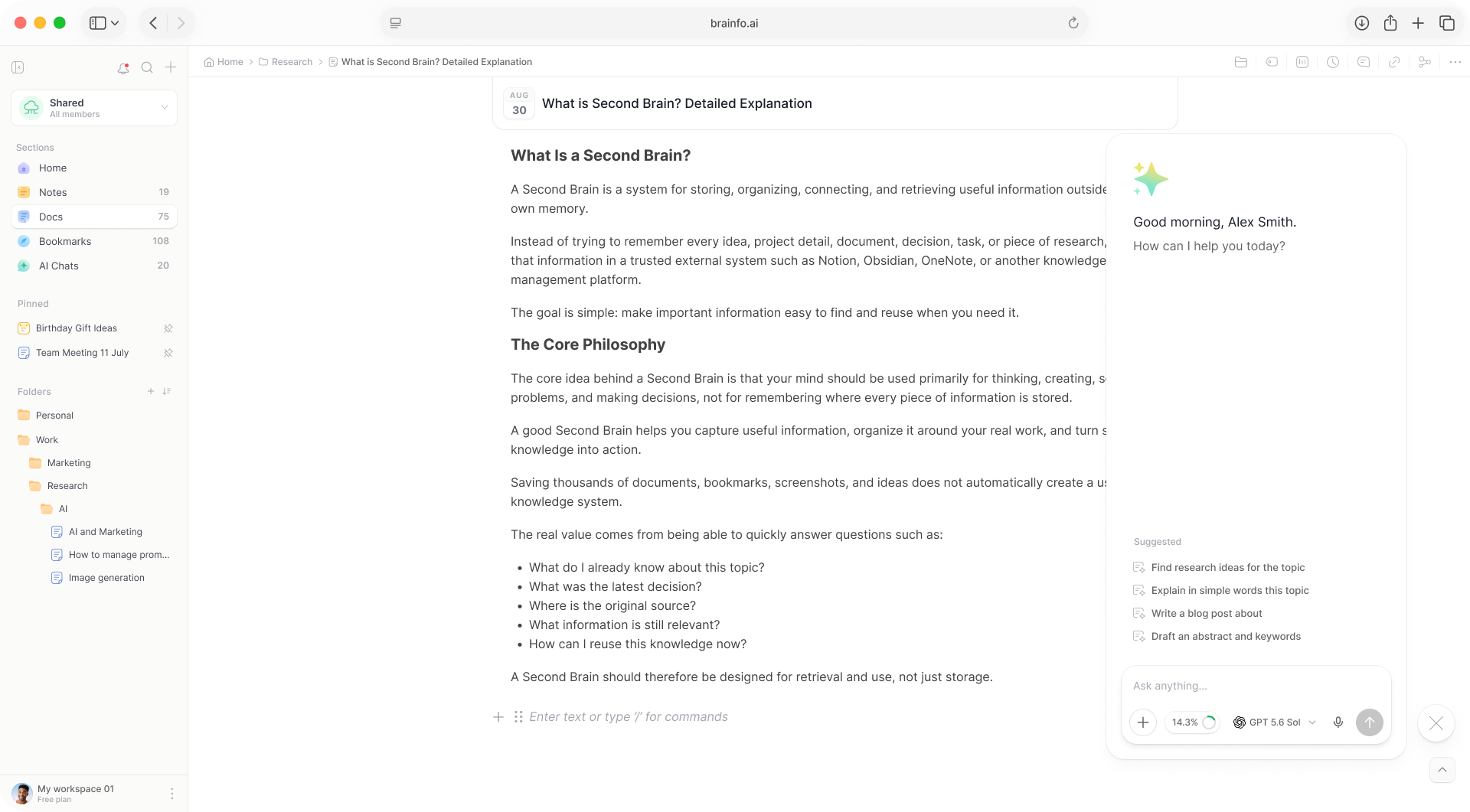
Type / for blocks, use Markdown shortcuts as you go, and drag blocks to rearrange and nest them.
Headings (H1 to H4), toggle headings, lists, checklists, toggle lists, code with syntax highlighting, quotes, dividers, tables, callouts, and dates.
Create tables visually, and embed images, video, and audio inside a doc.
20 font families in the toolbar, plus text colour and highlight from a colour picker.
A live, clickable outline of every heading beside the document.
Word, character, sentence, paragraph, heading, link, and image counts, plus estimated reading time.
Left-to-right and right-to-left paragraph directions, for multilingual content.
Docs are where work gets discussed and finished, so the tools for that live in the doc.
Conversations anchored to specific blocks, with replies kept together in each thread.
Browse and restore previous versions. Retention depends on your plan.
Find and replace text across a document without locking it while you work.
Publish a doc as a public read-only page with one link, and revoke the link at any time.
Export a doc to Markdown, PDF, HTML, Word, or WordPress from the desktop.
Select text on the web and pick one of 18 AI commands, then insert or replace the result.
One doc, from the first line to the version you hand over.
Start typing, or press / to add headings, tables, and callouts.
Teammates edit live and leave threaded comments on blocks.
Use find and replace, the copilot, or restore an earlier version.
Publish a read-only link or export to Markdown, PDF, or Word.
Yes, on desktop. Brainfo imports Word (.doc, .docx, .docm), Markdown, HTML, and plain text, up to 10 MB per file. You can also bring in a whole Obsidian or Notion export as a ZIP of Markdown files and keep the folder structure.
Yes. Publish a doc as a public read-only page with a single link. Anyone with the link can open it, there are no passwords, and you can revoke the link at any time to take the page down.
Retention depends on your plan. You can browse previous versions and restore one.
Yes. Comments are threads anchored to blocks, and replies stay together in the thread as one flat list.
Not today. Docs give you the block types listed above, tables, media, and formatting.
A block editor, comments, and version history in the same workspace as your notes.